
Account & Billing
Who this is for: All users
This section covers your personal account: your profile, password, notifications and purchases. For admins, it also covers your organisation’s plan, usage and billing.
Opening your account settings
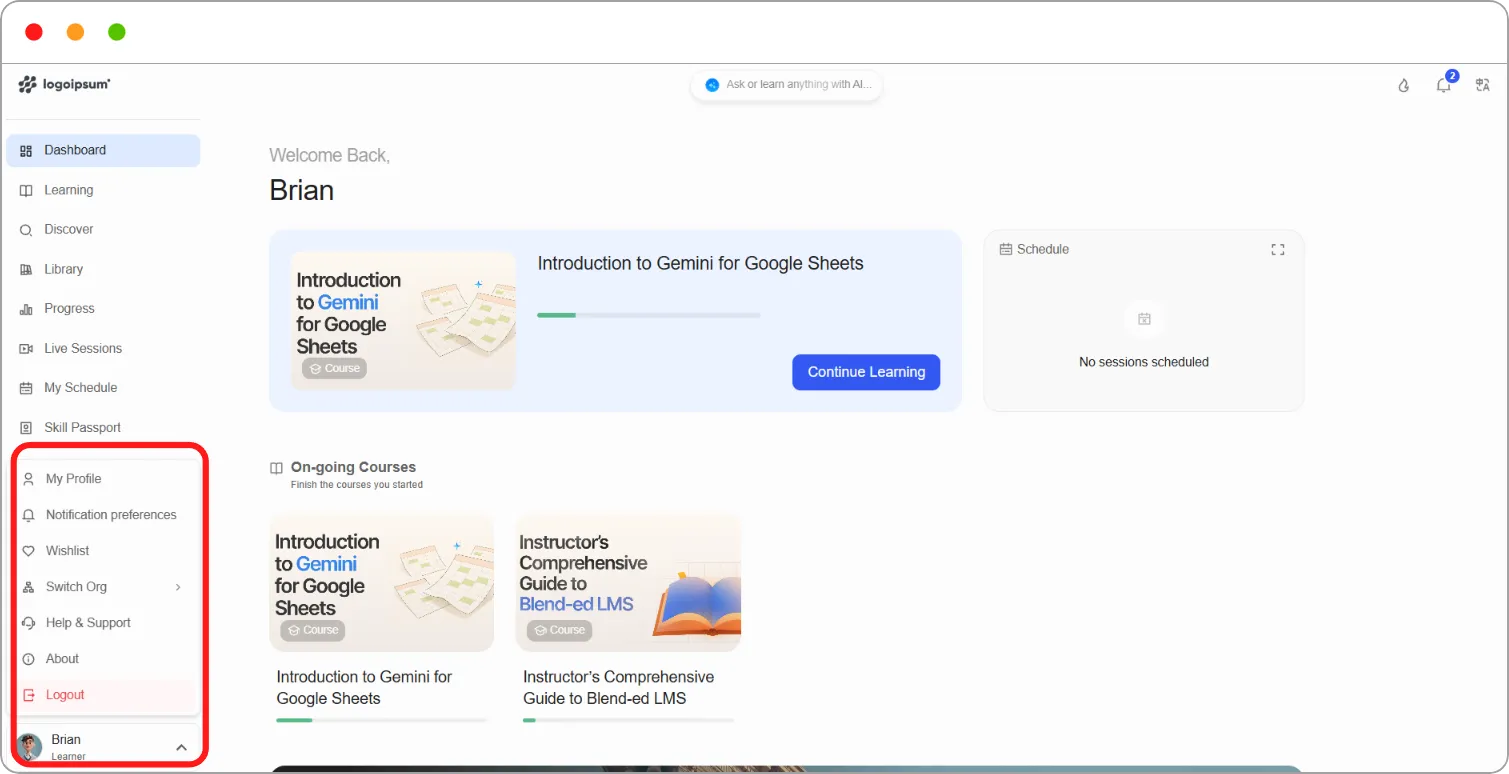
Section titled “Opening your account settings”If you’re a learner:
Step 1: Click your name at the bottom of the left navigation.
Step 2: Click My Profile.
Your profile opens on Basic Details.
If you’re a staff member, instructor or admin:
Your profile is only available from the learner view, so switch to it first.
Step 1: Click your name at the bottom of the left navigation.
Step 2: Click View as Learner.
Step 3: Click your name again, then click My Profile.
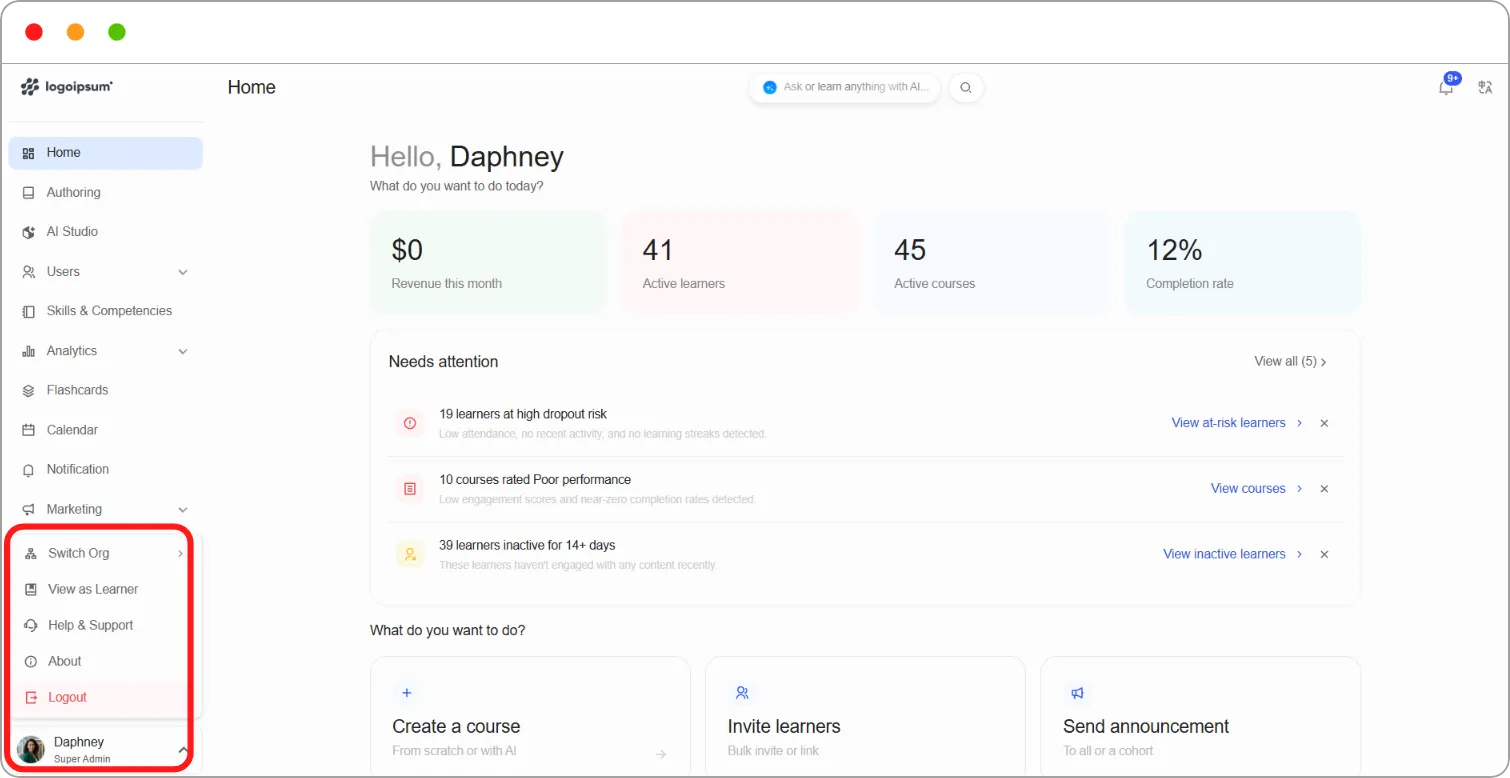
Note: Notification preferences and Wishlist are also only available from the learner view.
Tip: To return to your admin view, click your name and choose View as Instructor.
Where everything lives
Section titled “Where everything lives”| Page | What it holds |
|---|---|
| Basic Details | Your name, email, year of birth, gender and country |
| Account Security | Password reset and account deletion |
| My Subscriptions | Any subscriptions you have |
| Purchase History | Courses and programs you’ve bought |
| Notification preferences | Which notifications you receive, and how (from the user menu) |
| Billing | Your organisation’s plan, usage and invoices (admins only, from the left navigation) |
Note: Skill Passport, My Certifications and My Badges also appear on your profile. They’re covered in Learning Experience & Engagement.