
How to connect Razorpay
Who can do this: Super Admin, Admin, or Staff with the Platform Settings permission
Razorpay processes card payments and handles subscriptions.
Before you start
Section titled “Before you start”You’ll need a Razorpay account and, from its dashboard, your key ID, key secret, and webhook secret.
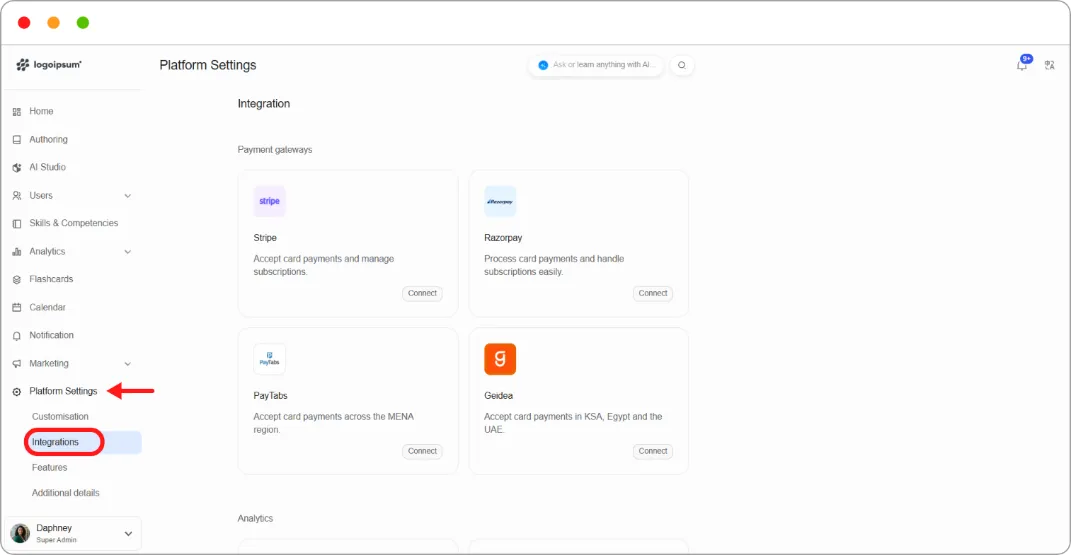
Step 1: Go to Platform Settings > Integrations.
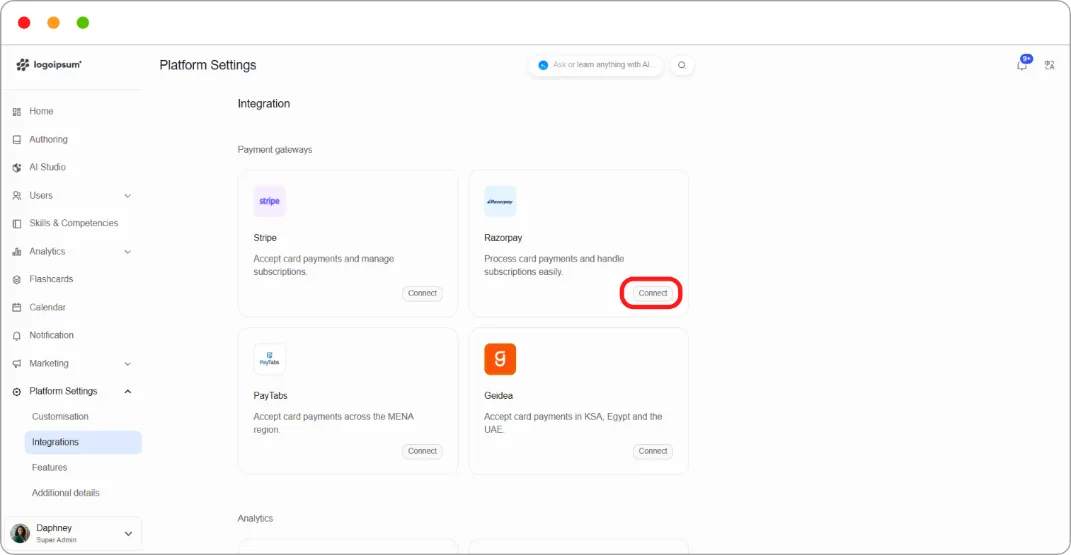
Step 2: On the Razorpay card, click Connect.
Step 3: In Razorpay Configuration, enter:
| Field |
|---|
| Razorpay Key ID |
| Razorpay Key Secret |
| Razorpay Webhook Secret |
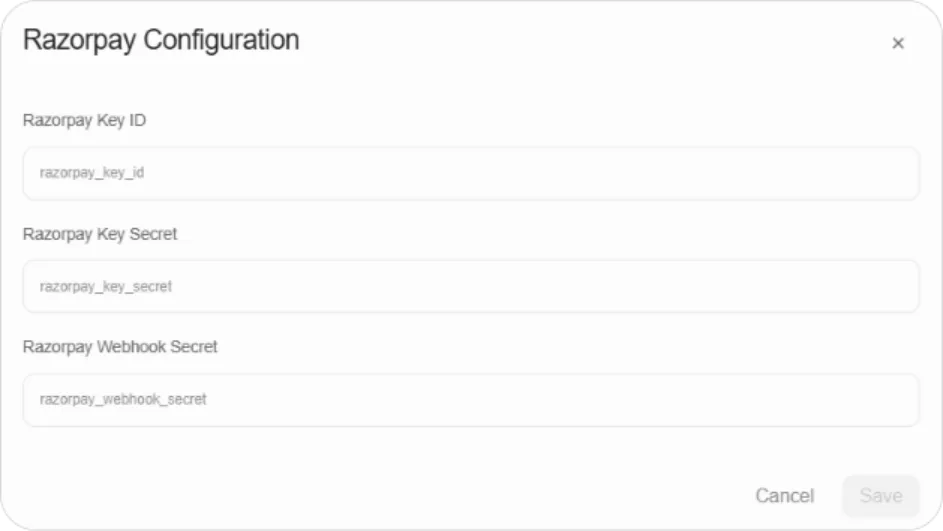
Step 4: Click Save.