
How streaks, points and the leaderboard work
Who this is for: Learners
Streaks reward you for studying regularly, points reward what you complete, and the leaderboard shows how your points compare with other learners.
Streaks
Section titled “Streaks”Your streak is the number of days in a row you’ve studied. A day counts when you sign in and complete at least one unit.
Your current streak shows beside the flame icon at the top of every page.
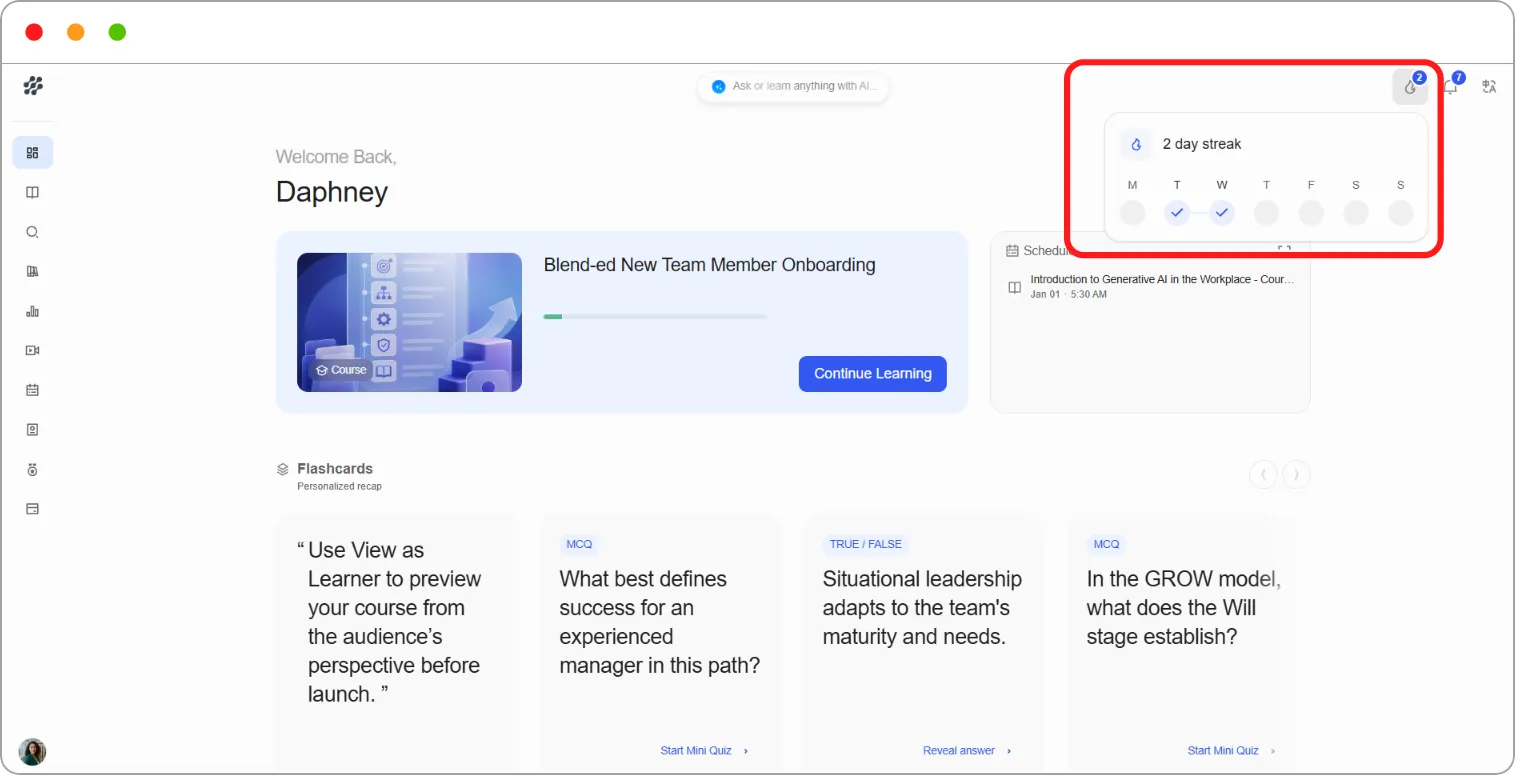
If you miss a day, you don’t earn a streak for that day.
Streak pop-up
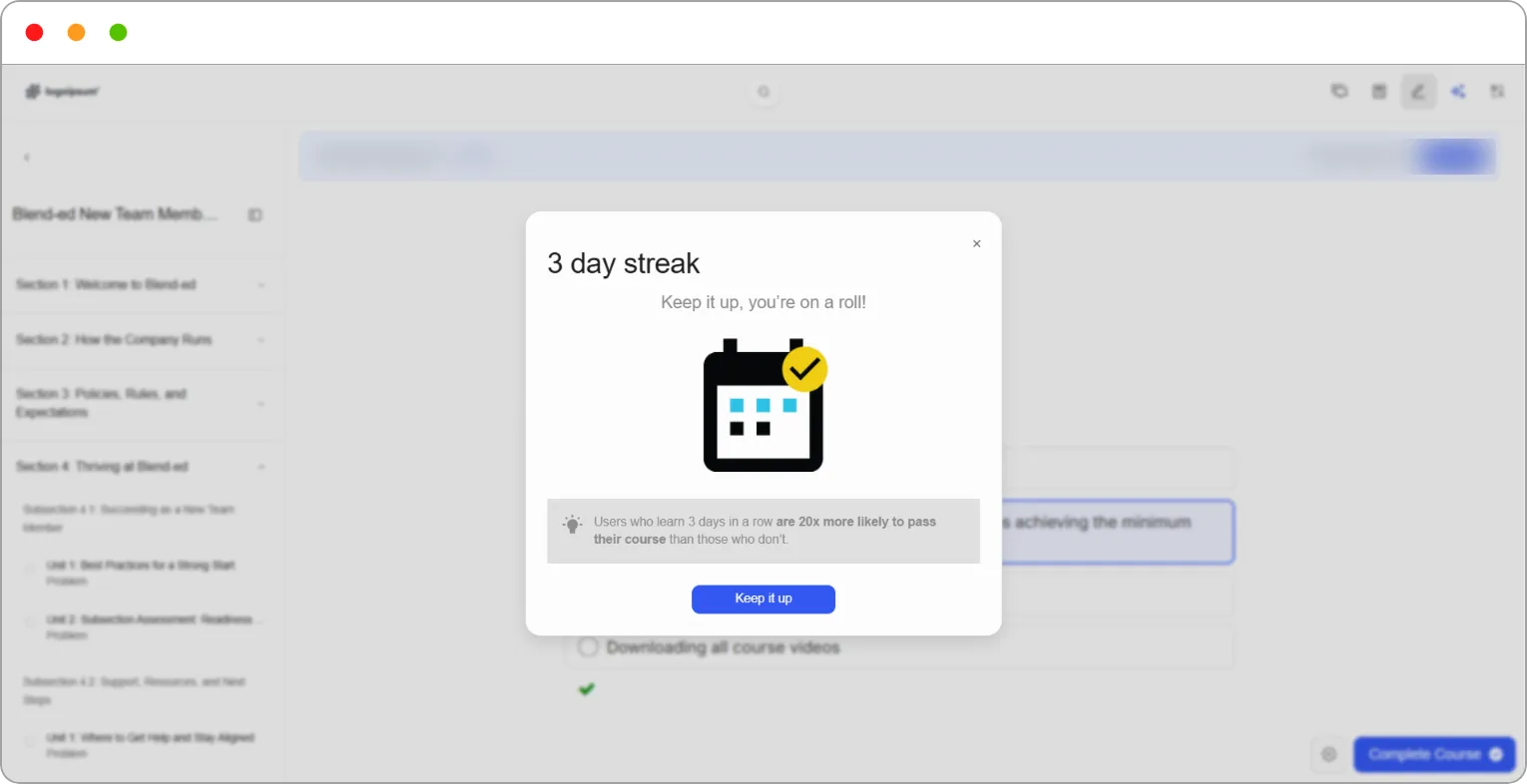
Section titled “Streak pop-up”As your streak grows, a pop-up celebrates it when you sign in and open a course. It shows your streak, for example 3 day streak, with a short message such as “Keep it up, you’re on a roll!” and a tip about why learning regularly helps.
Click Keep it up to close the pop-up and carry on with your lesson.
Tip: One unit is enough to keep your streak going. On a busy day, a short unit still counts.
Points
Section titled “Points”You earn points in three ways:
| Source | How you earn it |
|---|---|
| From lessons completed | Completing lessons |
| From skills verified | Having skills verified in your Skill Passport |
| From your streak | Keeping your streak going |
To see your points, go to Progress in the left navigation and scroll to Points and leaderboard. The card on the left shows your total, your rank, and how many points came from each source.
The leaderboard
Section titled “The leaderboard”The leaderboard ranks learners by points. You appear highlighted with a You tag.
Step 1: Go to Progress and scroll to Points and leaderboard.
Step 2: Use the period menu to choose This week, This month or All time.
Step 3: To see every learner rather than the top few, click View leaderboard.
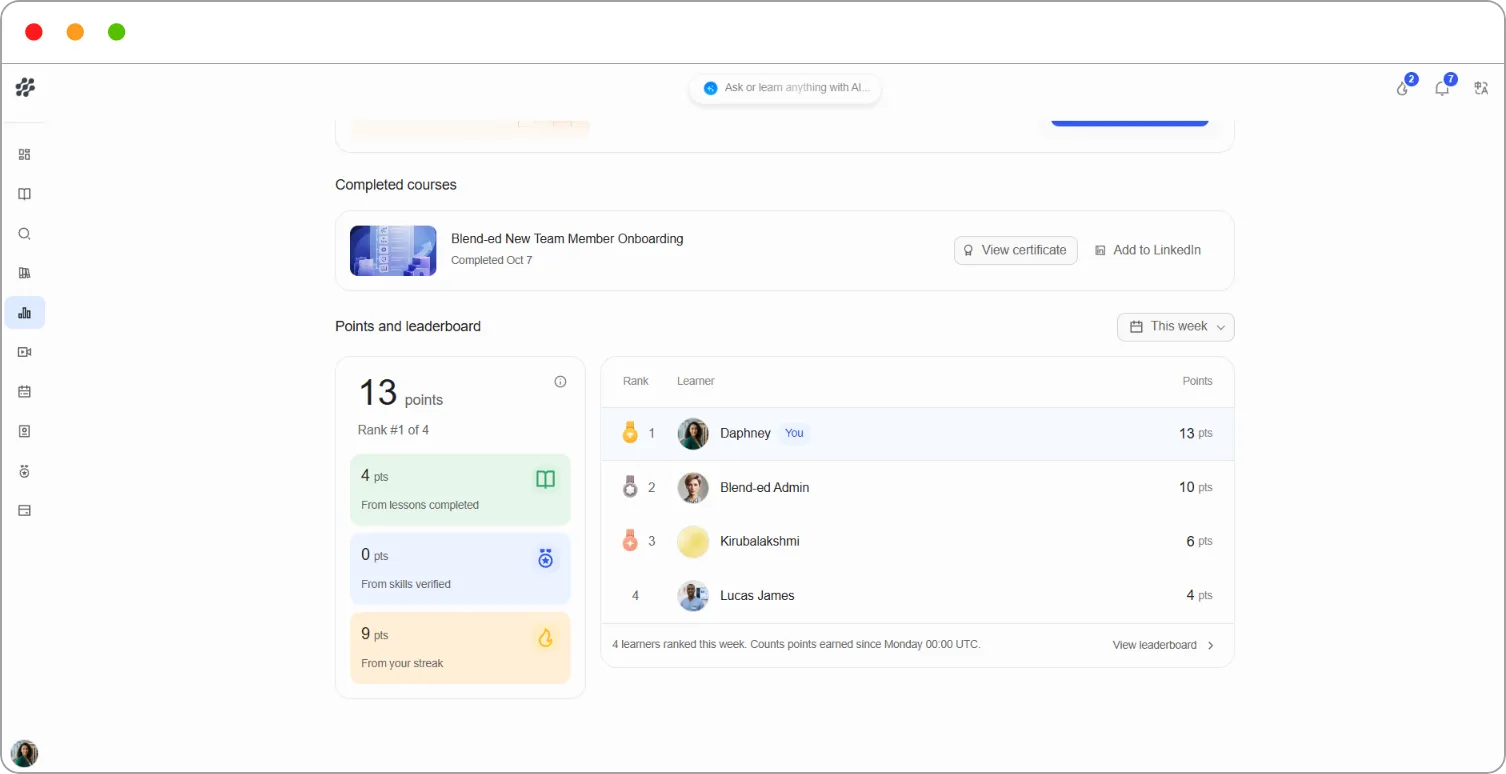
Note: The weekly leaderboard counts points earned since Monday 00:00 UTC, so it resets at the start of each week.
Note: If you don’t see the leaderboard, it hasn’t been switched on for your platform.
Related articles