
How to assign competencies to a team
Who can do this: Super Admin, Admin, or Staff with the Skill Management permission
Grant competencies to everyone in a team at once, so their skill passports reflect what the team is responsible for.
Step 1: Go to Users > Teams and click the team.
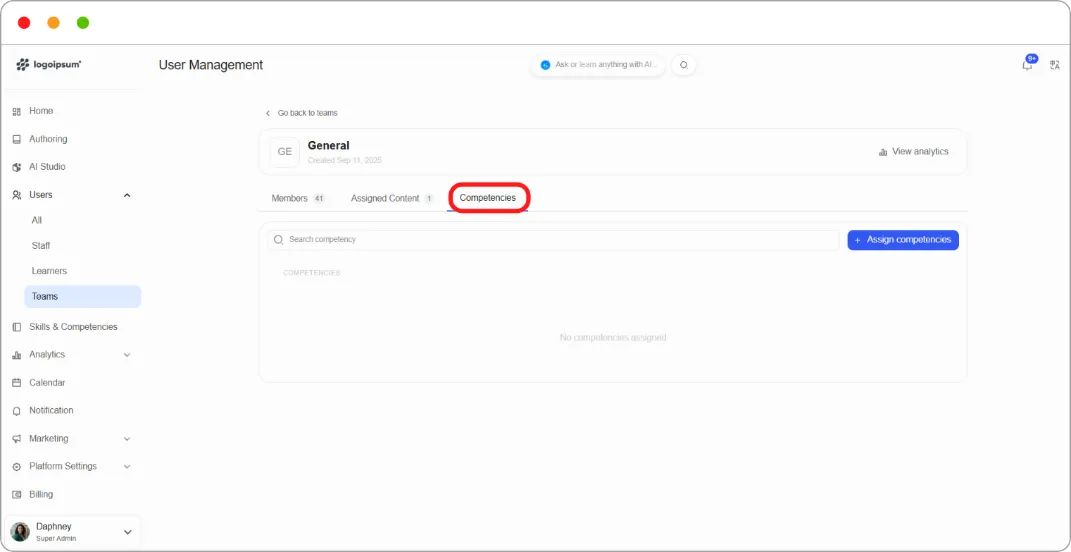
Step 2: Open the Competencies tab.
Step 3: Click + Assign competencies.
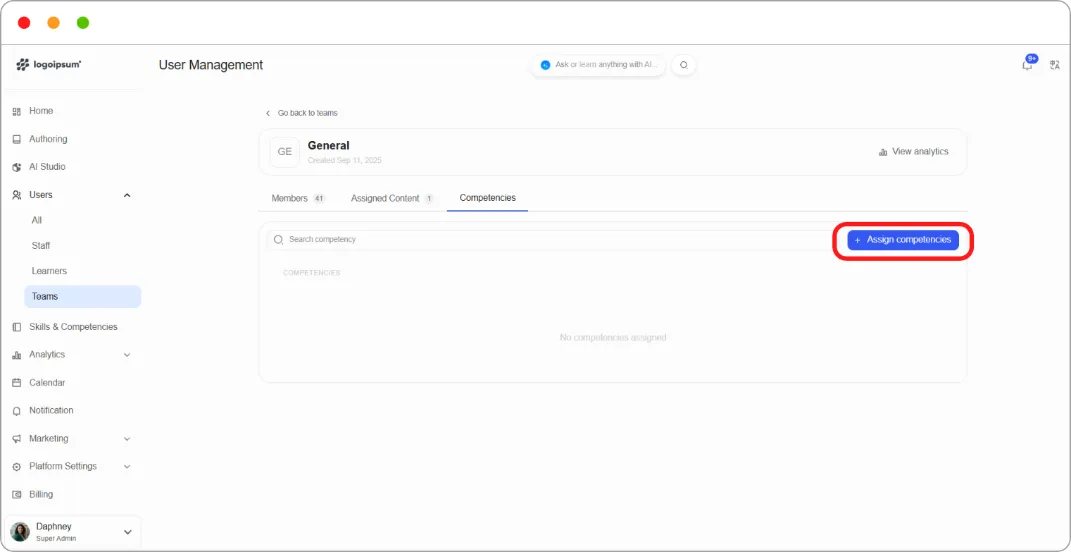
Step 4: Search or scroll the list, and tick the competencies you want. Your selections gather on the right with a running count.
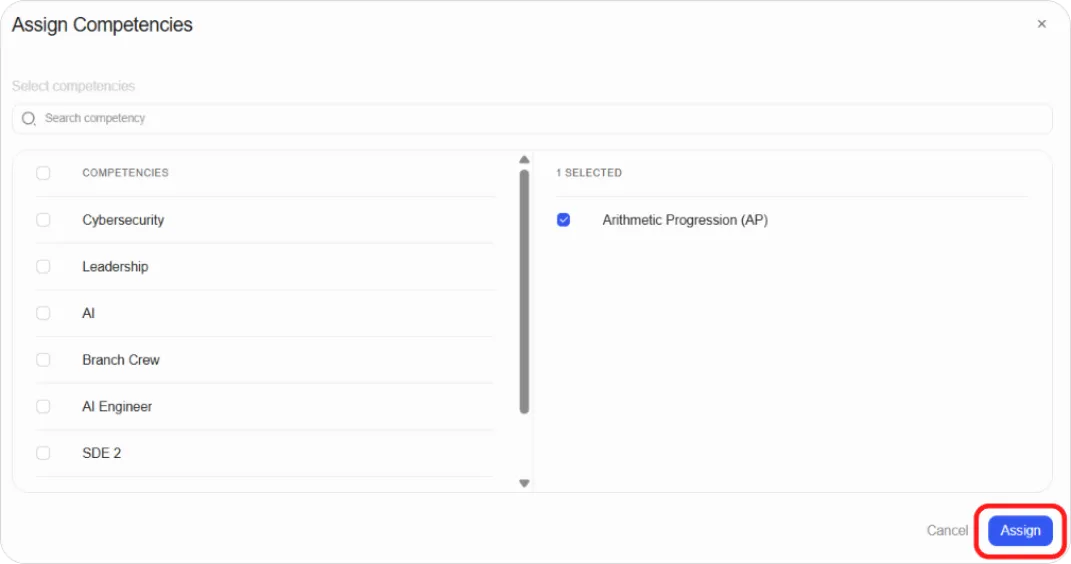
Step 5: Click Assign.
Warning: Competency grants are permanent for the people who receive them. Removing a competency from the team stops future grants but does not take it away from anyone who already has it.
Tip: Because grants can’t be undone, assign competencies to a small team first and check one member’s skill passport before rolling out to a large one.