
How to set up a webhook
Who can do this: Super Admin, Admin, or Staff with the Platform Settings permission
Webhooks send platform events to an external service, so another system can react when something happens in Blend-ed.
Before you start
Section titled “Before you start”Switch on Webhooks under Platform Settings > Features. You’ll also need an endpoint on the receiving side that accepts POST requests over HTTPS.
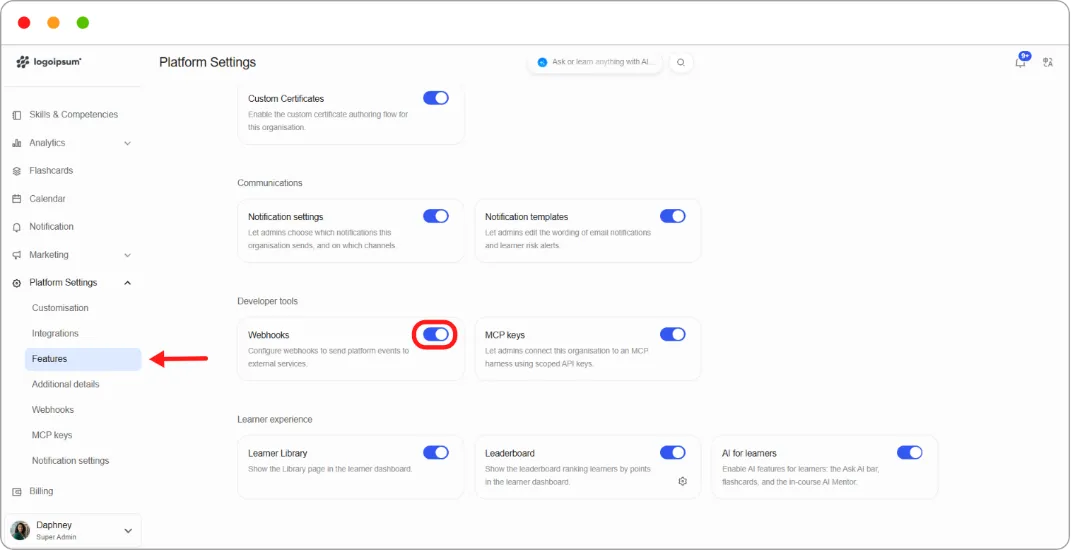
Step 1: Go to Platform Settings > Webhooks.
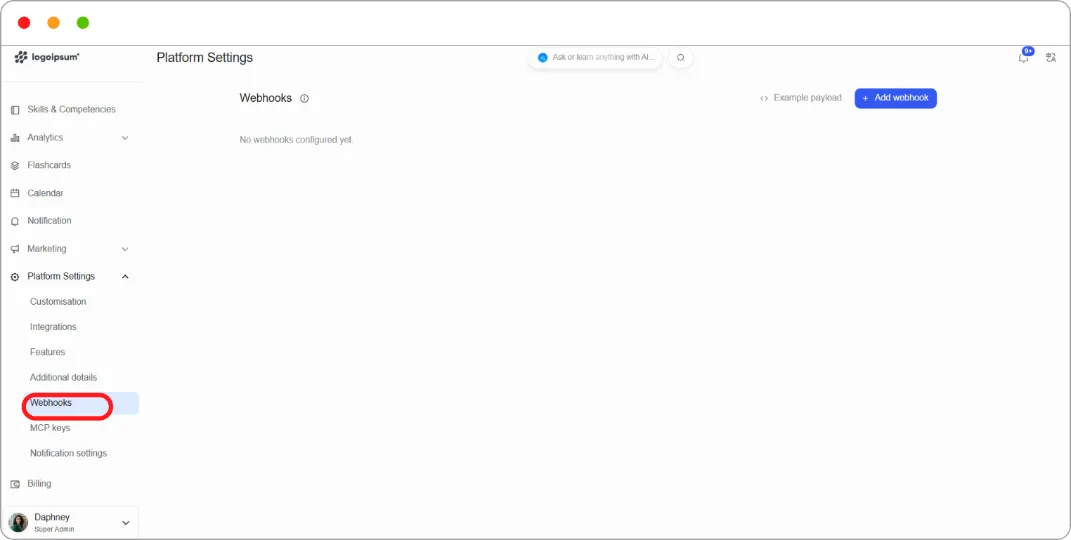
Step 2: Click Add webhook.
Step 3: Fill in:
| Field | What to enter |
|---|---|
| Name | How you’ll recognise this webhook later |
| Endpoint URL | The HTTPS address that will receive the events |
Step 4: Tick the Events you want to send. See Webhook events reference.
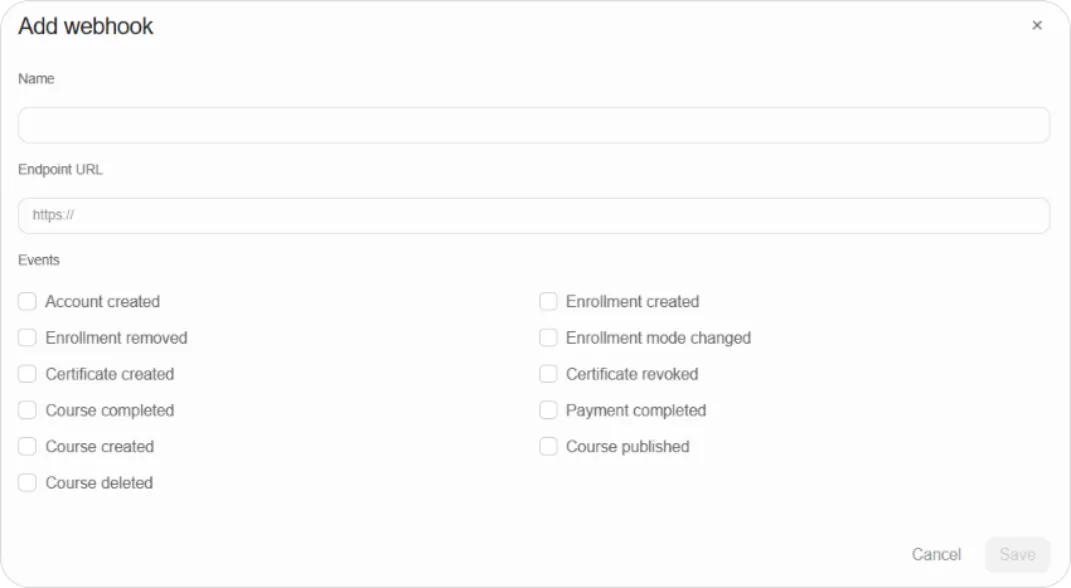
Step 5: Click Save.
Checking the payload format
Section titled “Checking the payload format”Click Example payload at the top of the Webhooks page to see the structure Blend-ed sends, so your endpoint can be built to match.
Tip: Subscribe to the fewest events you need. A webhook subscribed to everything sends far more traffic than most integrations want, and makes debugging harder when something goes wrong.