
How to set your organisation's contact details
Who can do this: Super Admin, Admin, or Staff with the Platform Settings permission
These details identify your organisation across the platform and in outgoing communications.
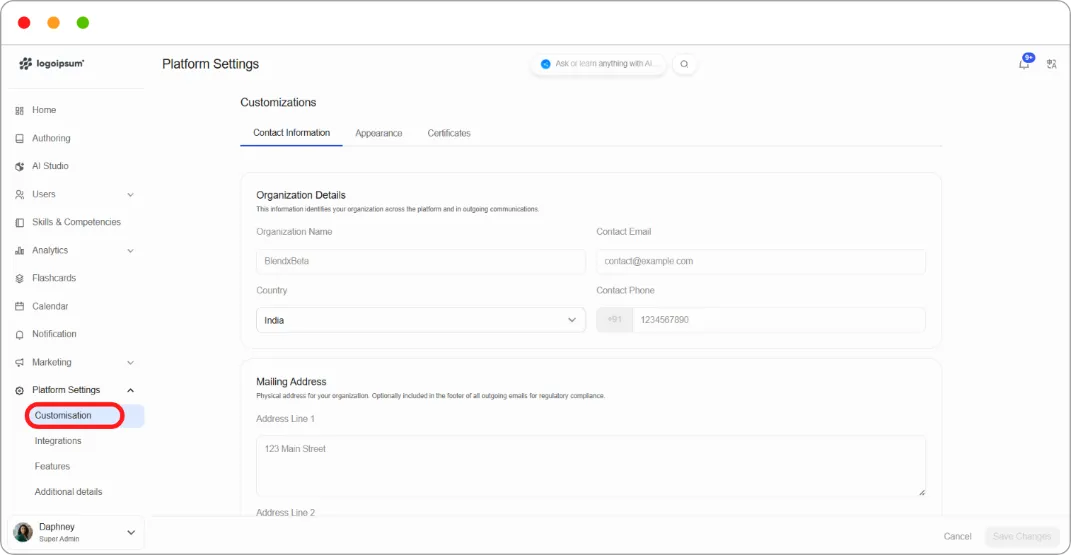
Step 1: Go to Platform Settings > Customisation.
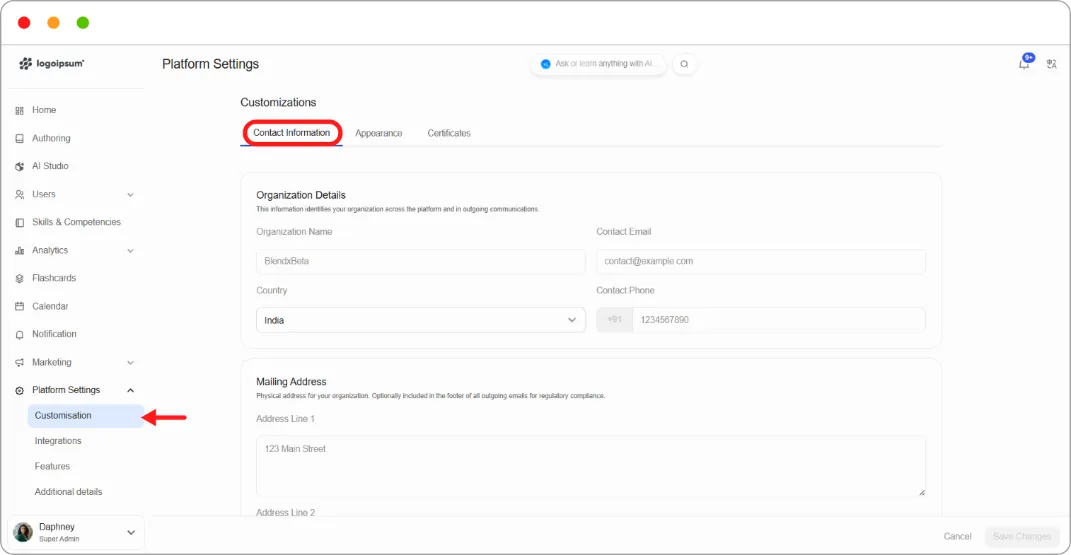
Step 2: Stay on the Contact Information tab.
Step 3: Under Organization Details, fill in:
| Field | What it’s for |
|---|---|
| Organization Name | Your organisation’s name as it appears across the platform |
| Contact Email | The address learners use to reach you |
| Country | Your organisation’s country |
| Contact Phone | With a country dial code |
Step 4: Under Mailing Address, add your physical address.
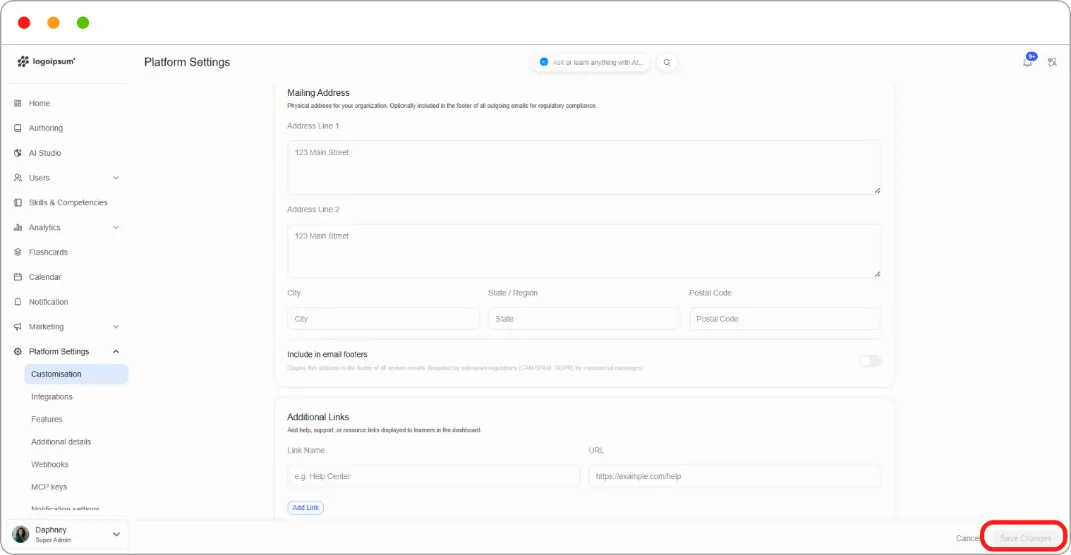
Step 5: Click Save Changes.
Note: Your mailing address can be included in the footer of outgoing emails for regulatory compliance. Several jurisdictions require a physical address on marketing email, so fill this in even if you don’t expect learners to write to you.
Tip: Organization Name appears on certificates. Enter it as you want it to read on a document a learner might show an employer.