
How to switch between admin and learner views
Who can do this: Super Admins, Admins and Staff
Switch to the learner view to check a course the way learners see it, or to reach your own profile and learning.
Switching to the learner view
Section titled “Switching to the learner view”Step 1: Click your name at the bottom of the left navigation.
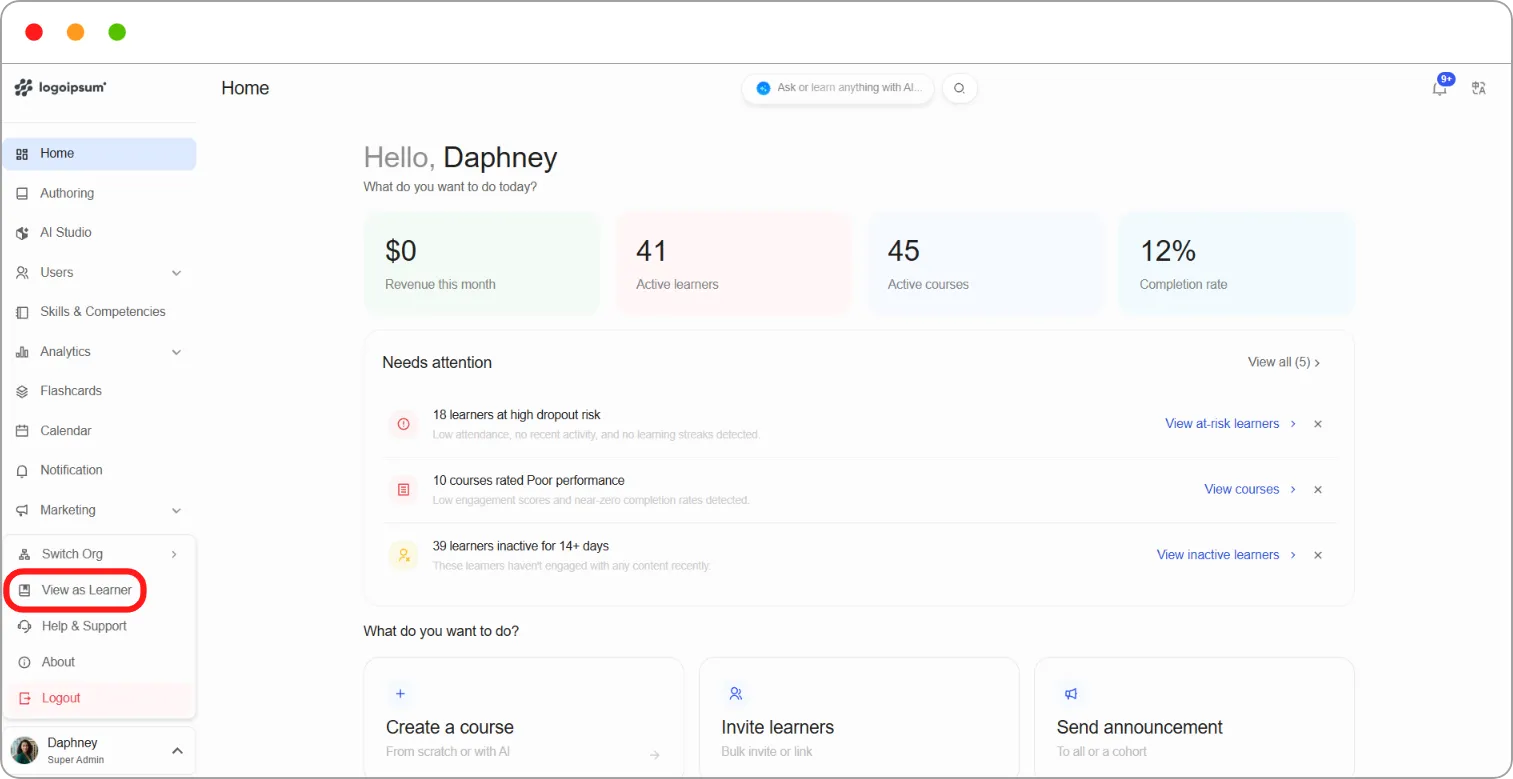
Step 2: Click View as Learner.
The learner Dashboard opens.
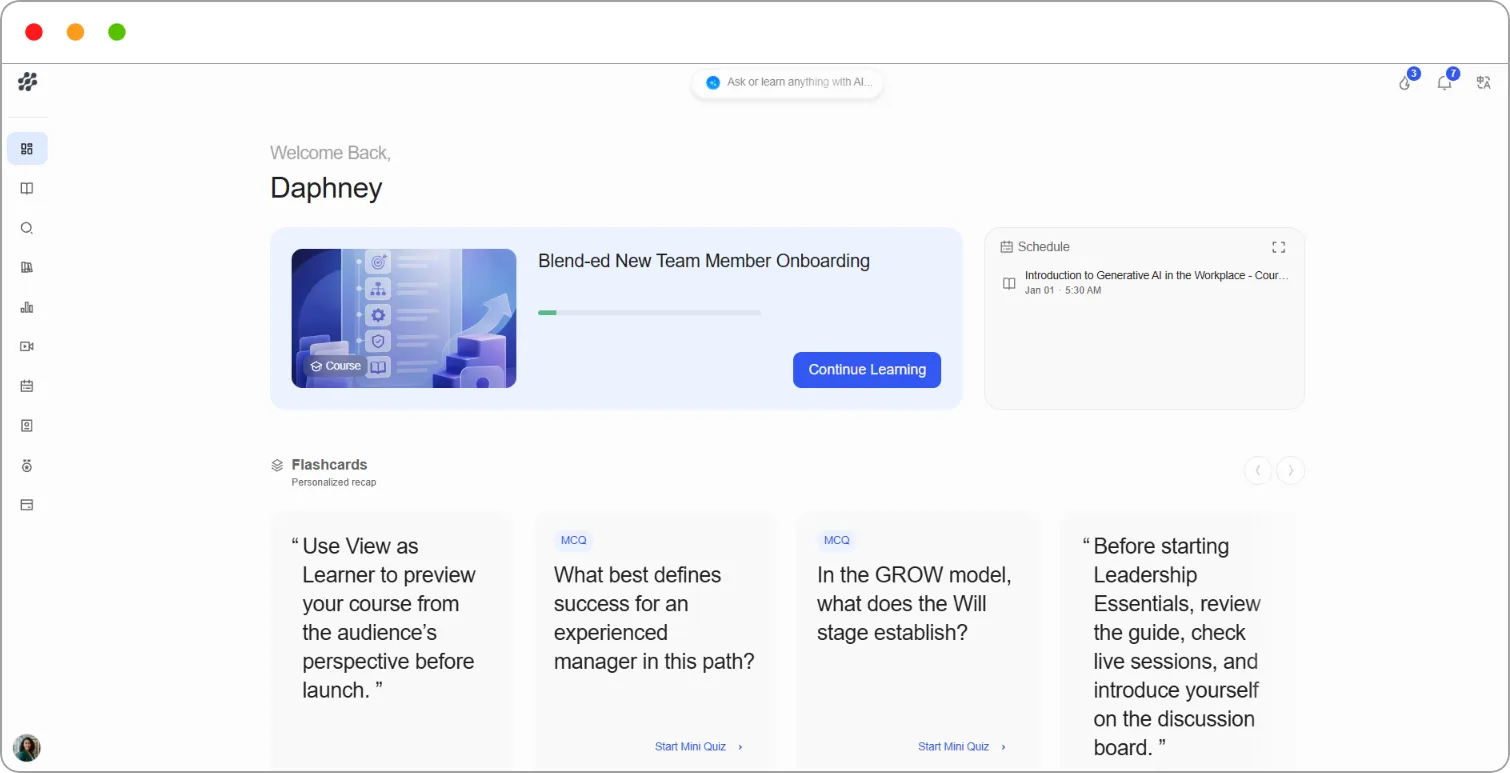
Switching back to the admin view
Section titled “Switching back to the admin view”Step 1: Click your name at the bottom of the left navigation.
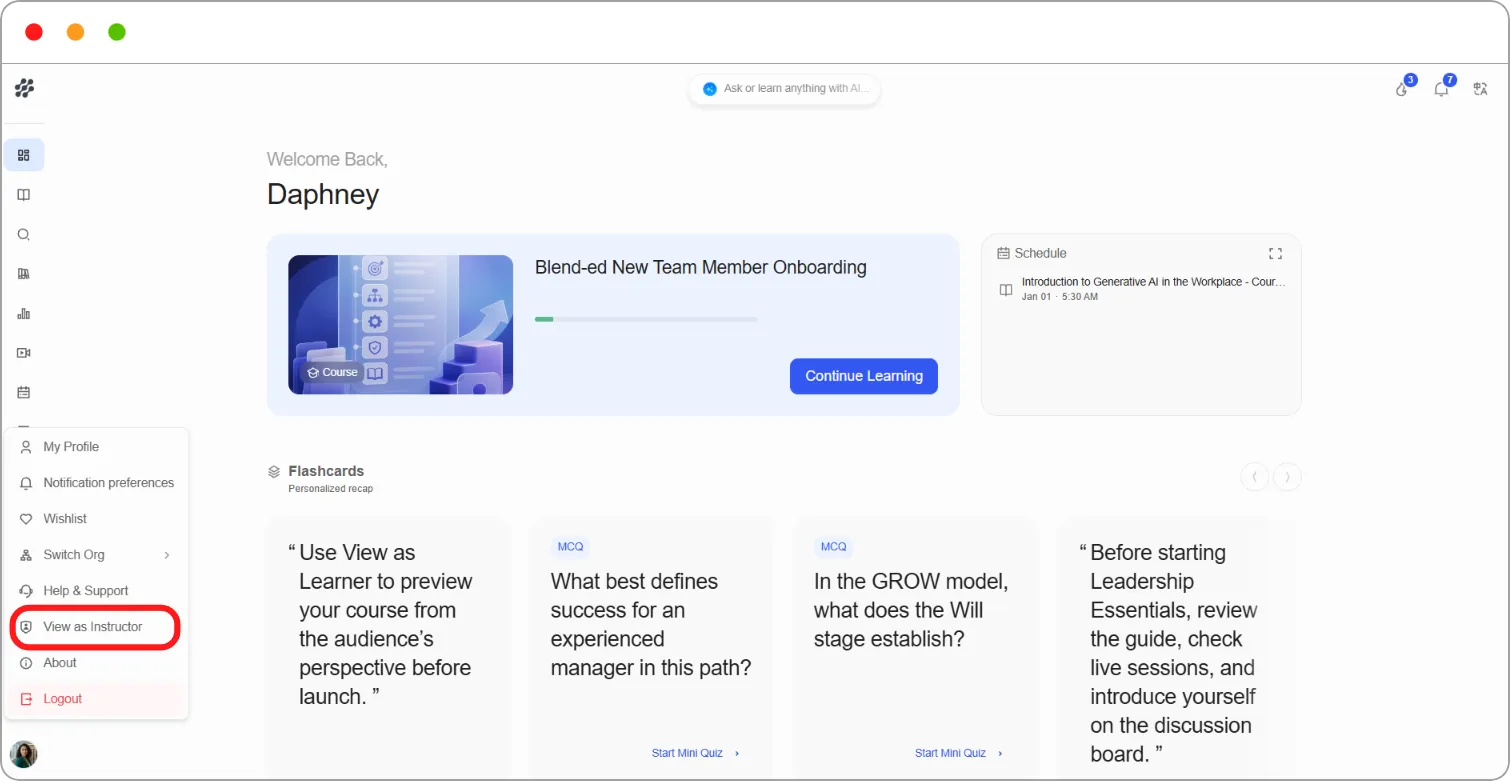
Step 2: Click View as Instructor.
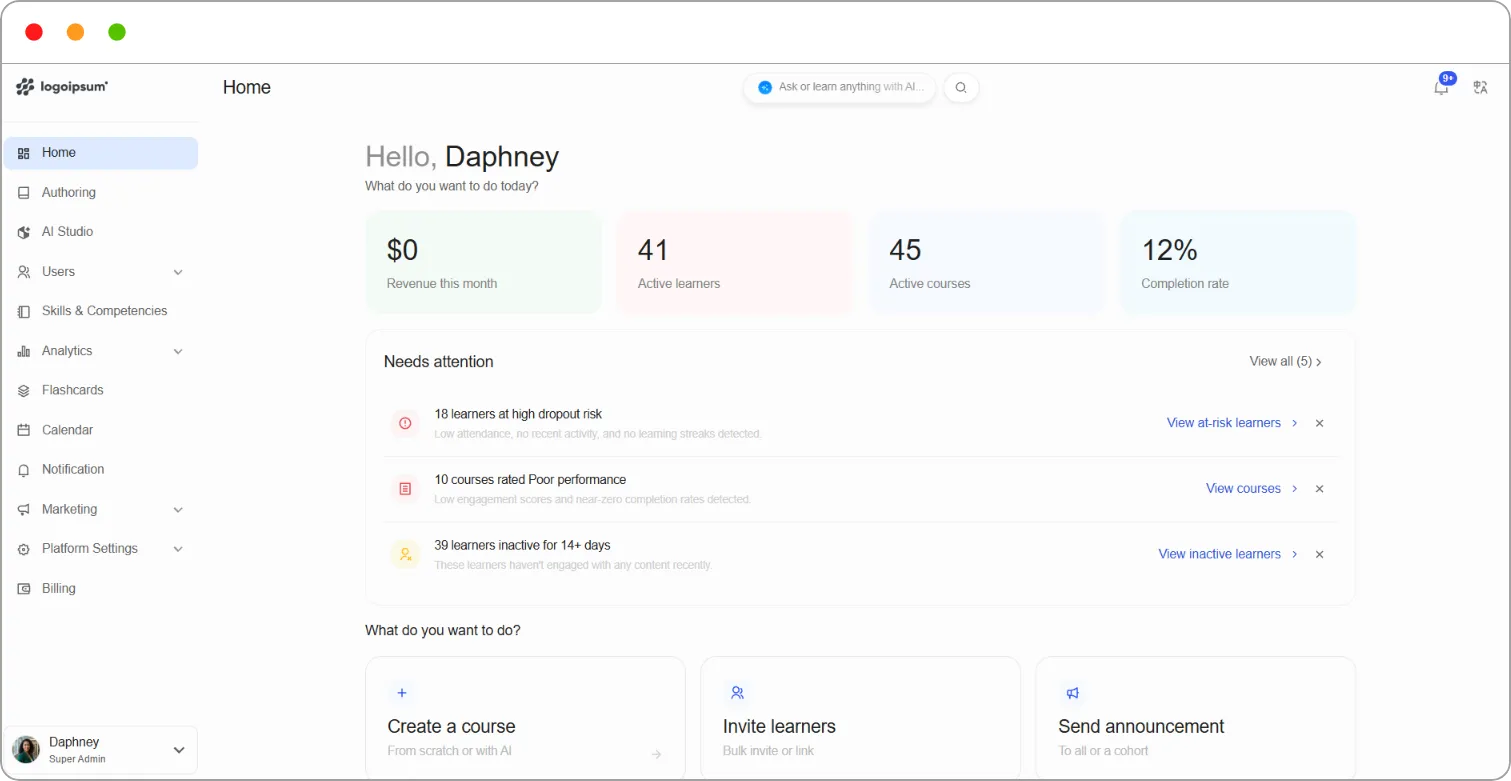
Tip: Check every new course in the learner view before you launch it. You’ll spot missing content and confusing navigation that are easy to miss in Studio.
Note: In the learner view, course pages show a View this course as bar and a Studio button. Learners don’t see these. They’re there so you can preview the course as a learner, or jump back into Studio to edit it.