
How to view a learner's report
Who can do this: Admins, and staff with the View Analytics permission
A learner report shows everything about one learner’s progress: their courses, activity and the risk factors that suggest they may need support.
Step 1: Go to Analytics > Learners.
Step 2: Click Details beside the learner.
The learner report opens.
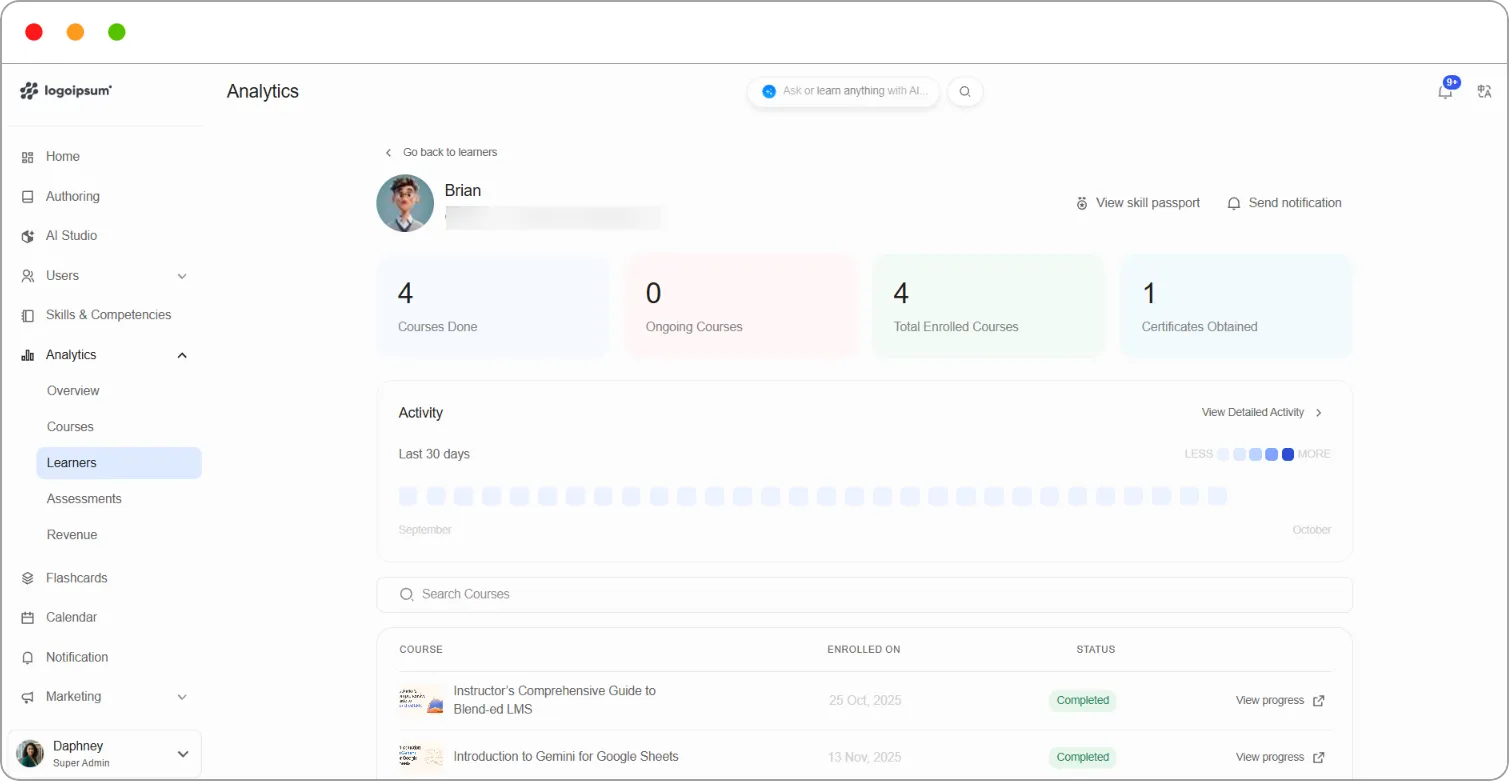
Summary cards
Section titled “Summary cards”| Card | What it shows |
|---|---|
| Courses Done | Courses the learner has completed |
| Ongoing Courses | Courses they’re working through |
| Total Enrolled Courses | All courses they’re enrolled in |
| Certificates Obtained | Certificates they’ve earned |
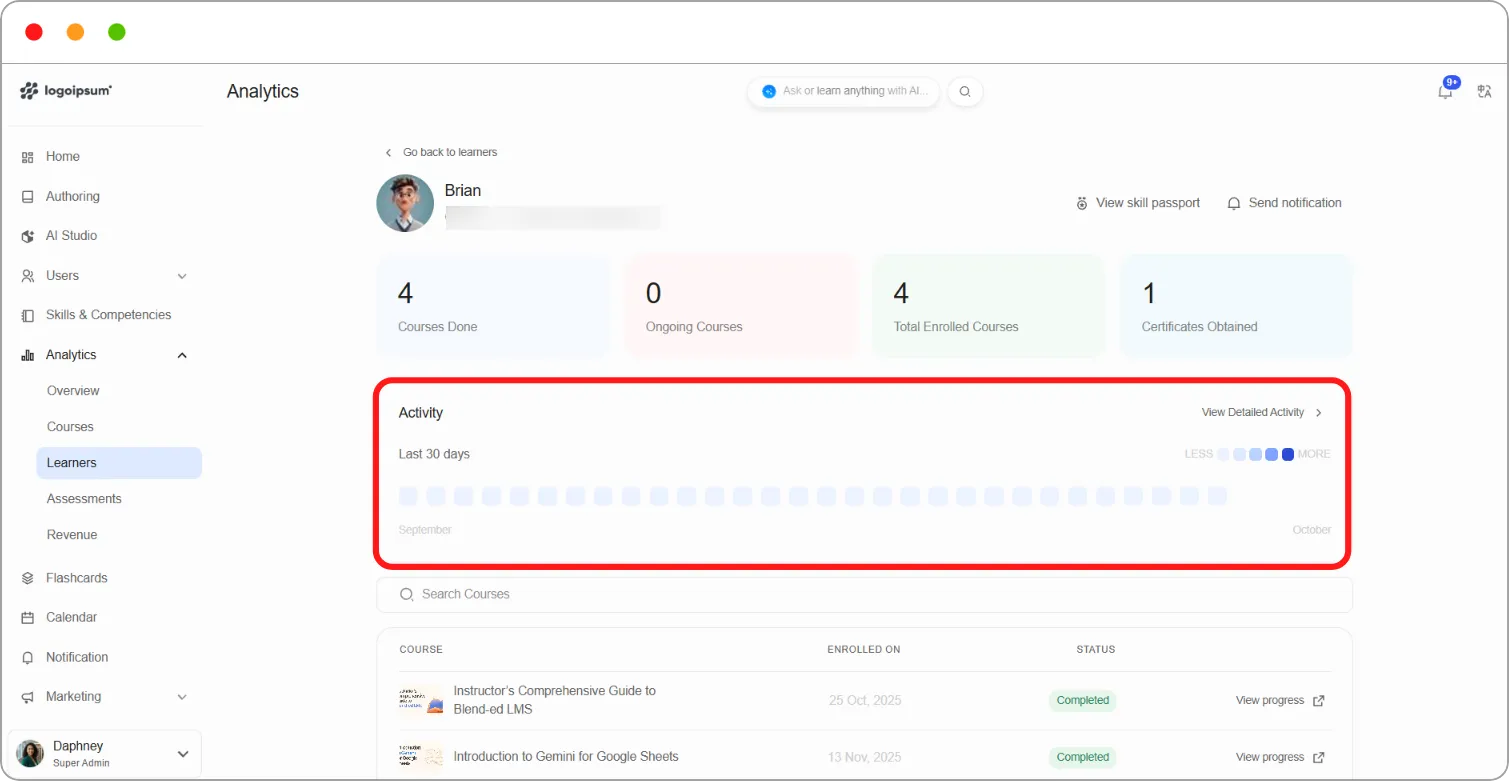
Activity
Section titled “Activity”The Activity grid shows how active the learner has been over the Last 30 days. Darker squares mean more activity, as shown on the Less–More scale.
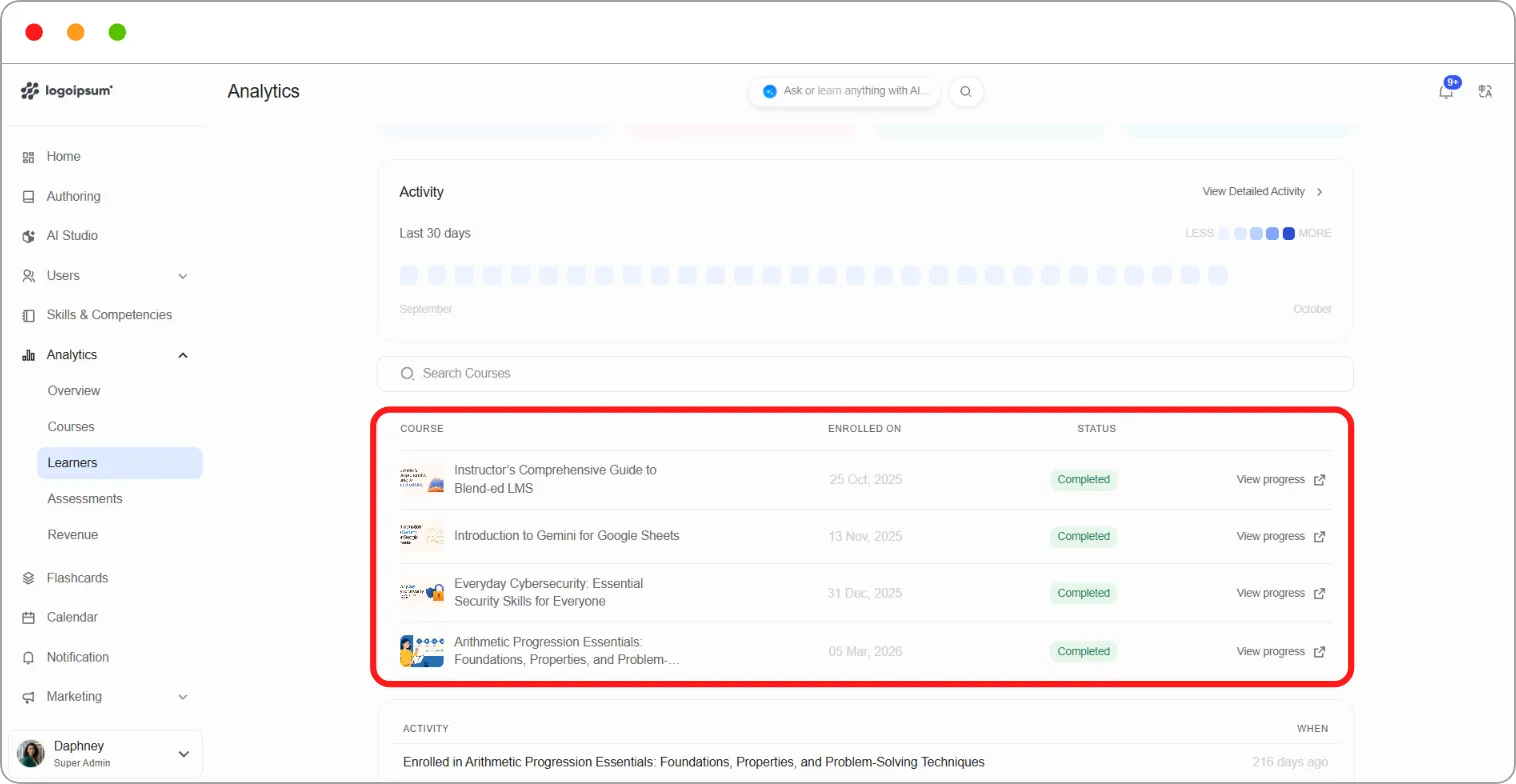
Courses
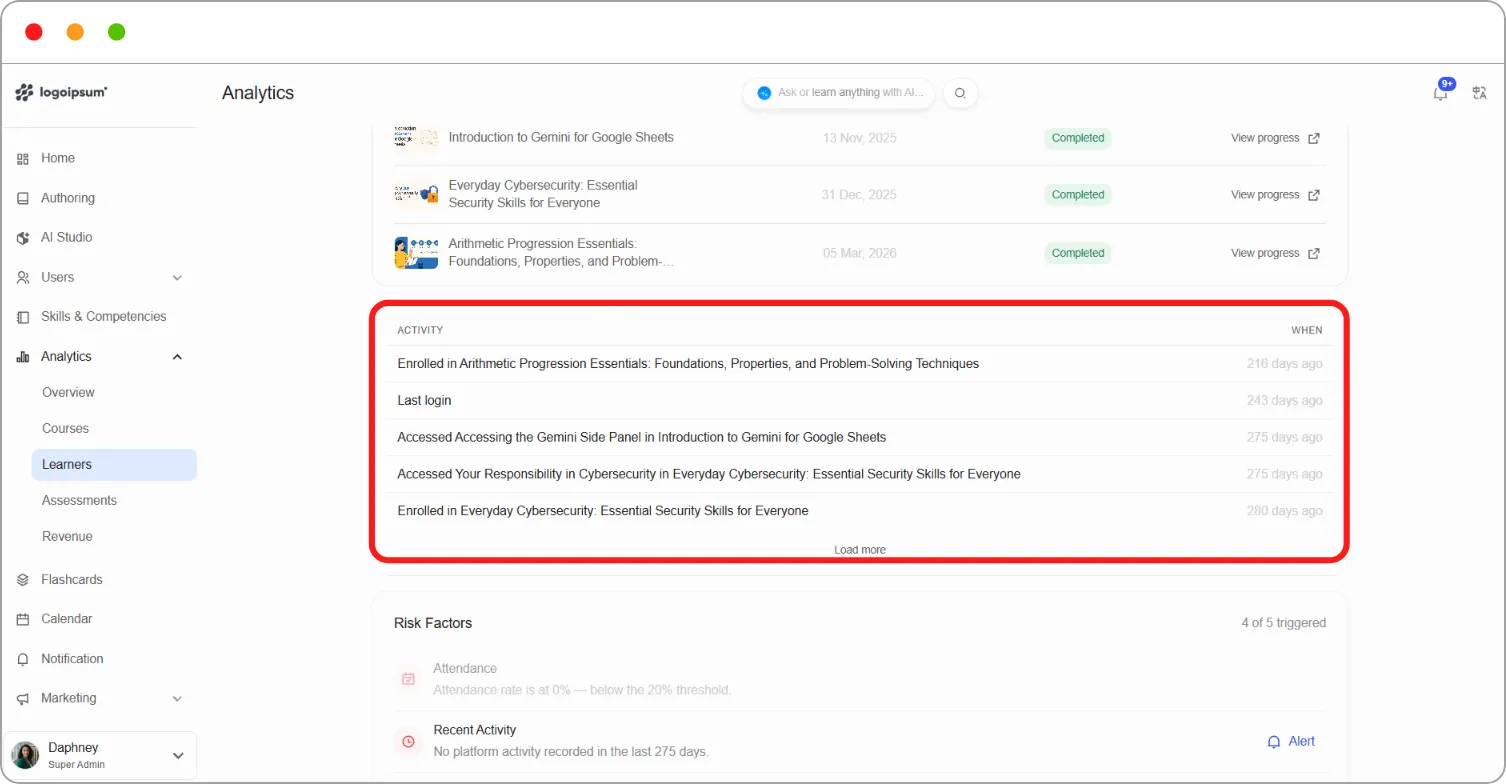
Section titled “Courses”The course list shows each course the learner is enrolled in, the date they Enrolled On, and their Status, for example Completed or Not Started. Use Search Courses to find a course.
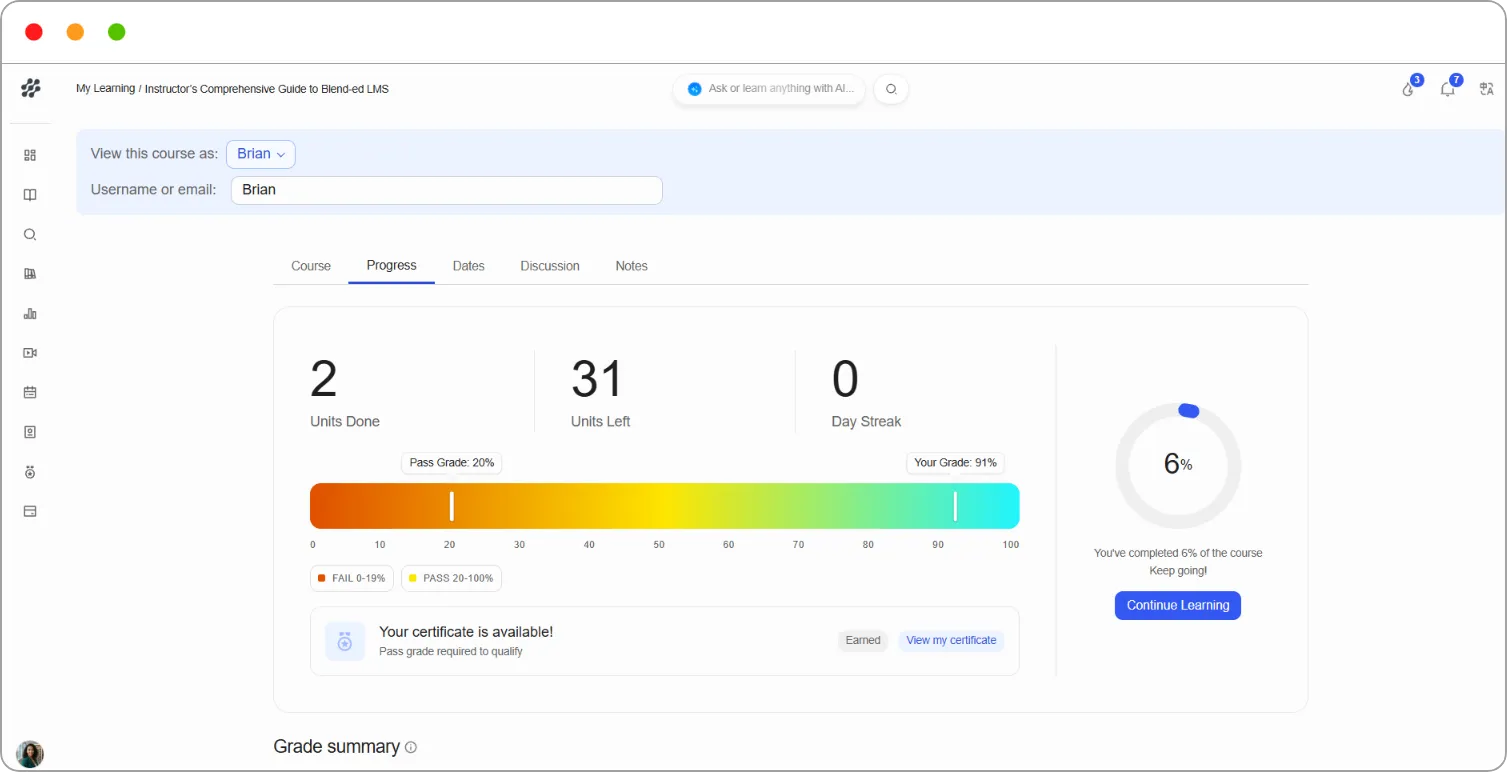
Click View progress to open the course’s Progress tab as the learner sees it.
Activity log
Section titled “Activity log”The Activity log lists what the learner has done recently, such as enrolling in a course or opening a unit, with When it happened. Click Load more to see earlier activity.
Risk factors
Section titled “Risk factors”Risk Factors checks for signs that a learner may drop out: attendance, recent activity, learning streaks, engagement score and course progress. The top right shows how many have been triggered, for example 4 of 5 triggered.
Click Alert beside a triggered factor to send an alert about it.
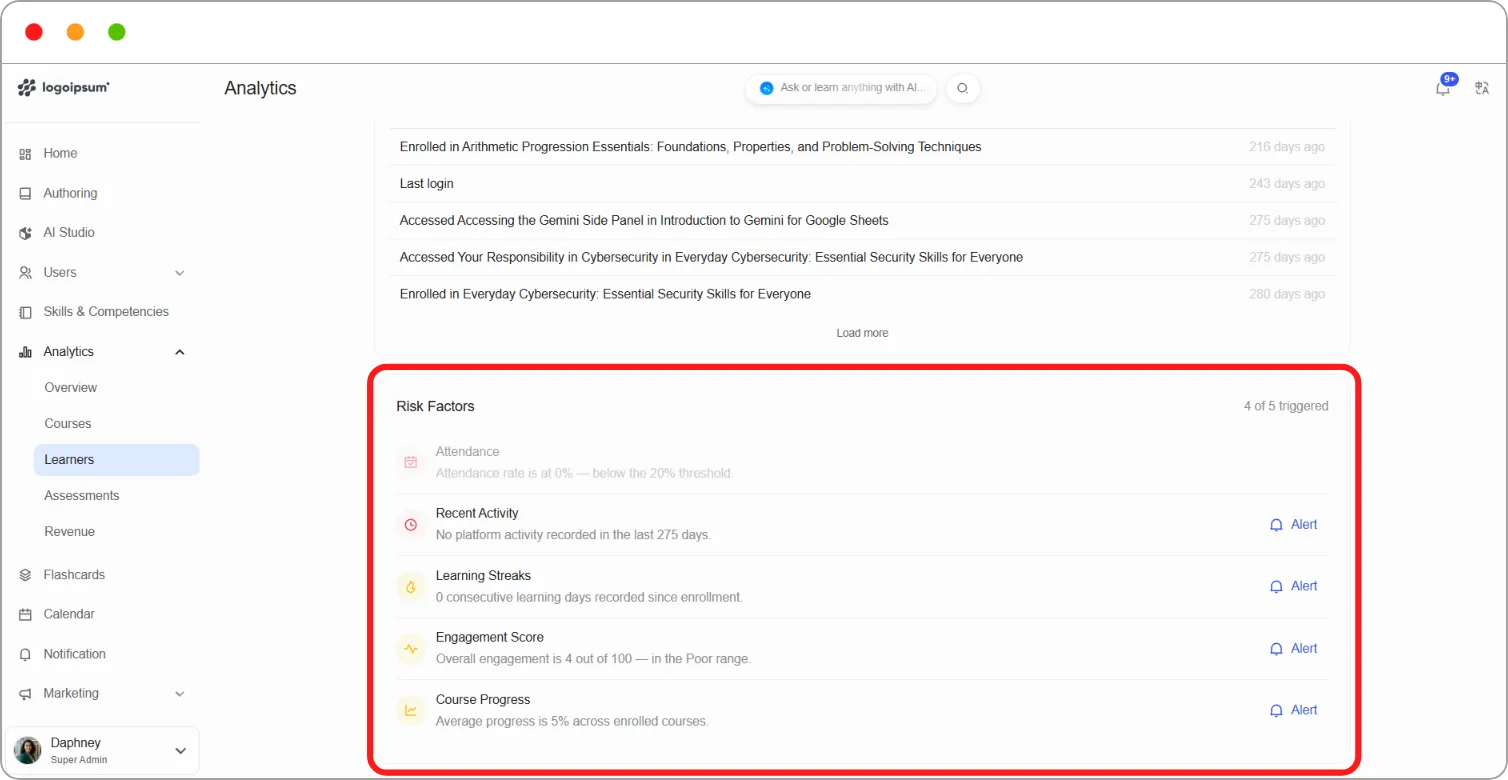
Tip: When several risk factors are triggered, start with Recent Activity. A learner who hasn’t signed in for weeks needs a nudge to come back before anything else will help.
Contacting the learner
Section titled “Contacting the learner”-
Click Send notification at the top right to send the learner a message. See How to send a notification.
-
Click View skill passport to see the learner’s competencies and skills.