
How to reset a user's password
Who can do this: Super Admin, Admin, or Staff with the User Management permission
If someone can’t sign in, send them a password reset link from their user details.
Step 1: Go to Users > All.
Step 2: Find the user and click their row to open their details.
Step 3: Scroll to ACTIONS.
Step 4: Next to Reset password, click Send link.
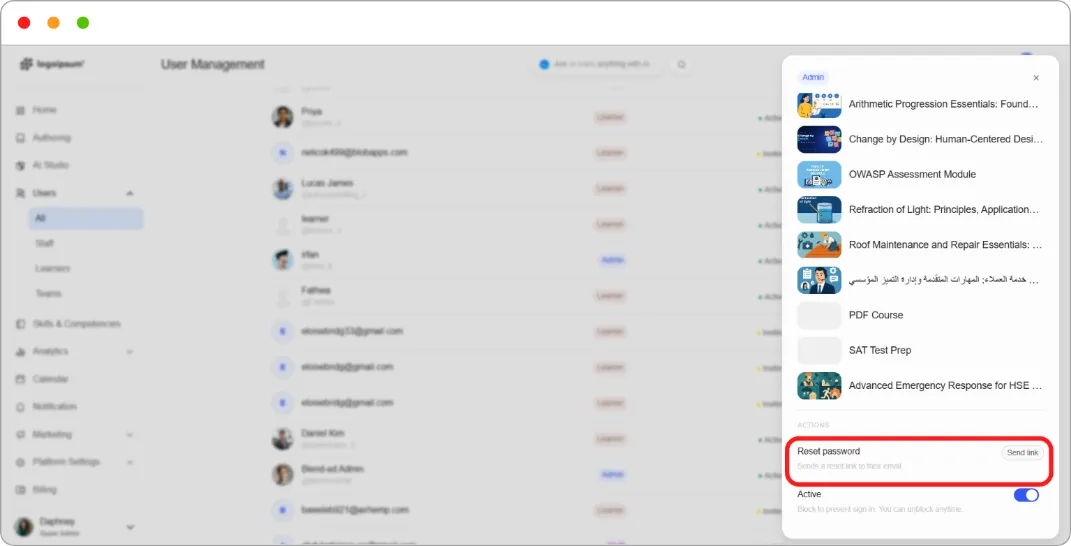
A reset link is sent to the user’s email address.
Note: You never see or set the new password yourself. The user chooses it from the link.
Tip: If someone says the link never arrived, check the email address on their profile before sending a second one. A typo at invitation time is the most common cause.