
How to publish a course
Who can do this: Super Admin, Admin, or Staff with the Platform Settings permission
A course has to be published before learners can find it in the catalogue.
Before you publish
Section titled “Before you publish”Check that:
-
The course has at least one enrolment mode under Mode & Pricing
-
Your content is published. Publish status controls the course listing; content has its own draft state
-
Grading and certificates are set up, if the course awards one
Note: A course with no enrolment modes shows No enrollment modes yet and cannot be enrolled in, whatever its publish status.
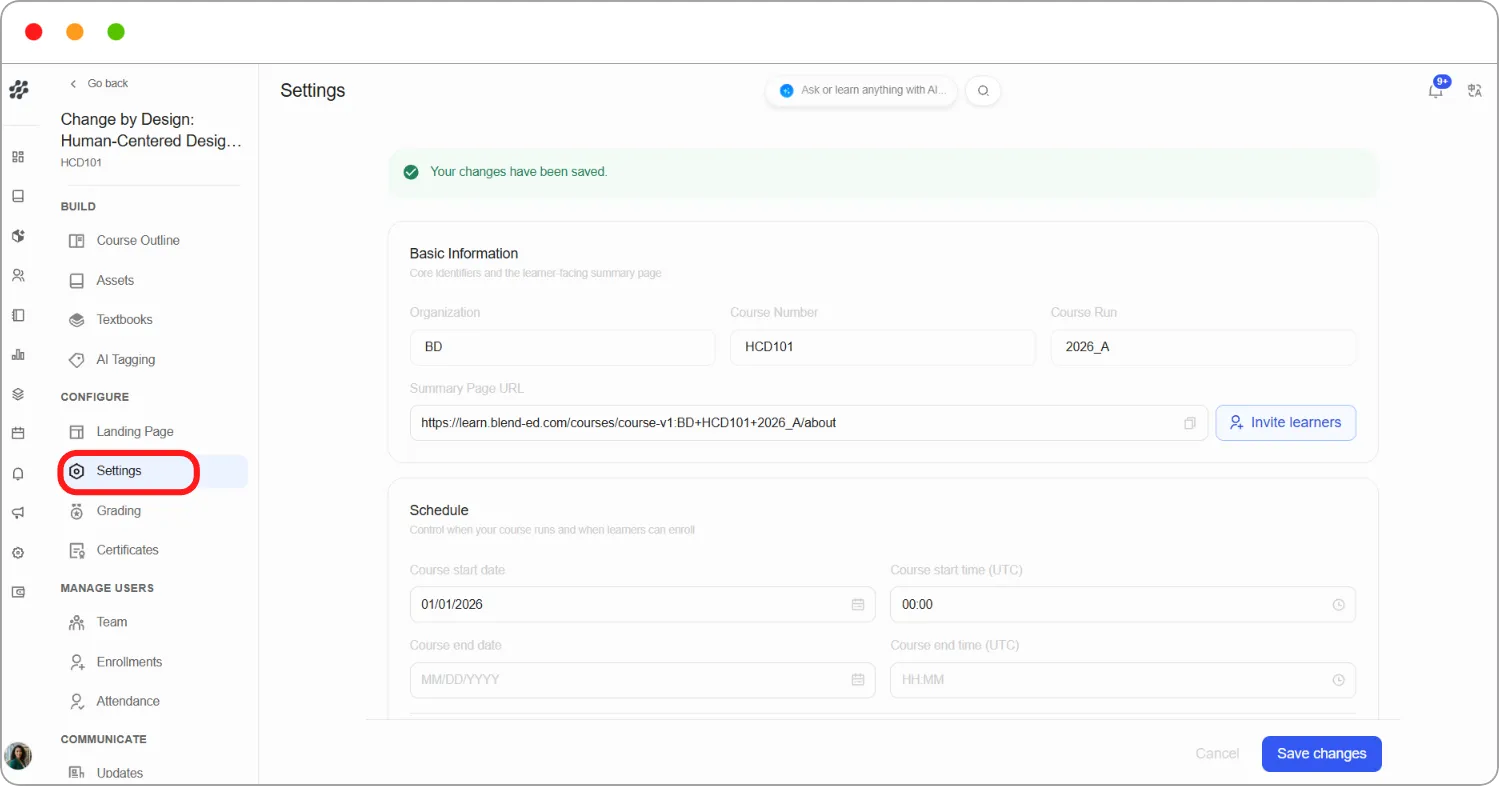
Step 1: Open the course, then under CONFIGURE click Settings.
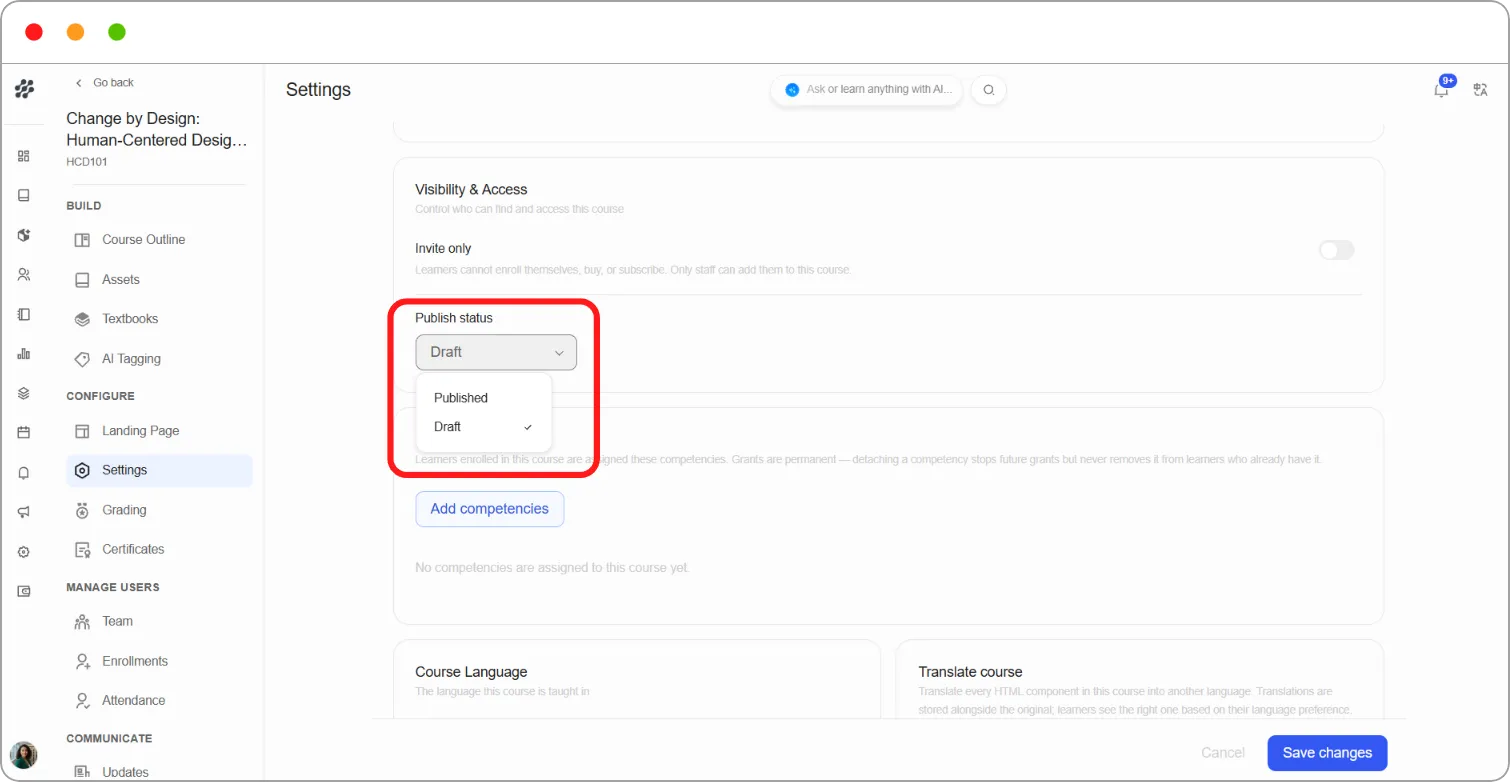
Step 2: Scroll to Visibility & Access.
Step 3: Set Publish status to Published.
Step 4: Click Save changes.
The course now appears in your catalogue and learners can enrol.
Tip: Publishing the course and publishing its content are separate. A published course with draft content shows learners an empty shell. See Adding Content Components.