
How to collect additional learner details
Who can do this: Super Admin, Admin, or Staff with the Platform Settings permission
Collect extra information from learners beyond the standard registration fields: employee number, department, job title, or anything else your organisation needs.
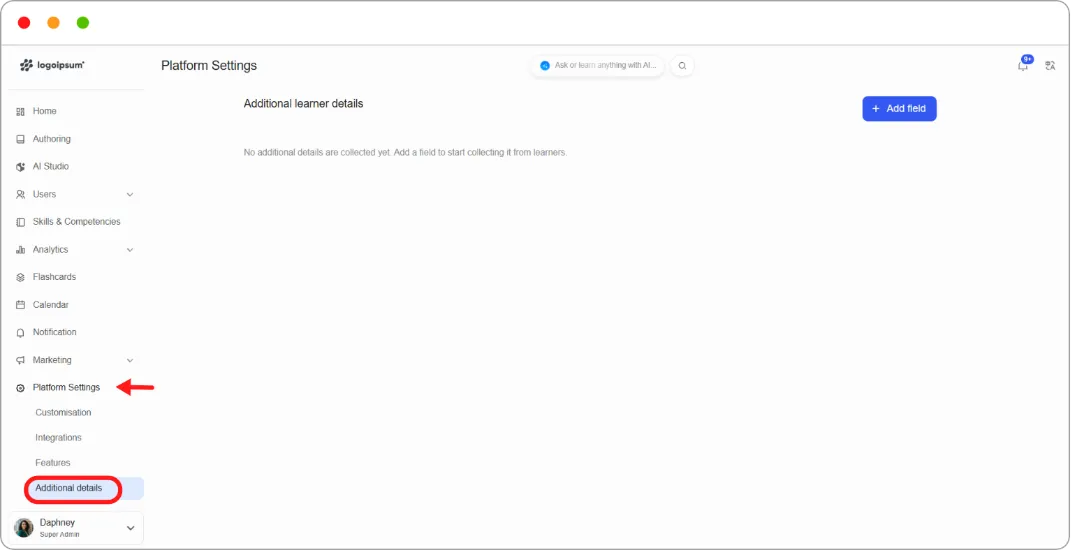
Step 1: Go to Platform Settings > Additional details.
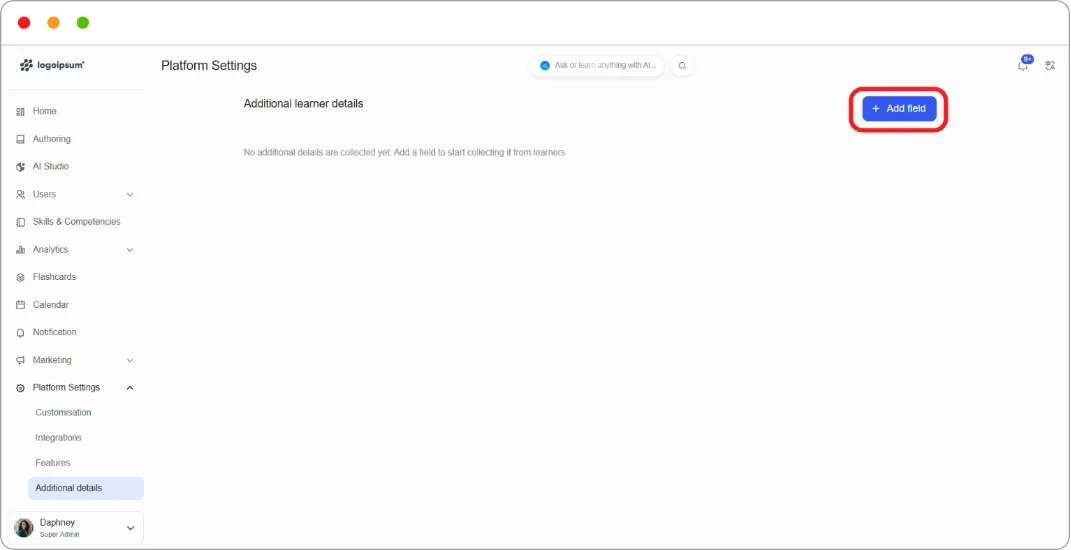
Step 2: Click + Add field.
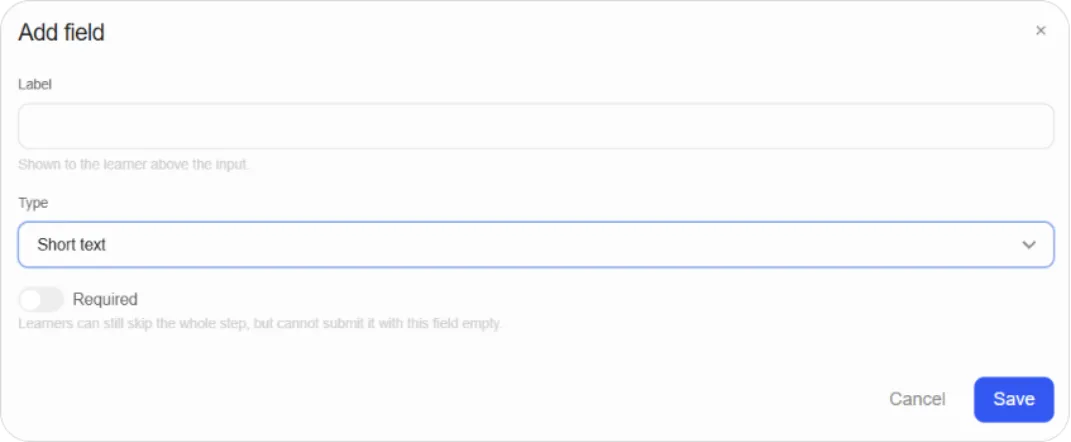
Step 3: Fill in:
| Field | What it does |
|---|---|
| Label | What the learner sees above the input |
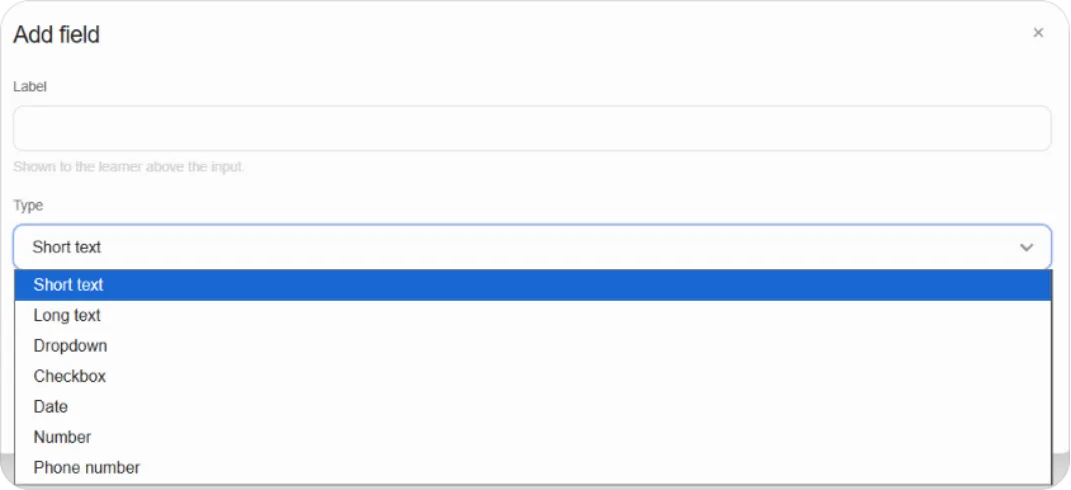
| Type | The kind of input, for example Short text |
| Required | Whether the field must be filled |
Step 4: Click Save.
Note: Making a field Required doesn’t force learners to answer. They can still skip the whole step, but can’t submit it with a required field empty.
Tip: Ask for as little as possible. Every extra field is another reason for someone to abandon registration, and information you never use is information you’re now responsible for protecting.