
How to set your brand colour
Who can do this: Super Admin, Admin, or Staff with the Platform Settings permission
Your brand colour is used for buttons, links, and highlights across the platform.
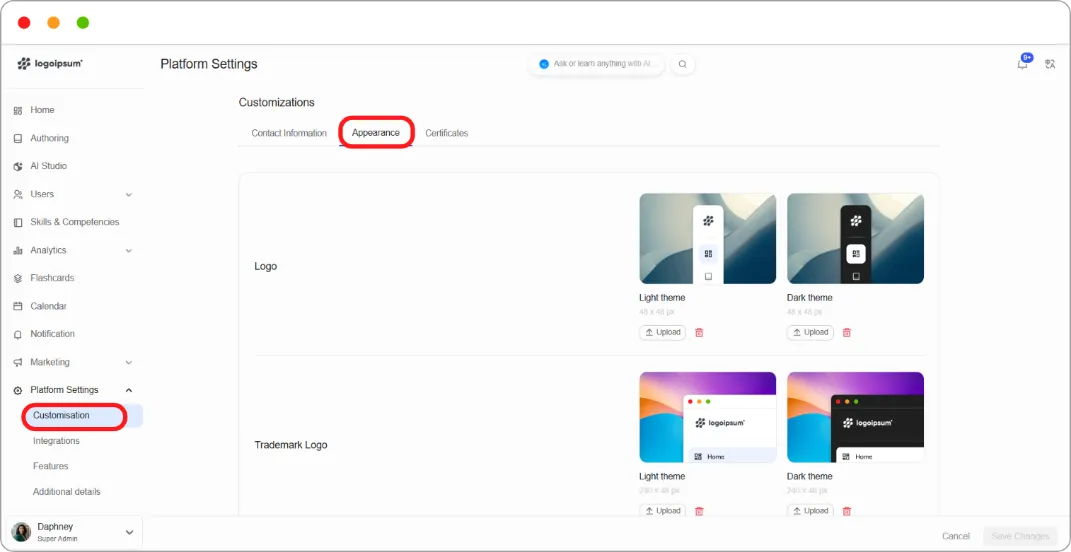
Step 1: Go to Platform Settings > Customisation and open the Appearance tab.
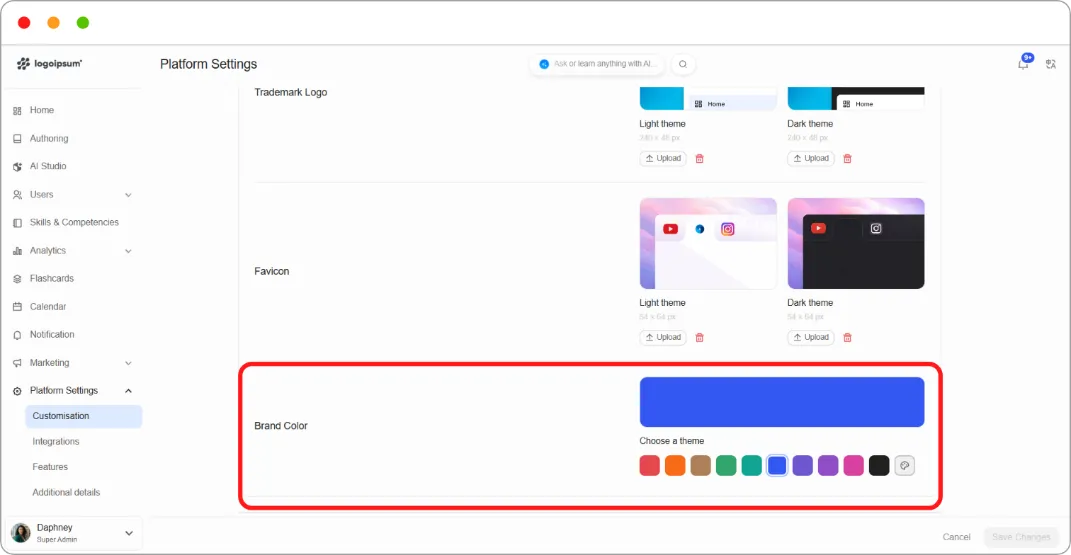
Step 2: Scroll to Brand Color.
Step 3: Choose a colour:
-
Pick a preset — click one of the ten swatches.
-
Set your own — click the colour wheel at the end of the row, then use the picker or type a hex value.
A large preview above the swatches shows your selection.
Step 4: Click Save Changes.
Tip: Use your real brand hex rather than the nearest preset. The presets are there for speed, but a colour that’s almost right is more noticeable than one that’s obviously different.
Note: Very light colours can make white button text unreadable. Check a page with buttons on it after saving.