
How to turn platform features on and off
Who can do this: Super Admin, Admin, or Staff with the Platform Settings permission
Feature toggles control which capabilities your platform has. Turning one off hides that capability from everyone, including its navigation item.
Step 1: Go to Platform Settings > Features.
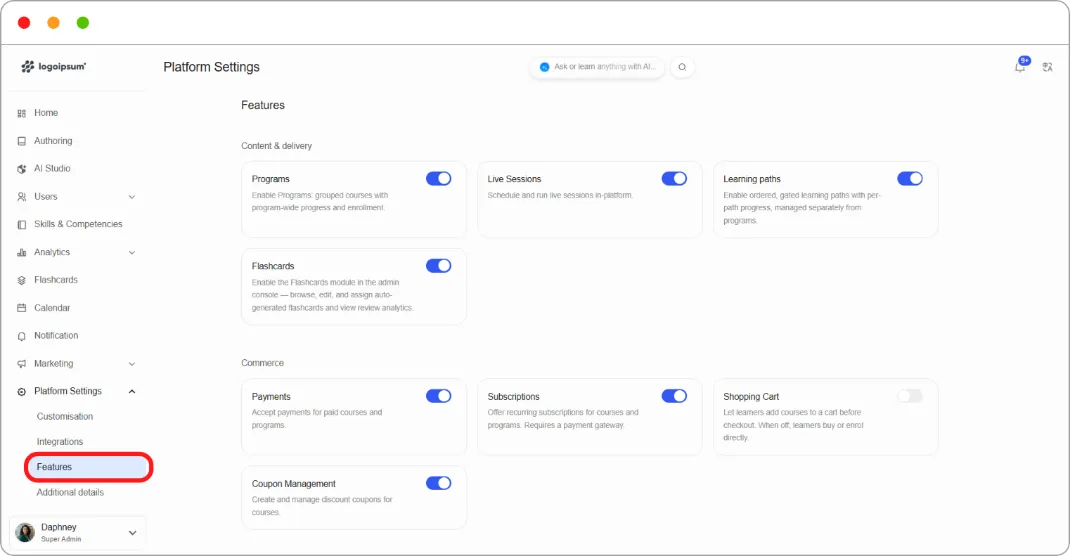
Step 2: Find the feature you want, grouped under one of six headings.
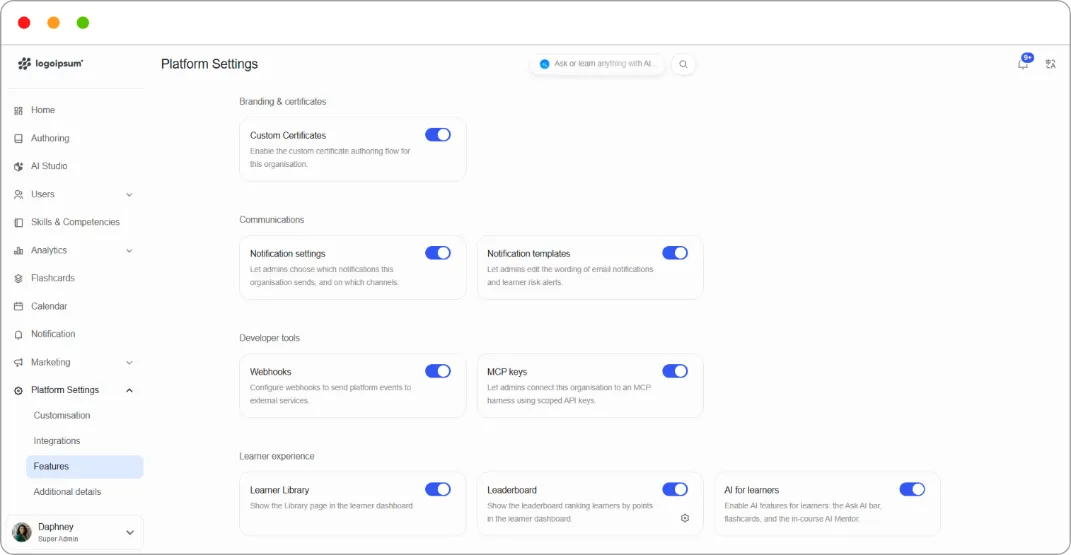
Step 3: Click the toggle.
The change saves immediately and a Feature updated confirmation appears. There’s no separate save step.
Step 4: If the feature adds a navigation item, it appears straight away.
Note: Turning a feature off hides it rather than deleting anything. Programs, coupons, and other content stay in place and reappear when you switch the feature back on. This means you can safely try a toggle to see what changes.
Tip: Turn off what you don’t use. Every enabled feature is another thing for your team to navigate past and another concept for new staff to learn.
What each feature does
Section titled “What each feature does”See Platform features reference.