
How to create a team
Who can do this: Super Admin, Admin, or Staff with the User Management permission
Teams group users so you can assign content to many people at once, and organise your platform to match your organisation.
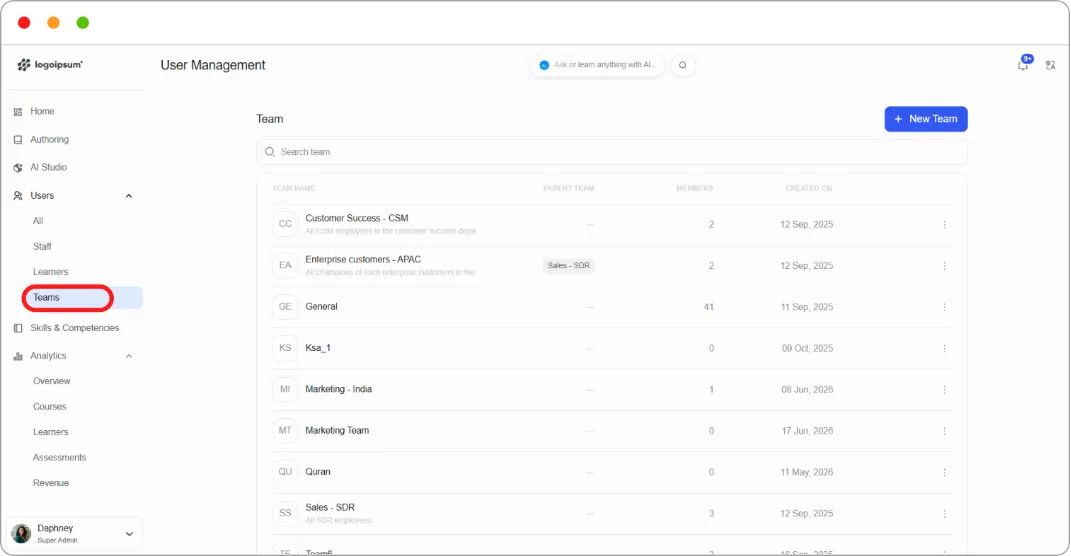
Step 1: Go to Users > Teams.
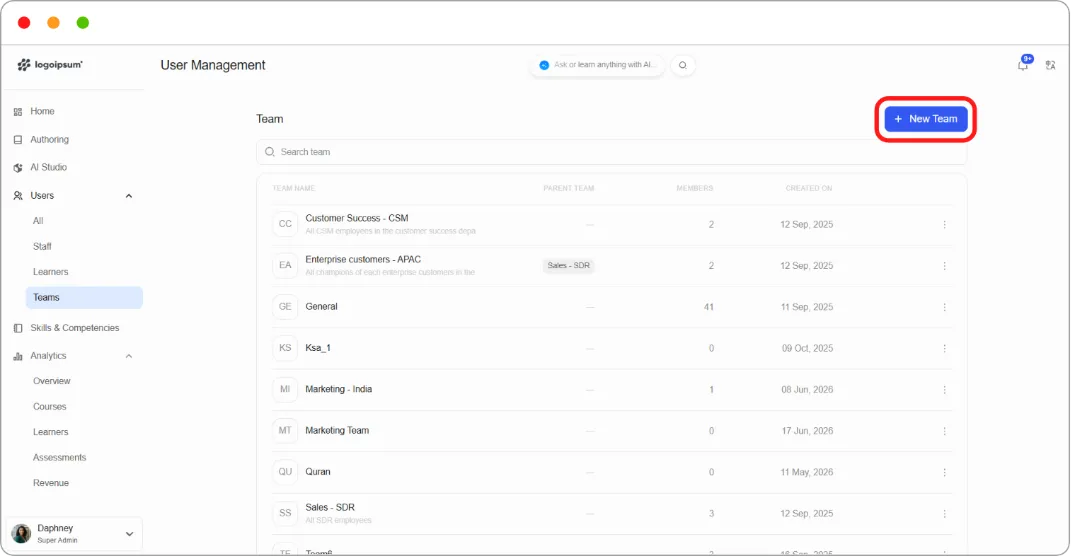
Step 2: Click + New Team at the top right.
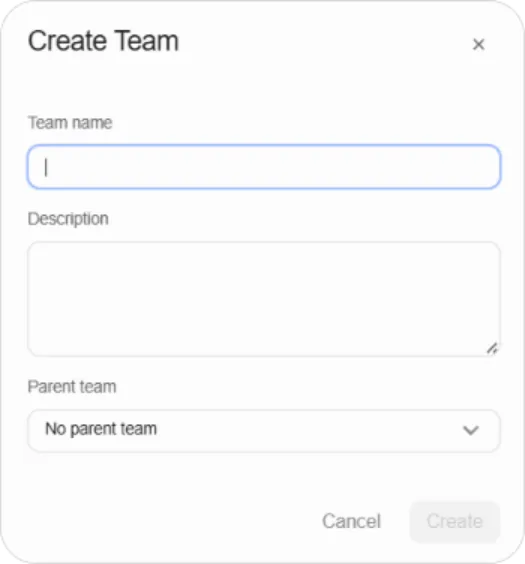
Step 3: Fill in:
| Field | What to enter |
|---|---|
| Team name | For example, Customer Success - CSM |
| Description | What this team is, for example All CSM employees in the customer success department |
| Parent team | Leave as No parent team, or choose one to nest this team under |
Step 4: Save.
The team appears in the list with its member count and creation date.
Tip: Write the description. On a platform with twenty teams, “Ksa_1” means nothing to whoever inherits your account.