
How to track your progress
Who can do this: Learners
You can track progress in two places: the Progress tab inside each course, for your grades in that course, and the Progress page in the left navigation, for everything at once.
Progress in one course
Step 1: Open the course.
Step 2: Click the Progress tab.
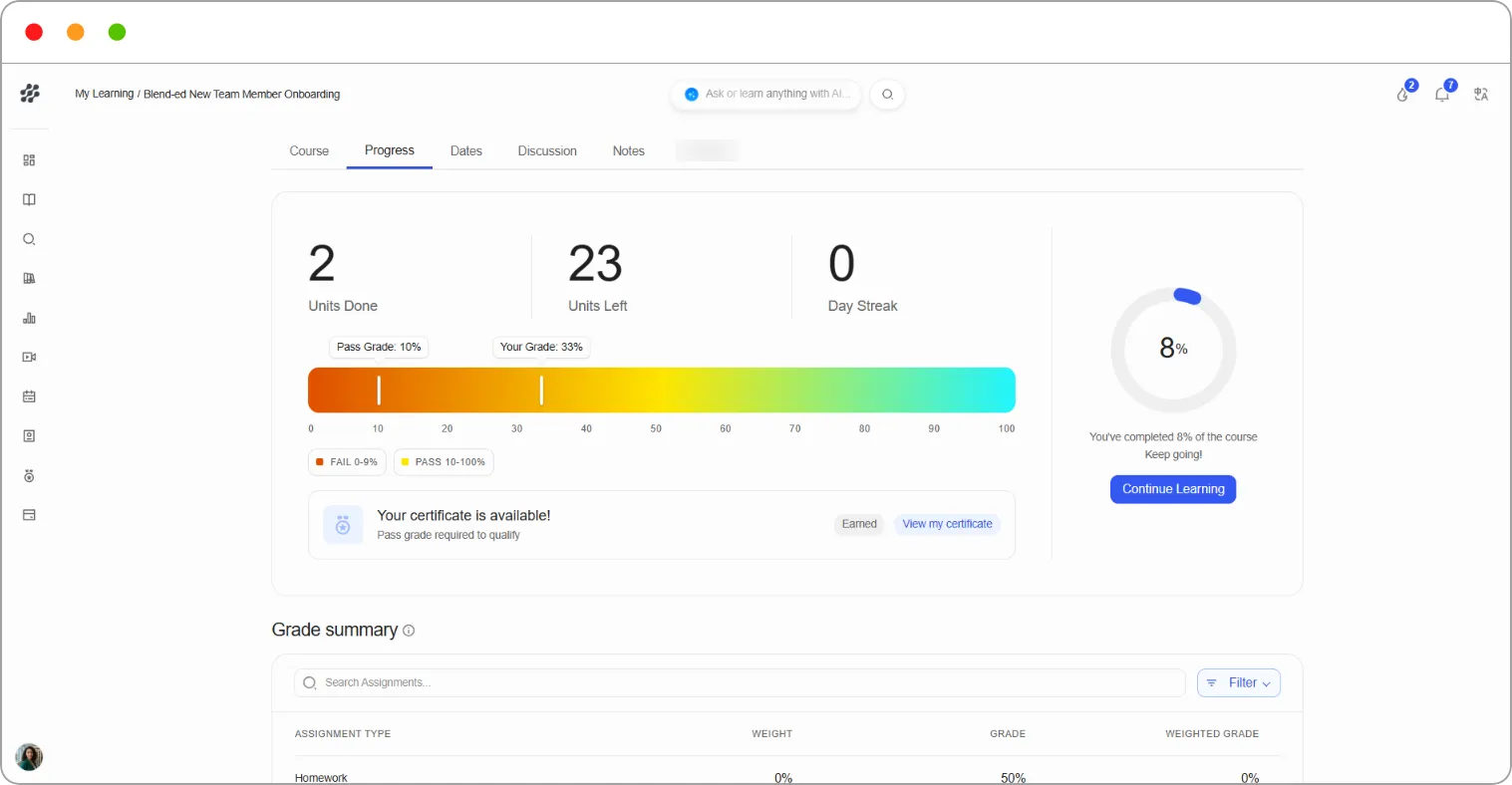
The top of the tab shows:
| Item | What it shows |
|---|---|
| Units Done / Units Left | How many units you’ve completed and how many remain |
| Grade bar | Your current grade (Your Grade) against the grade needed to pass (Pass Grade), with the fail and pass ranges underneath |
| Completion ring | The percentage of the course you’ve completed, with a Continue Learning button |
| Certificate status | In Progress until you reach the pass grade. Once you pass, it reads Your certificate is available! with a View my certificate button |
Further down:
-
Grade summary — each assignment type, its Weight, your Grade, and the Weighted Grade it contributes. The highlighted row shows your current weighted grade overall.
-
Detailed grades — your score on each graded subsection, grouped by section.
Note: Your grade only counts graded work. Ungraded activities still count towards completion. For those, check the course outline.
Tip: Compare Your Grade with Pass Grade on the grade bar. The gap between them tells you how much graded work you still need to get right to earn your certificate.
Progress across all your courses
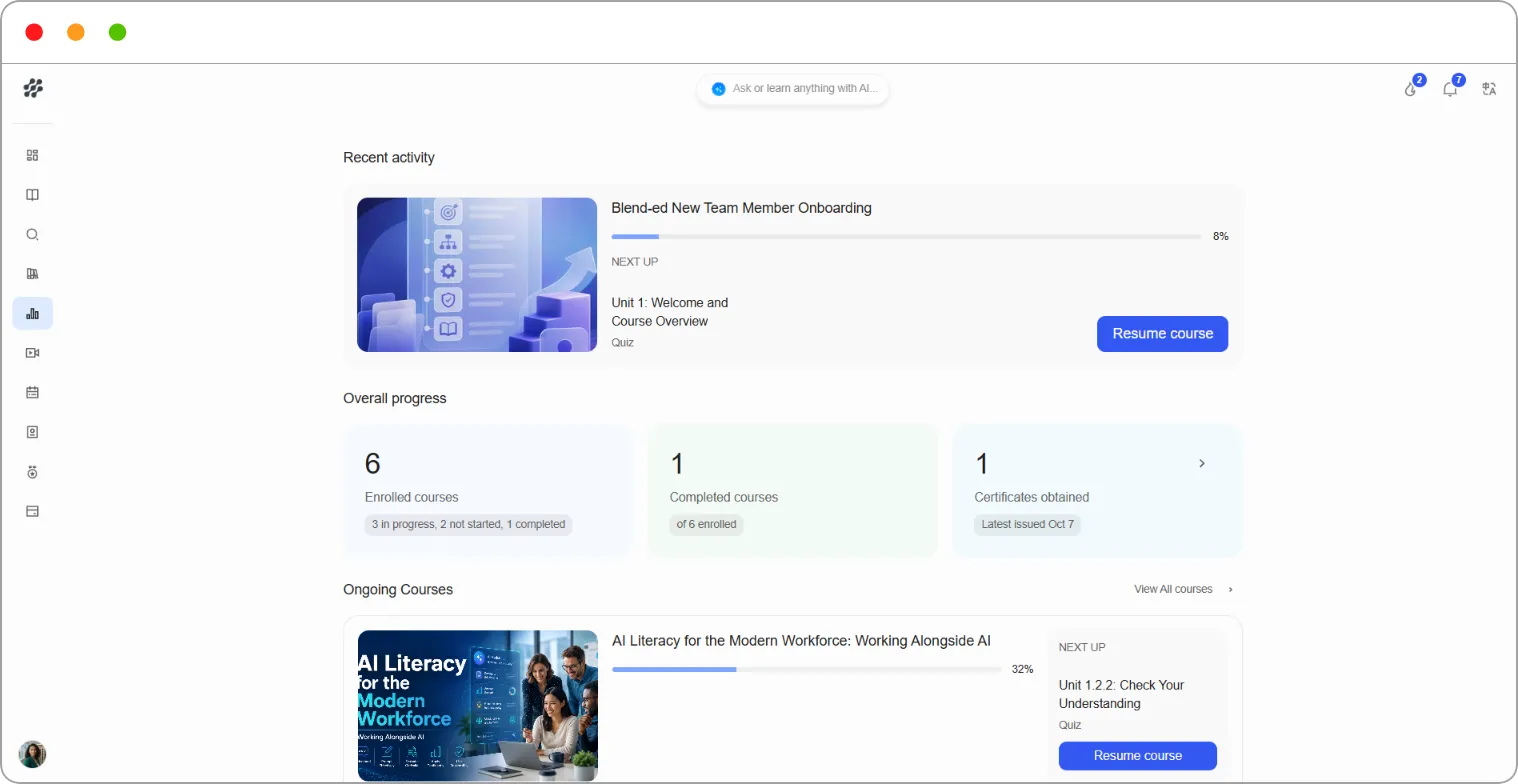
Section titled “Progress across all your courses”Go to Progress in the left navigation. The page shows:
| Section | What it shows |
|---|---|
| Recent activity | The course you were last in, what’s NEXT UP, and a Resume course button |
| Overall progress | Enrolled courses (with how many are in progress and not started), Completed courses and Certificates obtained |
| Ongoing Courses | Each course you’ve started, with its progress, the next unit and Resume course. Click View All courses to see them all |
| Completed courses | Courses you’ve finished, with View certificate and Add to LinkedIn |
| Points and leaderboard | Your points and rank. See How streaks, points and the leaderboard work |
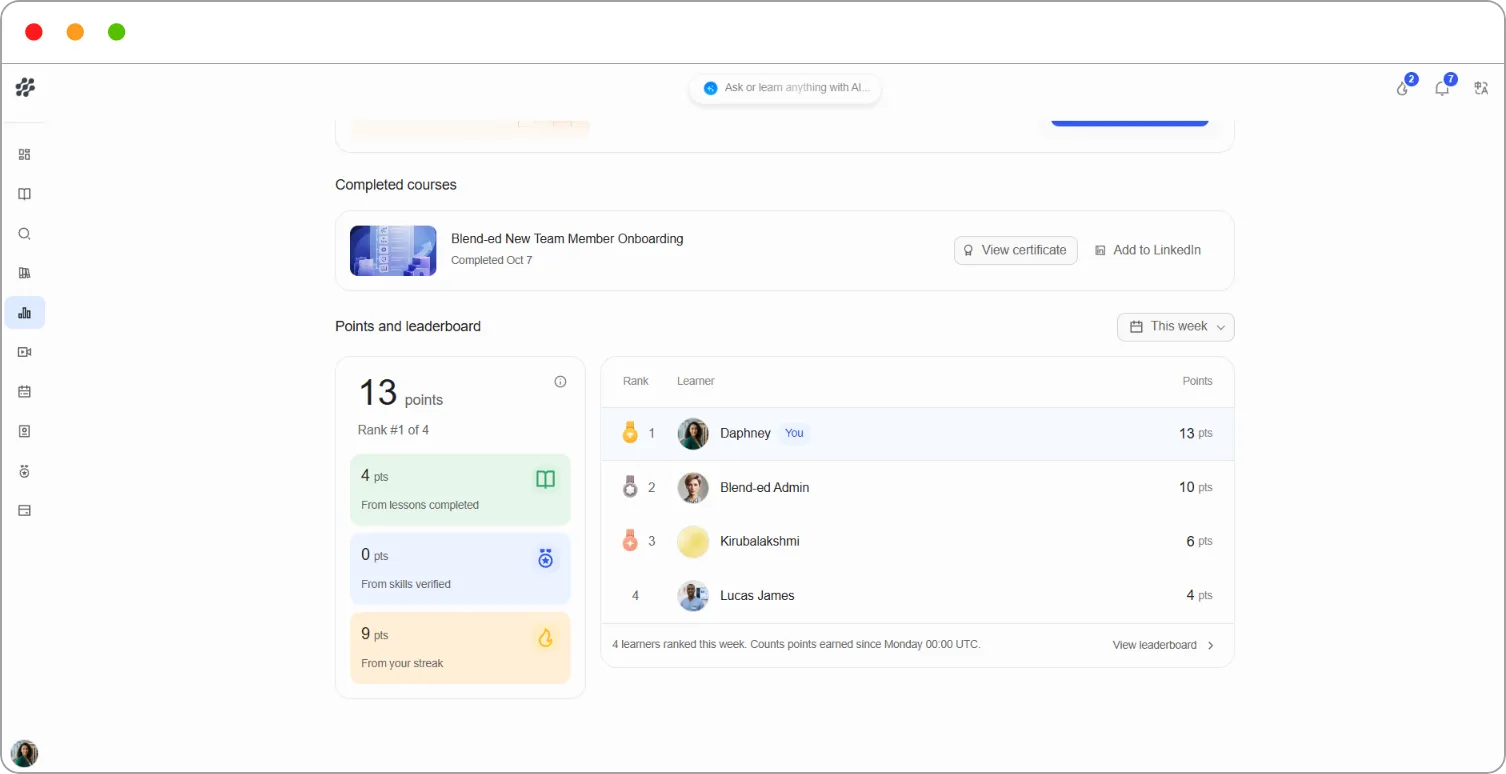
Tip: Click Add to LinkedIn on a completed course to add the certificate to your LinkedIn profile.
Related articles