
Getting around the learner view
Who this is for: Learners, and Admins and Staff checking the learner experience
The learner view is where people take courses and track their progress.
Your Dashboard
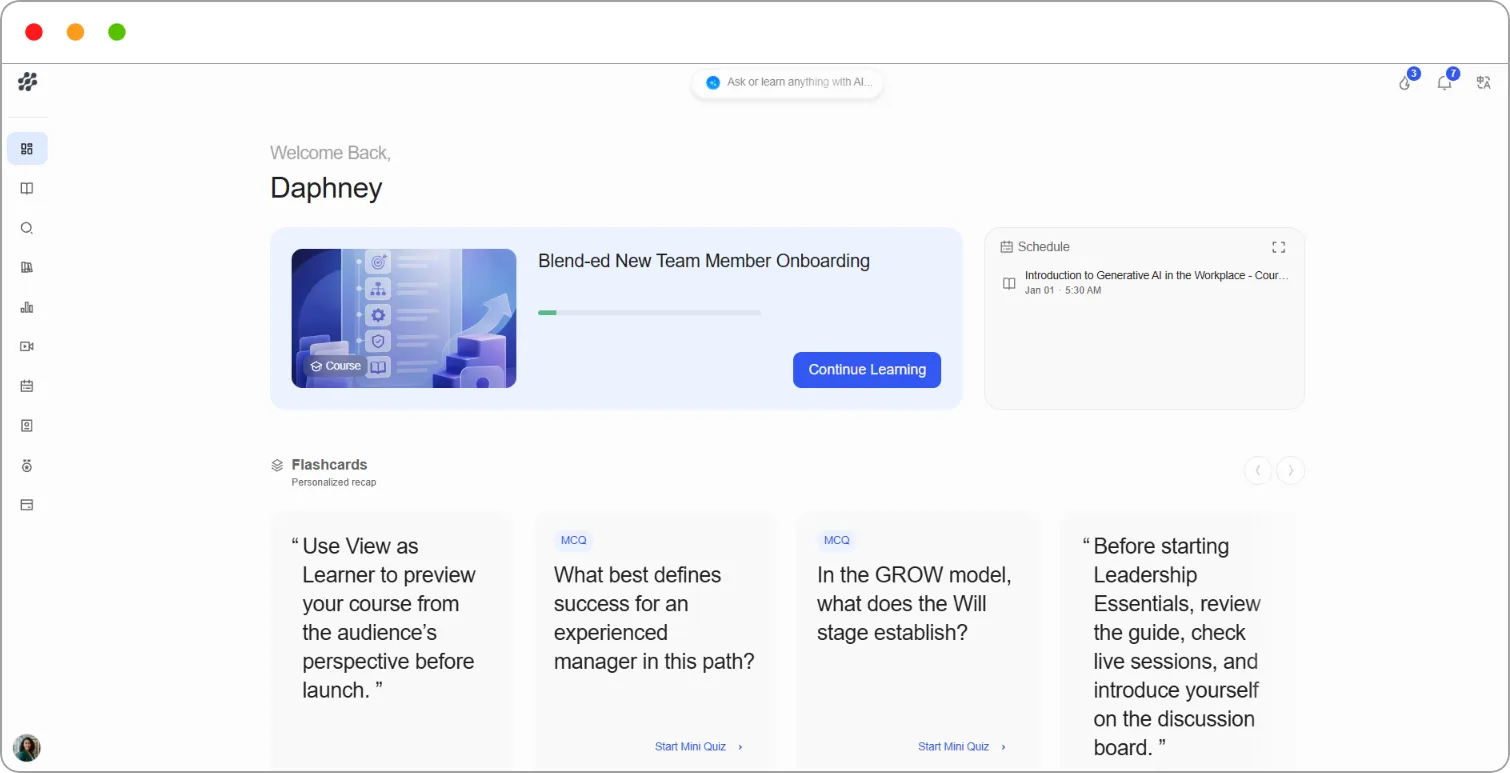
Section titled “Your Dashboard”Learners land on Dashboard. It greets you by name and shows:
| Area | What it shows |
|---|---|
| Continue Learning card | The course you were last working on |
| Schedule | Your upcoming events and live sessions |
| Flashcards | A personalised recap of what you’ve studied |
| On-going Courses | Every course you’ve started |
| Explore Courses | A shortcut to the course catalogue |
The left navigation
Section titled “The left navigation”| Item | What it’s for |
|---|---|
| Dashboard | Your home page |
| Learning | Your courses and notes |
| Discover | The course catalogue |
| Library | Files from your courses |
| Progress | Your progress, points and leaderboard |
| Live Sessions | Live classes you can join |
| My Schedule | Your upcoming events |
| Skill Passport | Your skills and competencies |
| Certifications | Certificates you’ve earned |
| Subscriptions | Your subscriptions |
At the top of every page
Section titled “At the top of every page”| Item | What it does |
|---|---|
| Ask or learn anything with AI | Opens the AI search assistant |
| Flame icon | Shows your current learning streak |
| Bell icon | Shows your notifications |
| Language icon | Changes the language of the platform |
Your user menu
Section titled “Your user menu”Click your name at the bottom of the left navigation:
| Option | What it does |
|---|---|
| My Profile | Your details, password and purchases |
| Notification preferences | Choose which notifications you receive |
| Wishlist | Courses you’ve saved for later |
| Switch Org | Moves you to another organisation you belong to |
| Help & Support | Raises a support ticket |
| View as Instructor | Returns to the admin view (Admins and Staff only) |
| About | Shows your organisation’s contact information |
| Logout | Signs you out |
Note: Super Admins, Admins and Staff who switch to the learner view also see View as Instructor, which takes them back to the admin view. See How to switch between admin and learner views.
For a full guide to the learner experience, see General overview: The learner experience.