
How to unpublish a course
Who can do this: Super Admin, Admin, or Staff with the Platform Settings permission
Unpublishing takes a course out of your catalogue without affecting the learners already in it.
Step 1: Open the course, then under CONFIGURE click Settings.
Step 2: Scroll to Visibility & Access.
Step 3: Set Publish status to Draft.
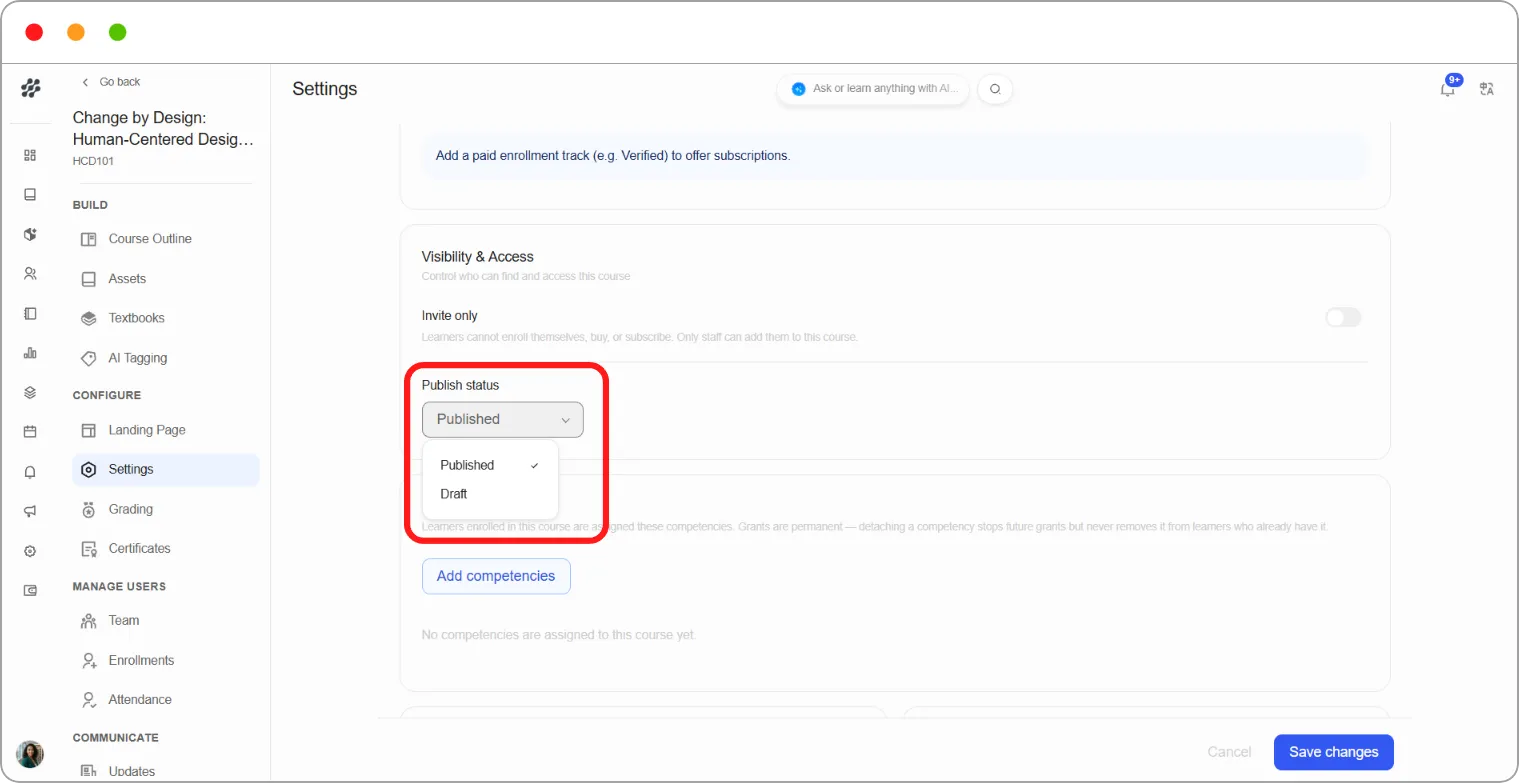
Step 4: Click Save changes.
What happens
Section titled “What happens”| New learners | Can no longer find or enrol in the course |
|---|---|
| Enrolled learners | Keep their access and carry on as normal |
| Learners who paid | Keep their access |
Note: Unpublishing stops new enrolments. It doesn’t remove anyone, and nobody loses what they paid for.
Tip: Draft is the right setting for a course you’re retiring or revising. Existing learners finish uninterrupted while you stop new enrolments. To remove access from specific people, unenrol them instead. See How to remove a learner’s access to a course.