
How to view a learner's skill passport
Who can do this: Super Admin, Admin, or Staff with the View Analytics permission
A learner’s skill passport shows the competencies they’ve earned, rather than simply which courses they finished.
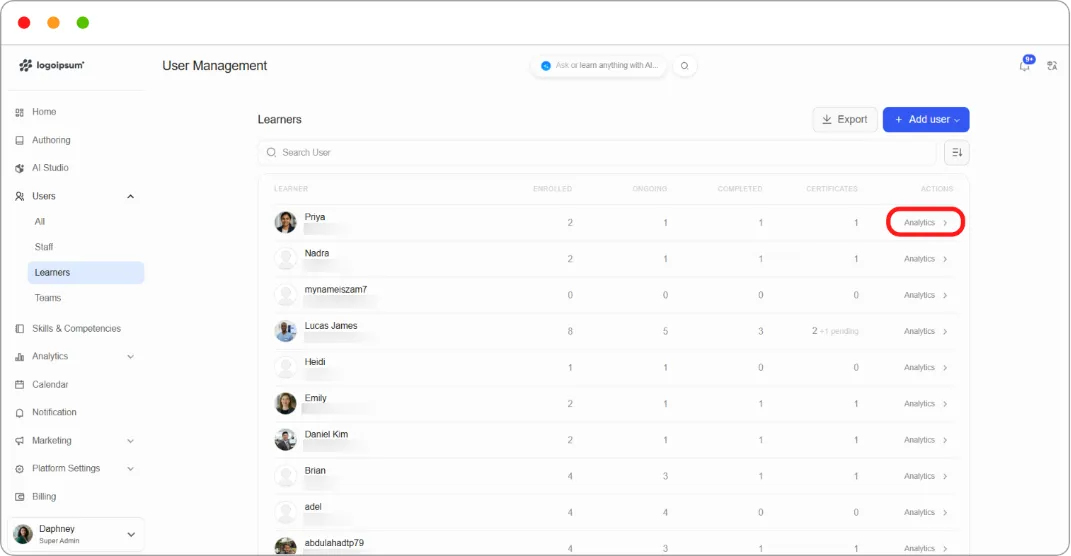
Step 1: Go to Users > Learners.
Step 2: Click Analytics on the learner’s row.
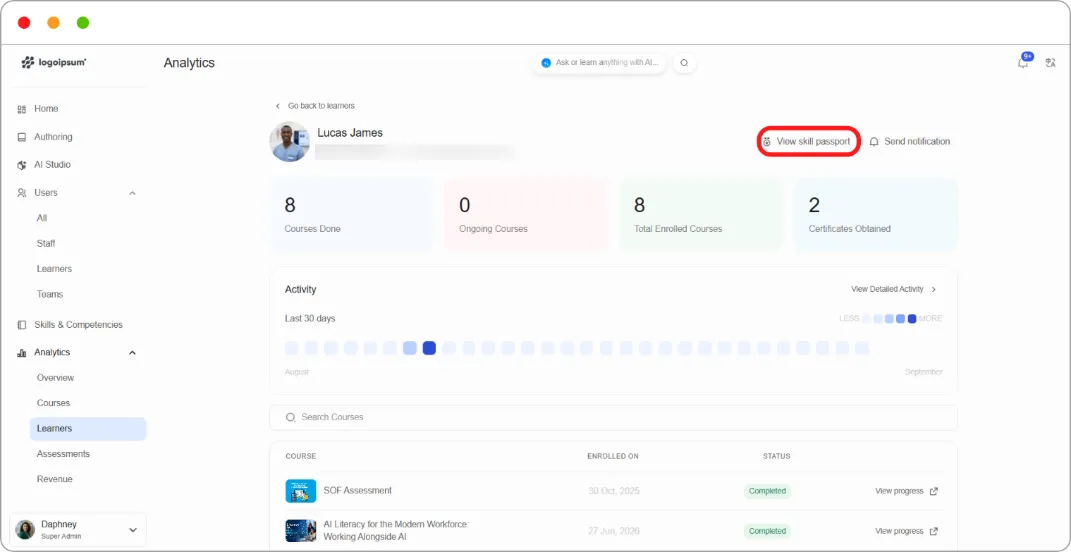
Step 3: At the top of their analytics page, click View skill passport.
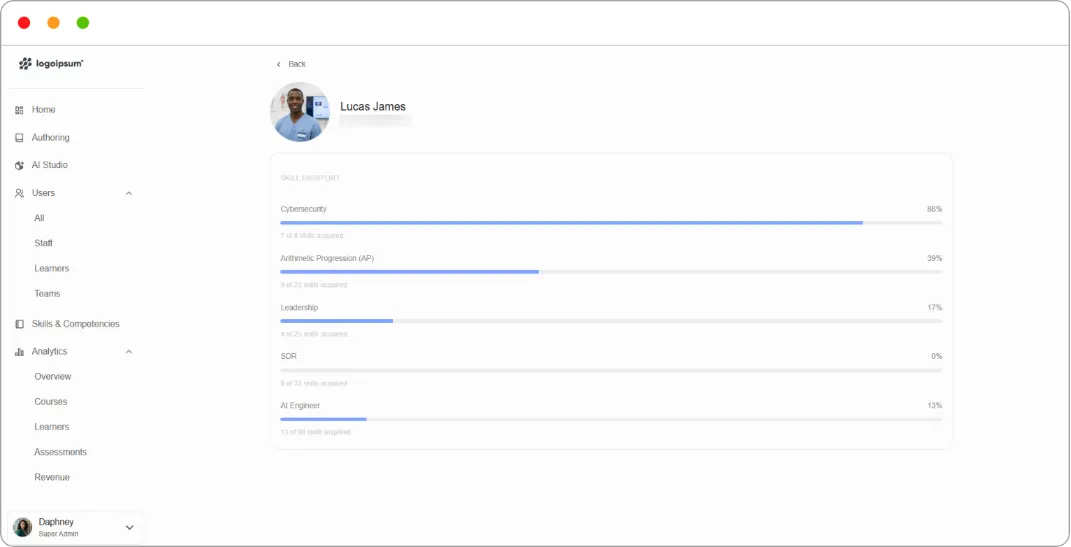
Tip: Use the skill passport rather than the course list when someone asks whether a learner is qualified for something. Courses record what they sat through; competencies record what they can do.