
How to make a course invite only
Who can do this: Super Admin, Admin, or Staff with the Platform Settings permission
Invite only lets a course exist and be published while preventing learners from enrolling themselves. Only staff can add them.
Use it for cohort-based training, corporate clients, and anything where you decide who joins.
Step 1: Open the course, then under CONFIGURE click Settings.
Step 2: Scroll to Visibility & Access.
Step 3: Switch on Invite only.
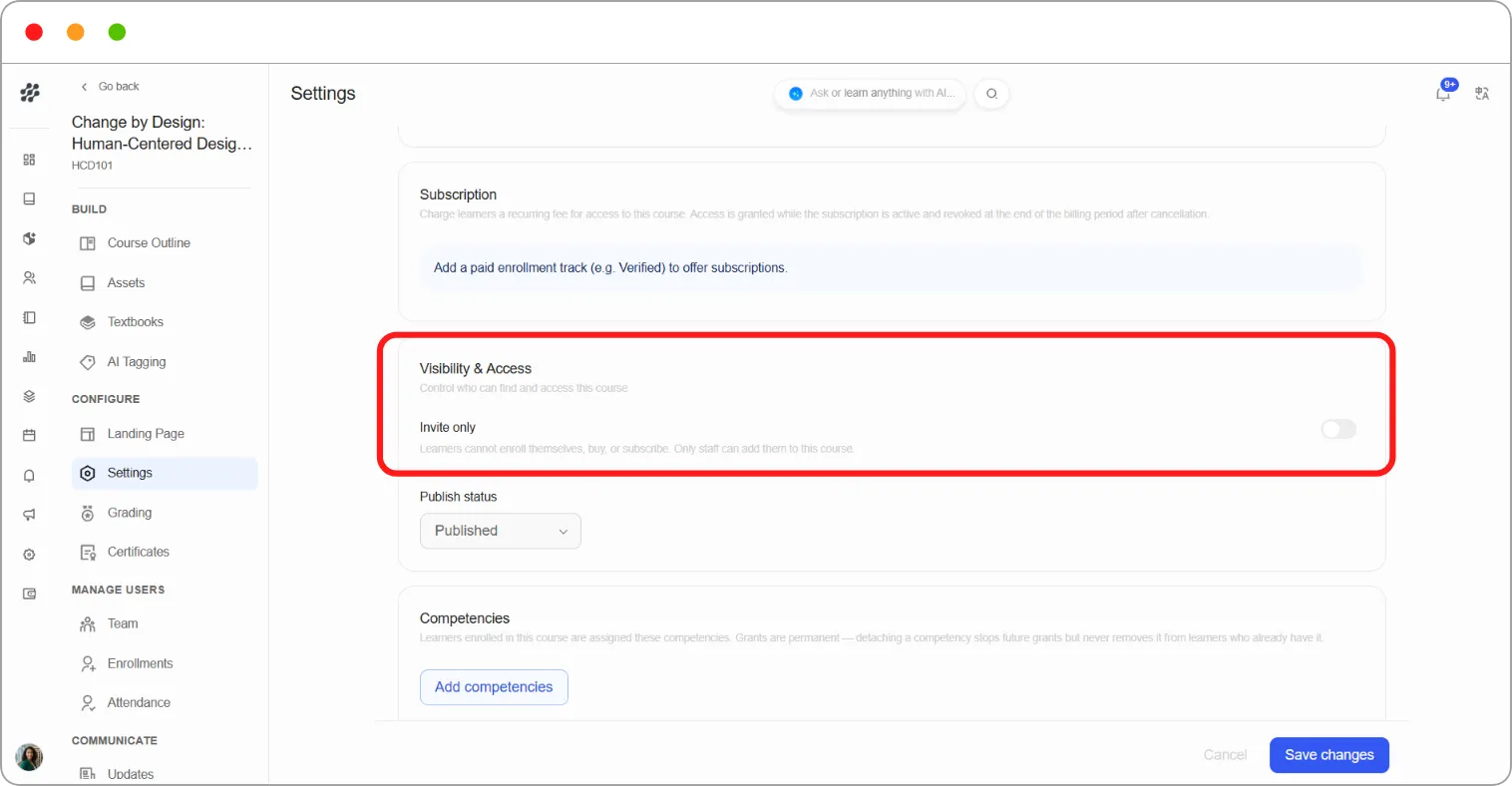
Step 4: Click Save changes.
Learners can no longer enrol themselves, buy, or subscribe. You add them from the Enrollments page.
Note: Invite only is separate from Publish status. A course can be published and invite only at the same time.
Choosing between the two
Section titled “Choosing between the two”| You want | Setting |
|---|---|
| Open to anyone | Published, Invite only off |
| Visible but controlled | Published, Invite only on |
| Not available at all | Draft |