
How to update your profile details
Who can do this: All users
Step 1: Open your profile and click Basic Details.
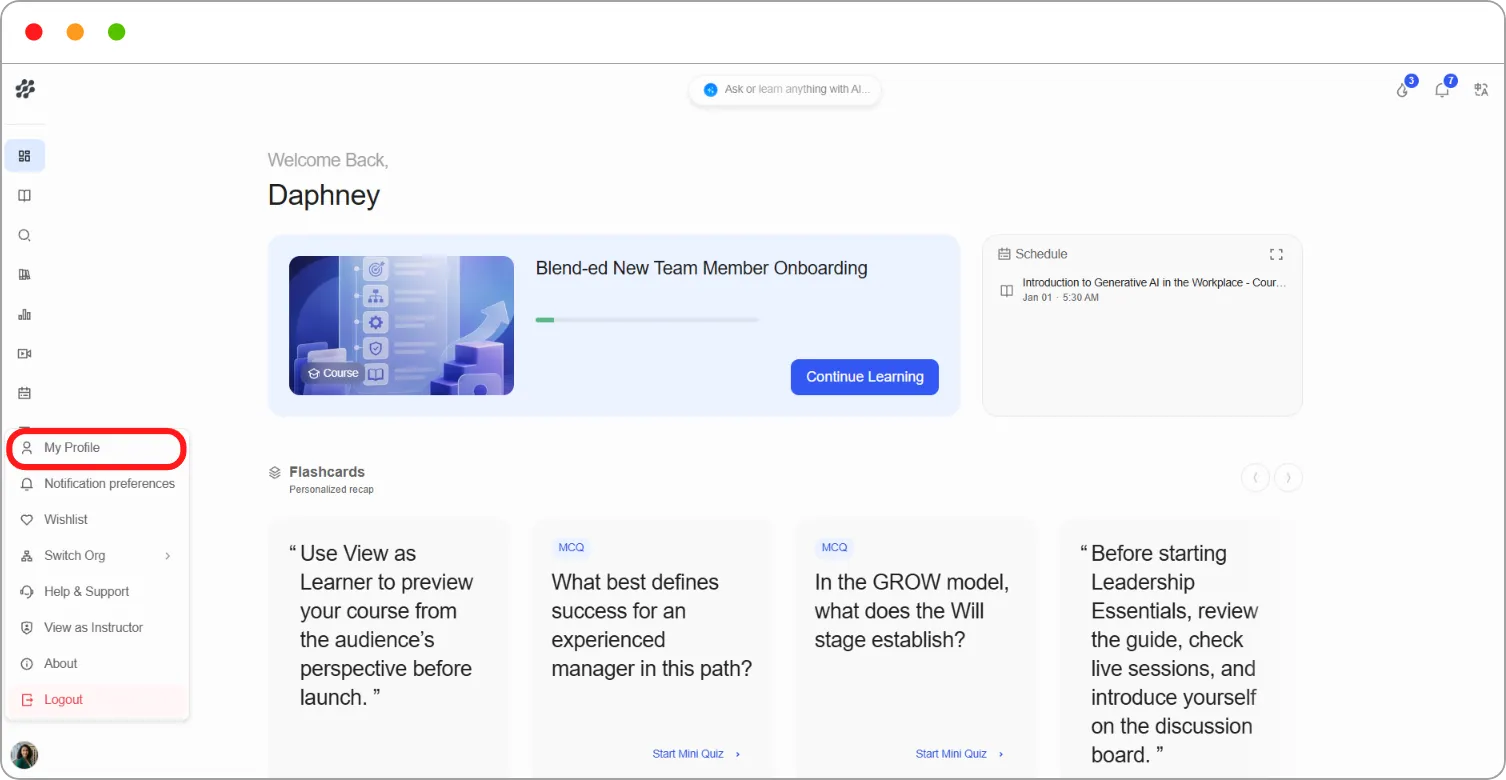
Step 2: Click the edit (pencil) icon at the top right of Basic Details.
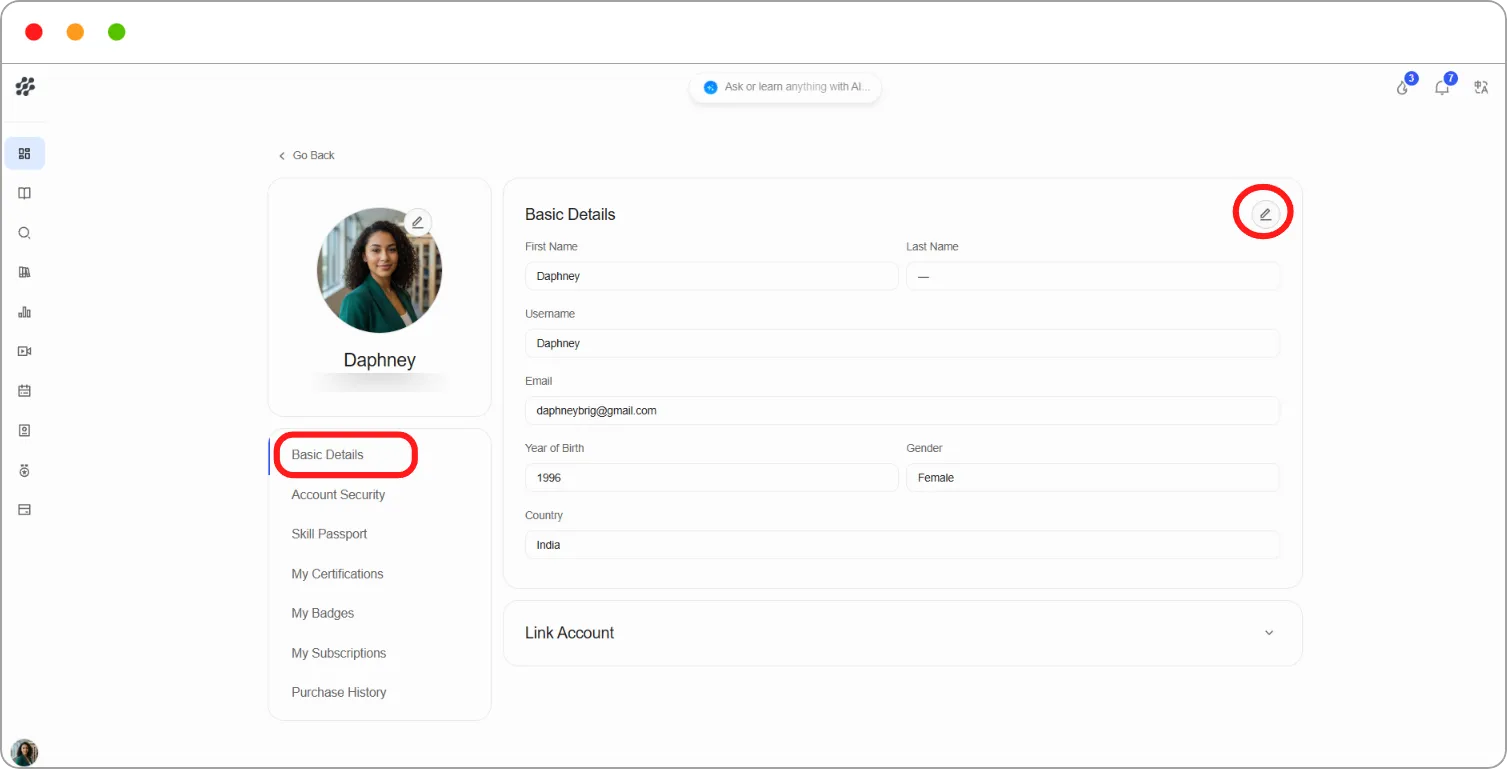
Step 3: Update the details you want to change:
| Field | What it’s used for |
|---|---|
| First Name / Last Name | Used for ID verification and shown on your certificates |
| Year of Birth | Helps the platform meet legal requirements |
| Gender | Helps understand the diversity of learners. It isn’t shown on your public profile |
| Country | Used to tailor available content and meet regional requirements |
Step 4: Click the tick to save your changes, or × to cancel.
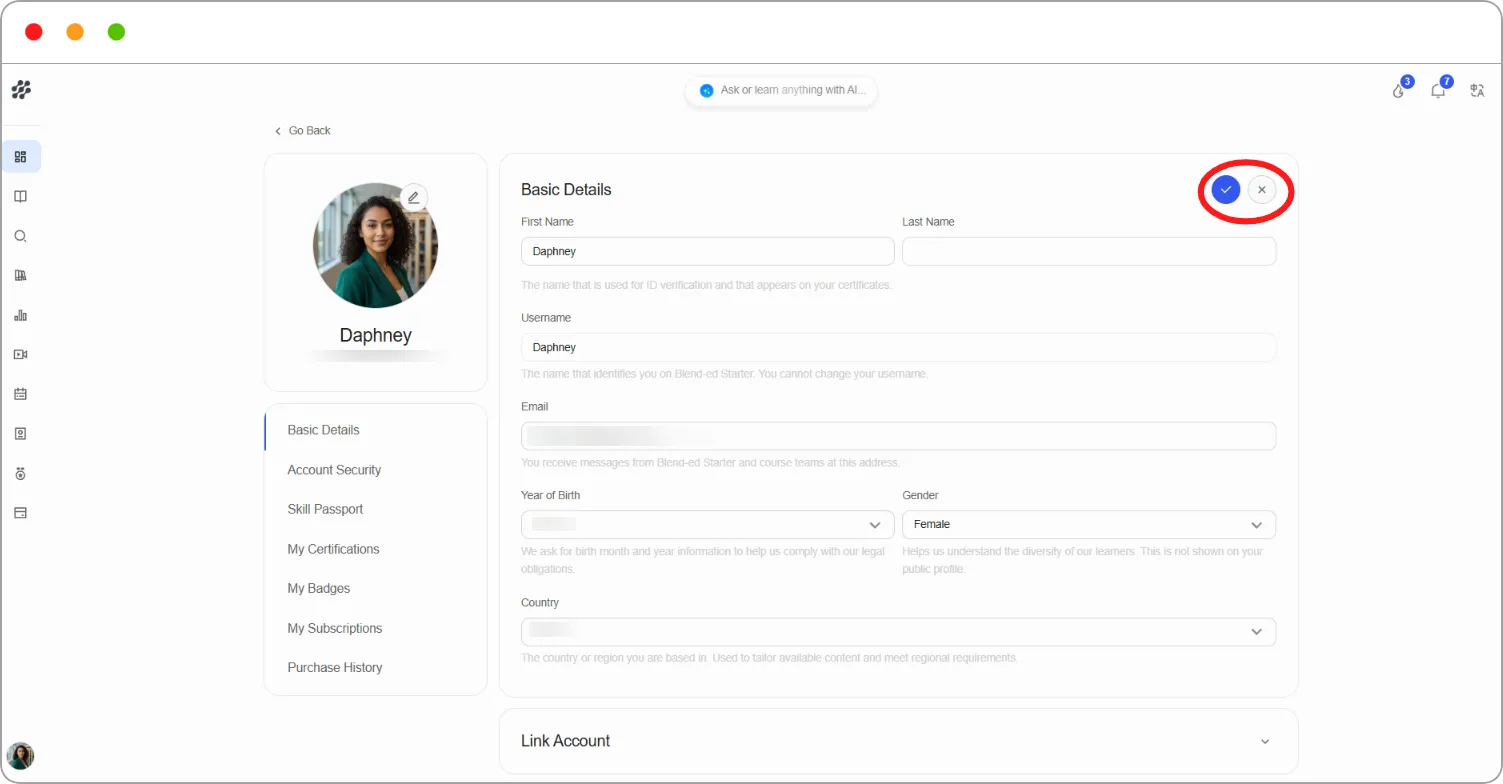
Note: You can’t change your Username or Email. If either needs updating, contact your platform admin.
Tip: Check your name carefully. It’s the name printed on every certificate you earn.