
How to create a course author role
Who can do this: Super Admin, Admin, or Staff with the User Management permission
A course author builds and maintains courses. They don’t need access to users, platform settings, or billing.
Step 1: Invite the person as Staff, or change an existing user’s role to Staff. See How to assign or change a user’s role.
Step 2: Go to Users > Staff, click the ⋮ menu on their row, and choose Edit all permissions.
Step 3: Tick these permissions:
| Category | Permission |
|---|---|
| Courses & Programs | Create Course |
| Courses & Programs | Create Learning Path |
| Library | Library View |
| Library | Library Create |
| Others | AI Studio |
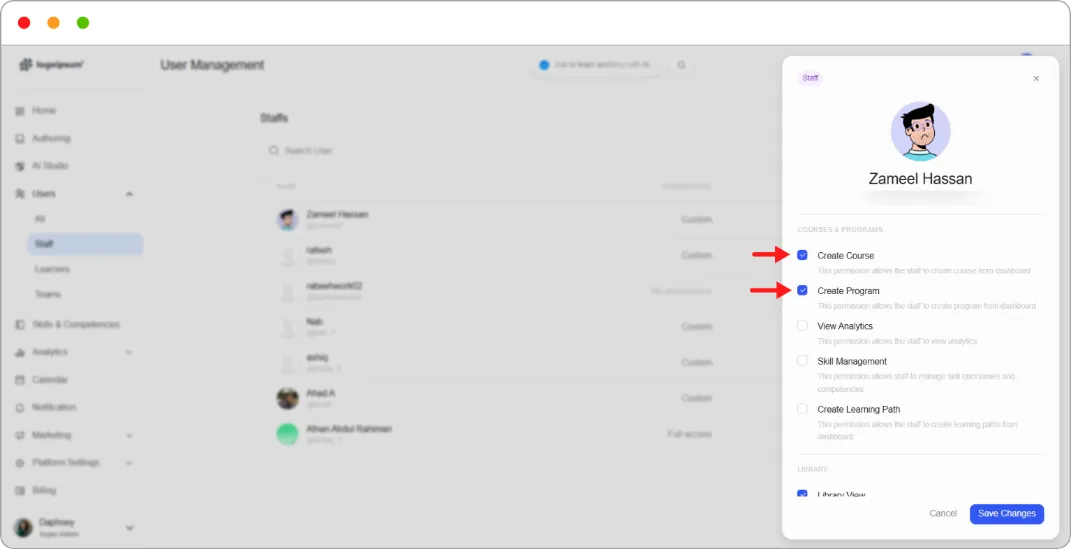
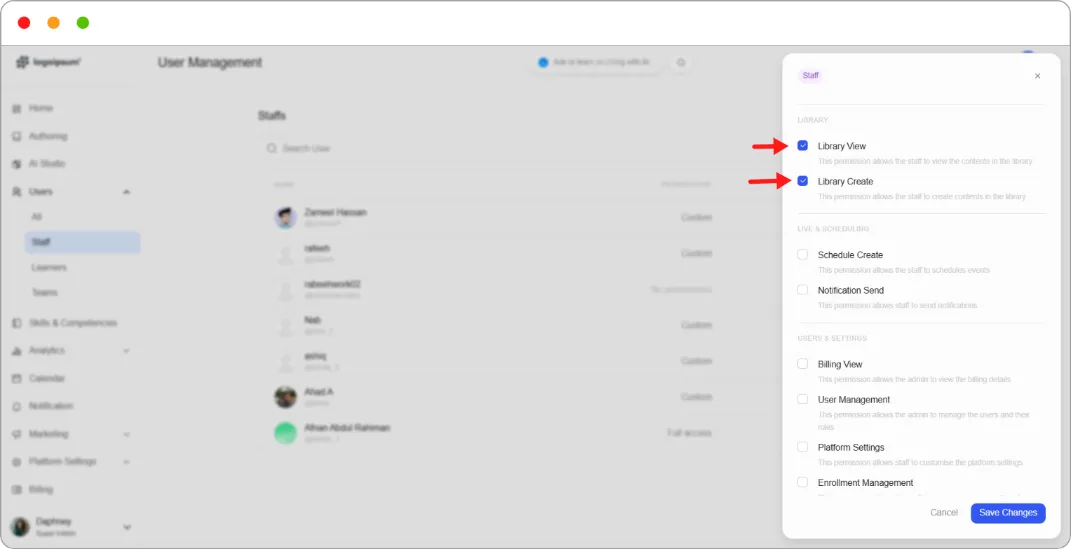
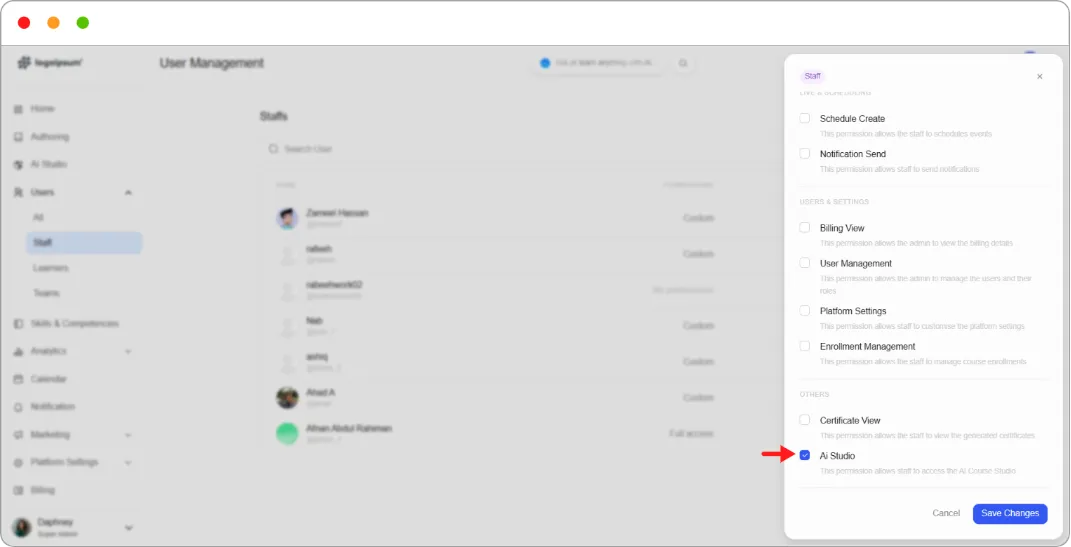
Step 4: Leave everything else unticked.
Step 5: Click Save Changes.
What they can now do
Section titled “What they can now do”Build courses manually or with AI Studio, create learning paths, and both use and contribute to the content library.
What they cannot do
Section titled “What they cannot do”See analytics, manage users, change platform settings, view billing, manage enrolments, or schedule events.
Tip: Add View Analytics if this person also needs to see whether their courses are working. Many authors do, and it grants no ability to change anything.