
How learners find and enrol in a course
Who this is for: Learners, and staff who want to know what learners experience
This article describes the learner’s side of enrolling in a free course.
Finding a course
Section titled “Finding a course”Open the course catalogue from the left navigation. The page shows featured content at the top and Explore Courses below, with:
-
Search courses
-
Type, Price, and sort filters
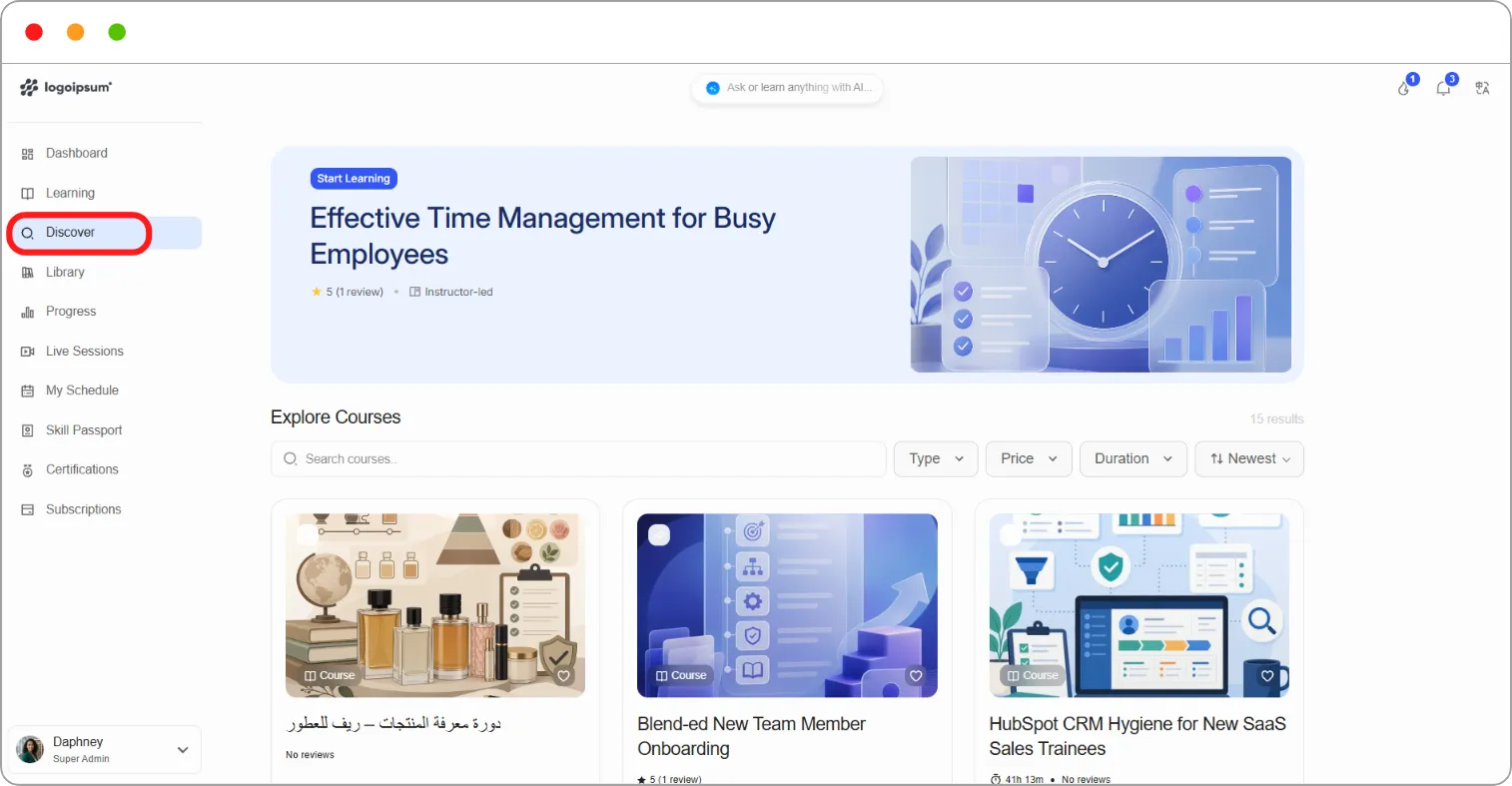
Each course card shows its image, title, rating, and price.
Enrolling
Section titled “Enrolling”Step 1: Click a course to open its page. You’ll see the description, the course outline, and an enrolment panel on the right.
Step 2: Under Choose enrollment plan, review the available modes and what each costs.
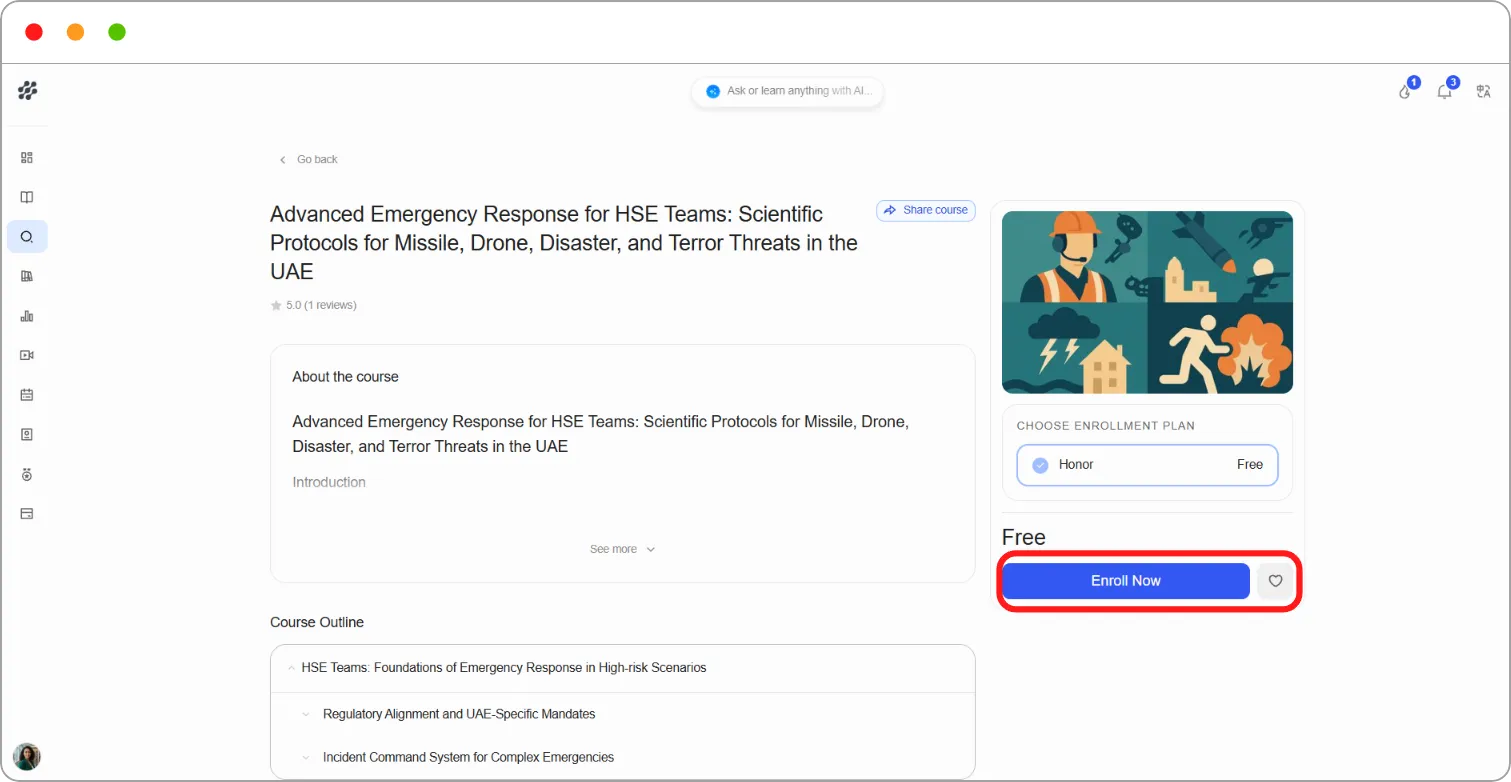
Step 3: Click Enrol Now.
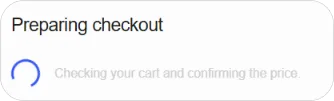
A message reads “Completing enrollment: Your access is being prepared. You will be redirected automatically.”
Step 4: You’re taken to your course page, showing Course Progress, a Start course button, and your lesson count.
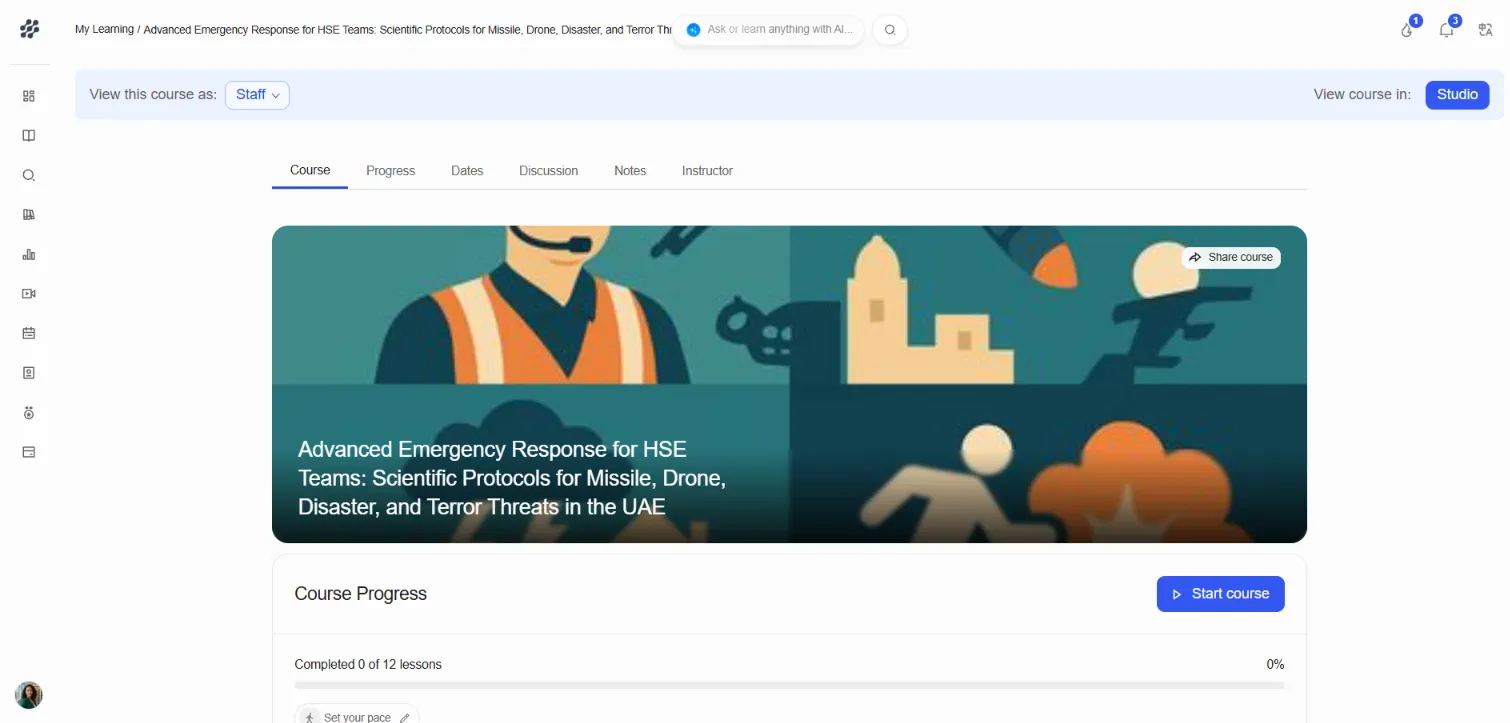
From here you can also Set your pace and, once you’ve taken the course, Write a review.
Note: If a course doesn’t appear in the catalogue, it’s either unpublished or invite only. Ask your administrator.