
How to accept your invitation and set up your account
Who this is for: New users who’ve been invited to Blend-ed
You join Blend-ed when an administrator adds you to the platform. They choose your role, for example Learner or Staff, and Blend-ed emails you an invitation to register.
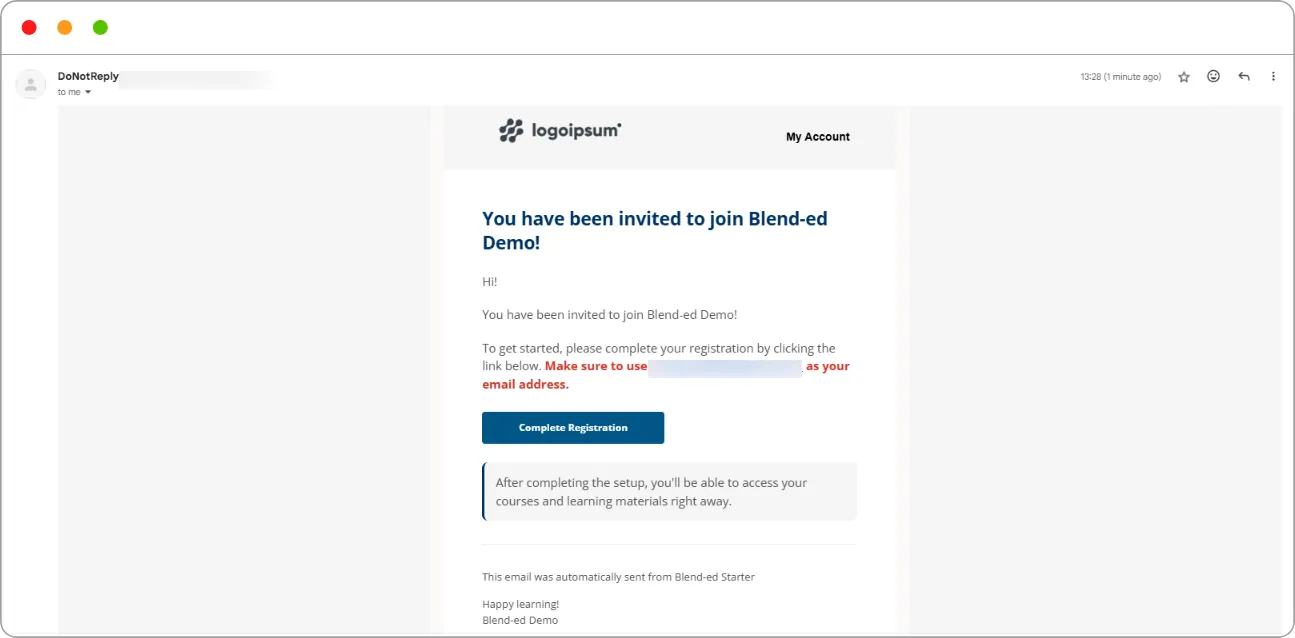
Step 1: Open the email titled You have been invited to join [your organisation].
Step 2: Click Complete Registration.
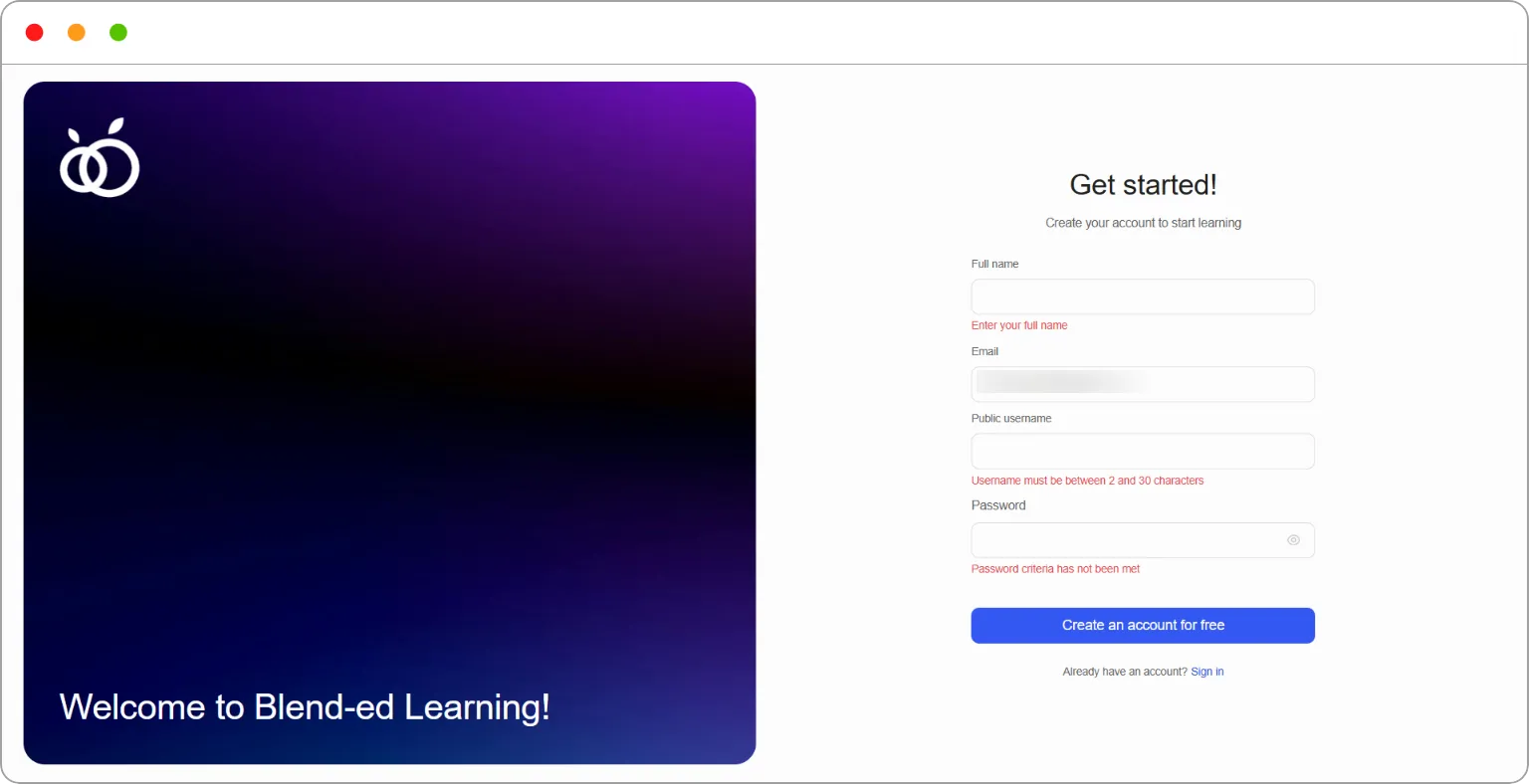
The registration page opens.
Step 3: Fill in your details:
| Field | Notes |
|---|---|
| Full name | Required. This is the name shown on your certificates |
| Already filled in from your invitation. It can’t be changed | |
| Public username | Between 2 and 30 characters. It can’t be changed later |
| Password | Must meet the platform’s password criteria |
Step 4: Click Create an account for free.
Your account is ready, with the role your administrator chose.
Note: You must register with the email address the invitation was sent to.
Tip: If the invitation hasn’t arrived, check your Promotions and Spam folders. It comes from a DoNotReply address, which some inboxes filter. If it’s still missing, ask your administrator to resend it.
Tip: Choose your username carefully. It identifies you across the platform and can’t be changed afterwards.
Note: For administrators: inviting users is covered in How to invite a user via email and How to bulk import users with a CSV file.