
How to connect PayTabs
Who can do this: Super Admin, Admin, or Staff with the Platform Settings permission
PayTabs accepts card payments across the MENA(the Middle East and North Africa) region.
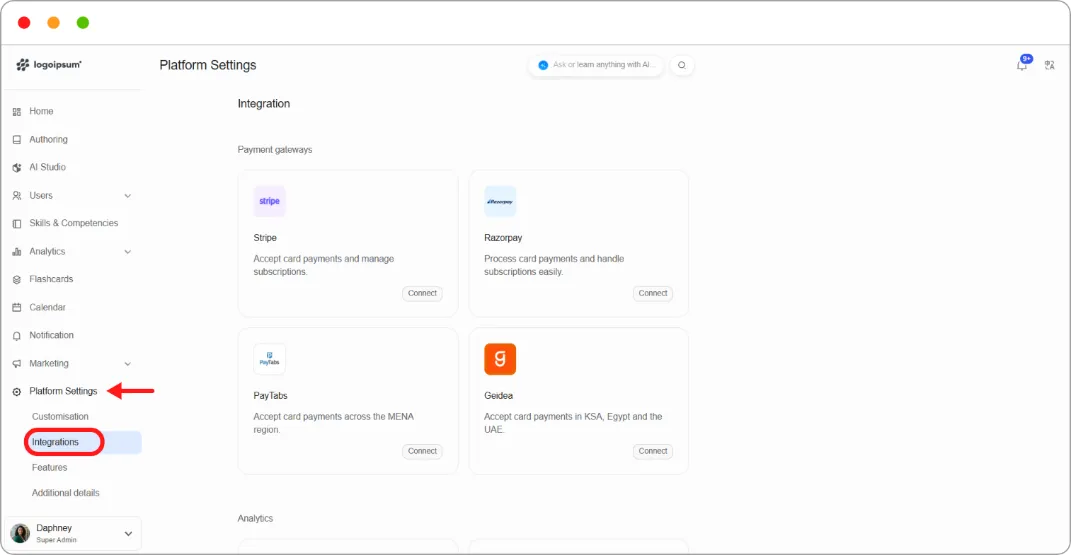
Step 1: Go to Platform Settings > Integrations.
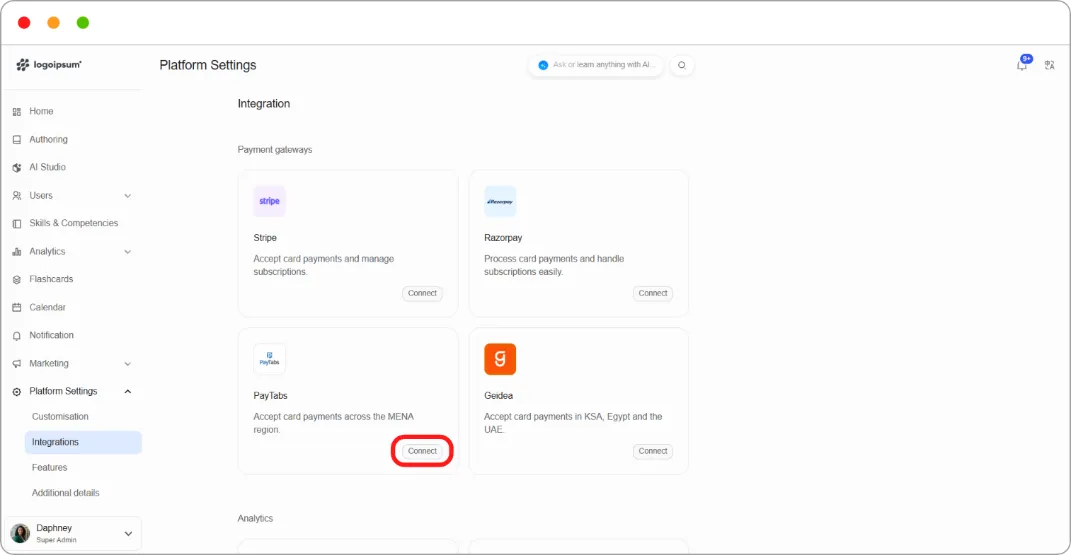
Step 2: On the PayTabs card, click Connect.
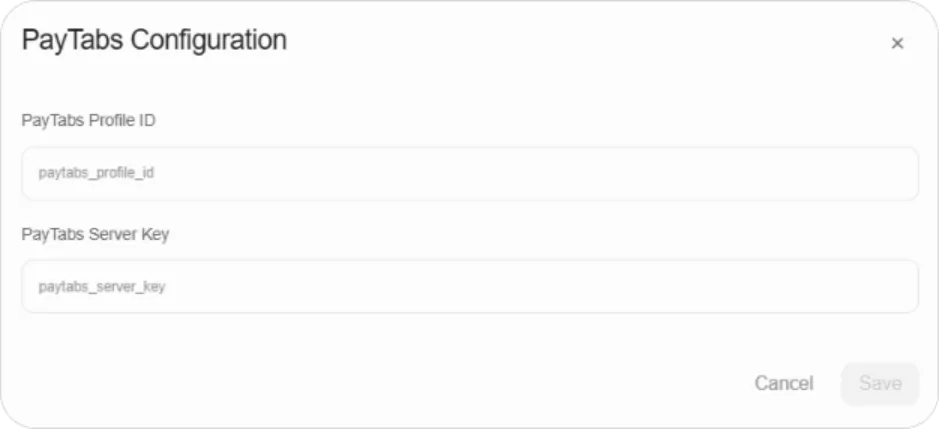
Step 3: Enter your PayTabs credentials.
Step 4: Click Save.
Related articles
Section titled “Related articles”Note: This article is being expanded. For the credentials PayTabs requires, see your PayTabs dashboard or contact Blend-ed support.