
How to change your profile photo
Who can do this: All users
You can upload your own photo or build an avatar.
Step 1: Open your profile.
Step 2: Click the edit (pencil) icon on your profile picture.
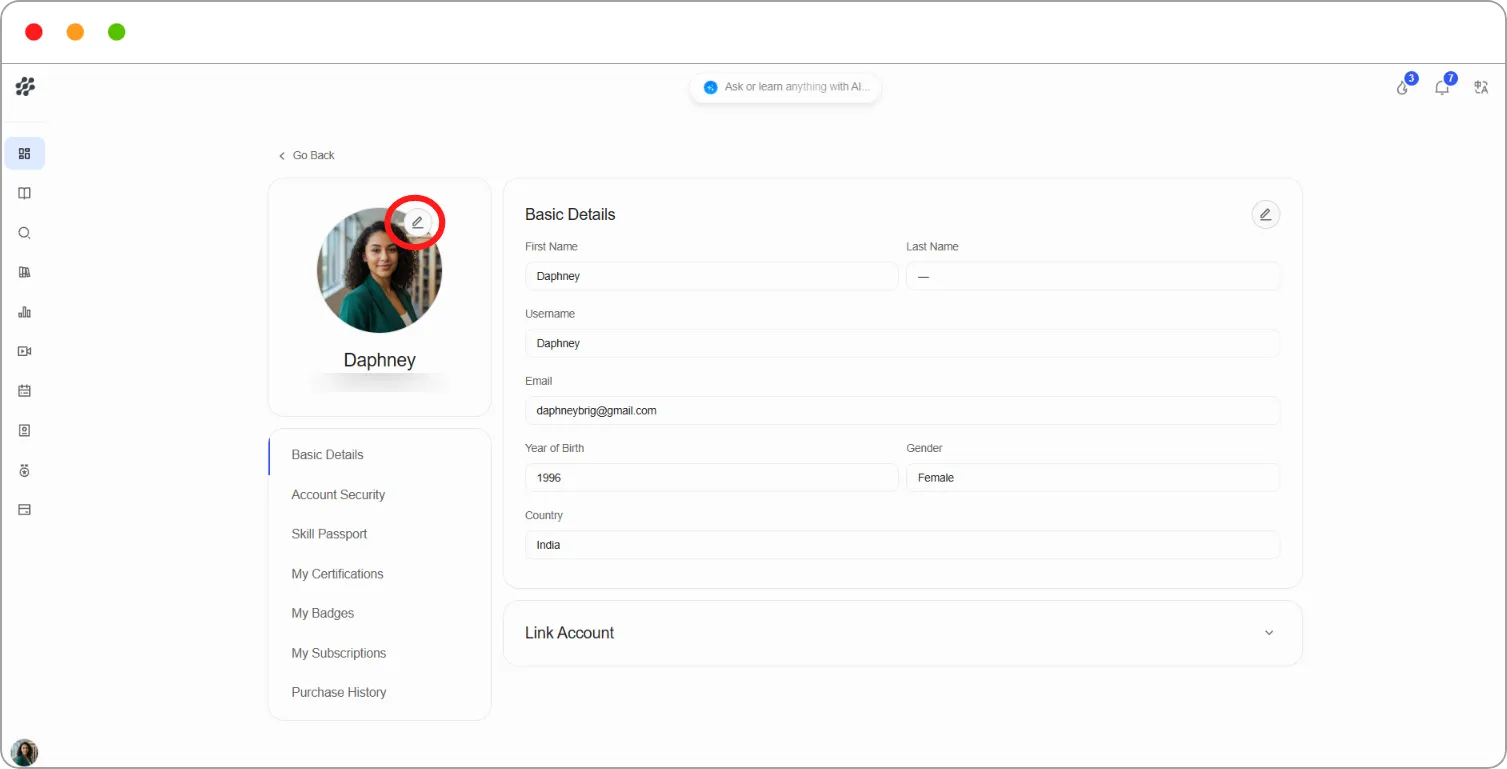
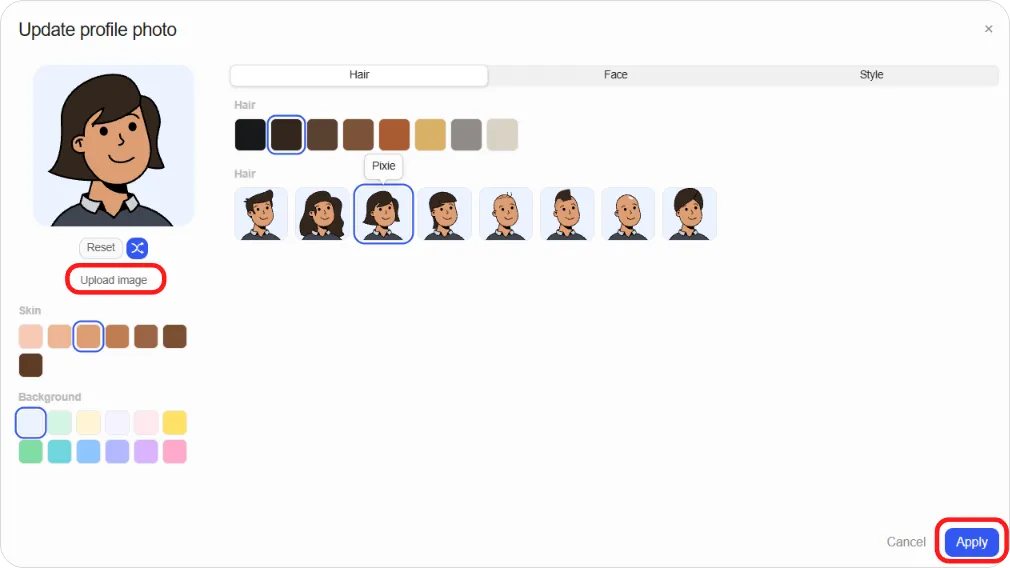
The Update profile photo window opens.
Step 3: Choose how to set your photo:
-
Upload a photo: Click Upload image and choose a file from your device.
-
Build an avatar: Use the tabs to design one:
| Tab | What you can change |
|---|---|
| Hair | Hairstyle and hair colour |
| Face | Eyes, eyebrows, nose, mouth and ears |
| Style | Clothing and accessories |
You can also choose a Skin tone and a Background colour. Click the shuffle icon for a random avatar, or Reset to start again.
Step 4: Click Apply.
Note: If you click Cancel after making changes, you’re asked to confirm. Click Discard to leave your photo as it was, or Keep editing to go back.