
How to enrol a whole team in a course or program
Who can do this: Super Admin, Admin, or Staff with the Enrollment Management permission
Enrol every member of a team in one action instead of learner by learner.
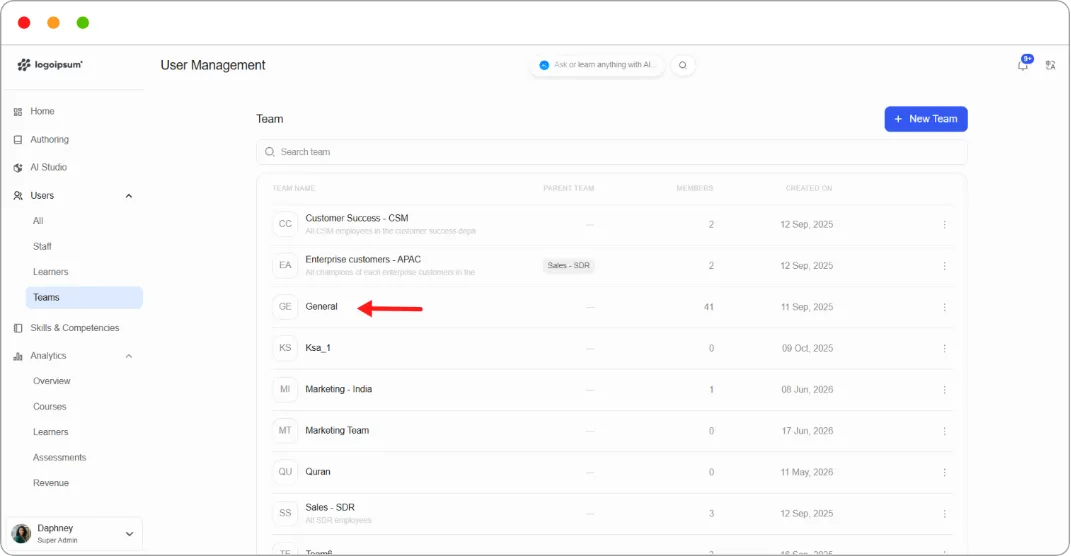
Step 1: Go to Users > Teams and click the team.
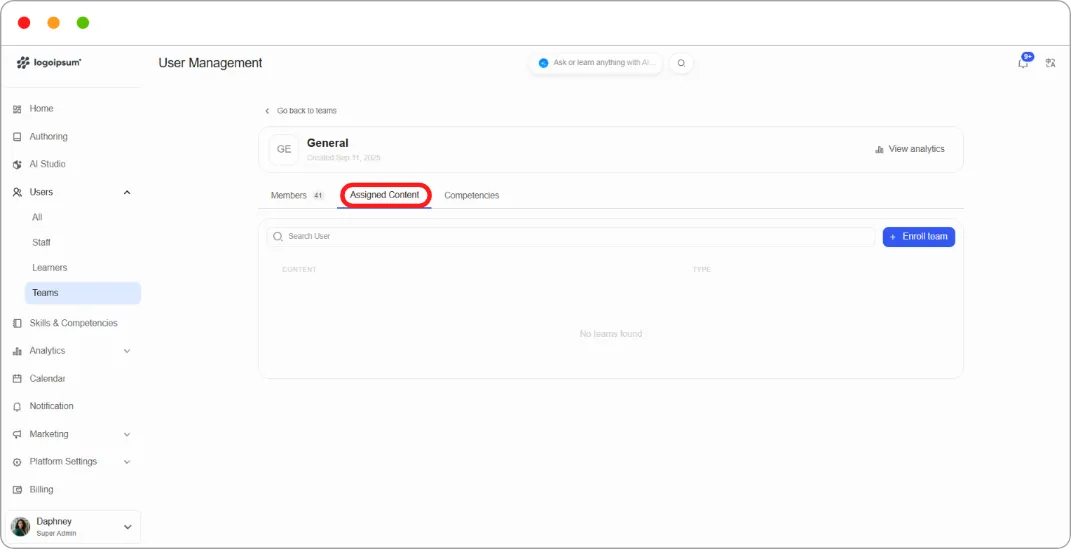
Step 2: Open the Assigned Content tab.
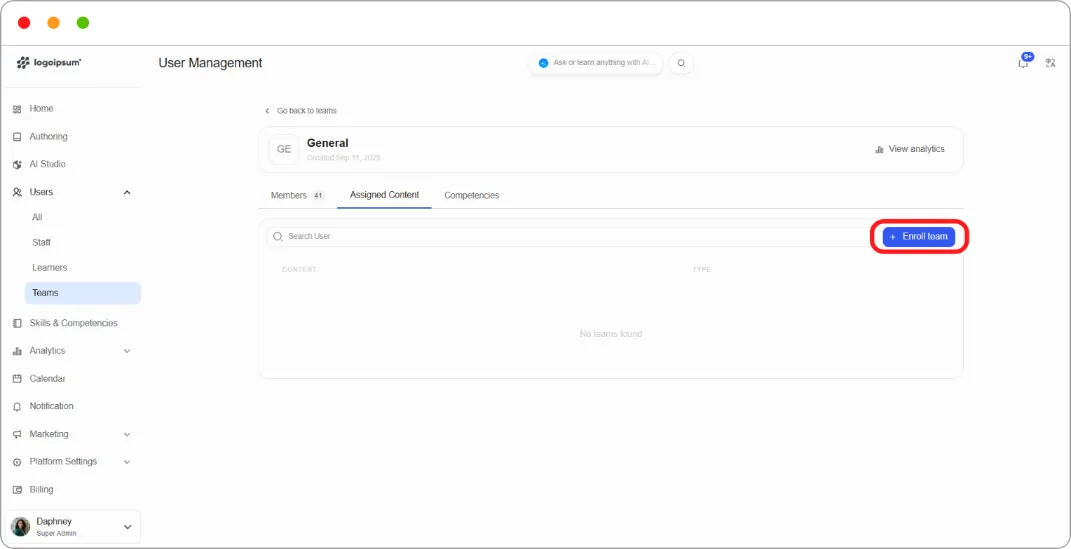
Step 3: Click + Enroll team.
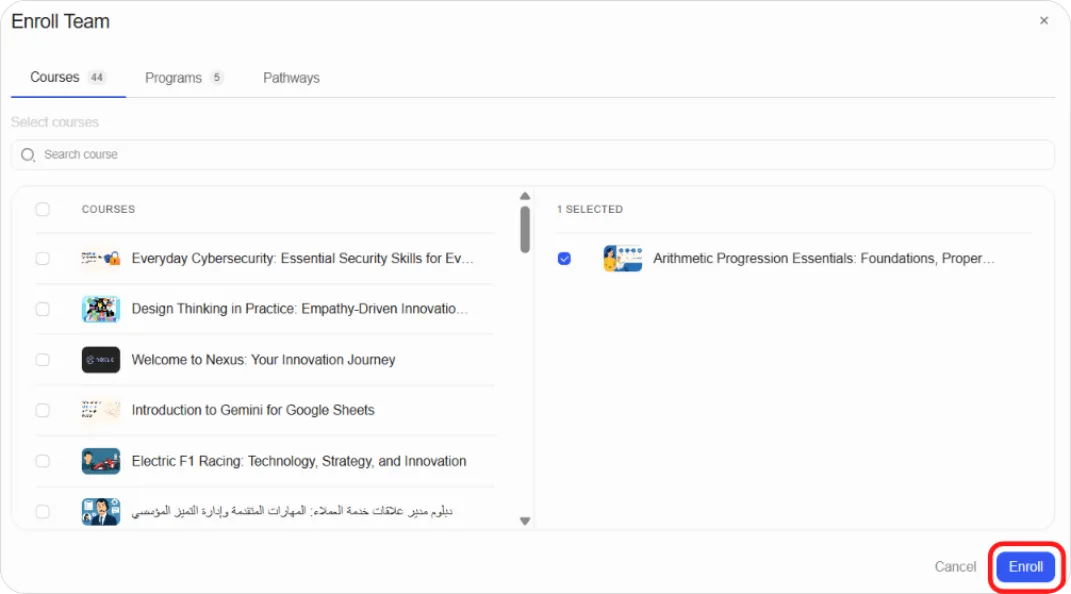
Step 4: Choose the course or program and confirm.
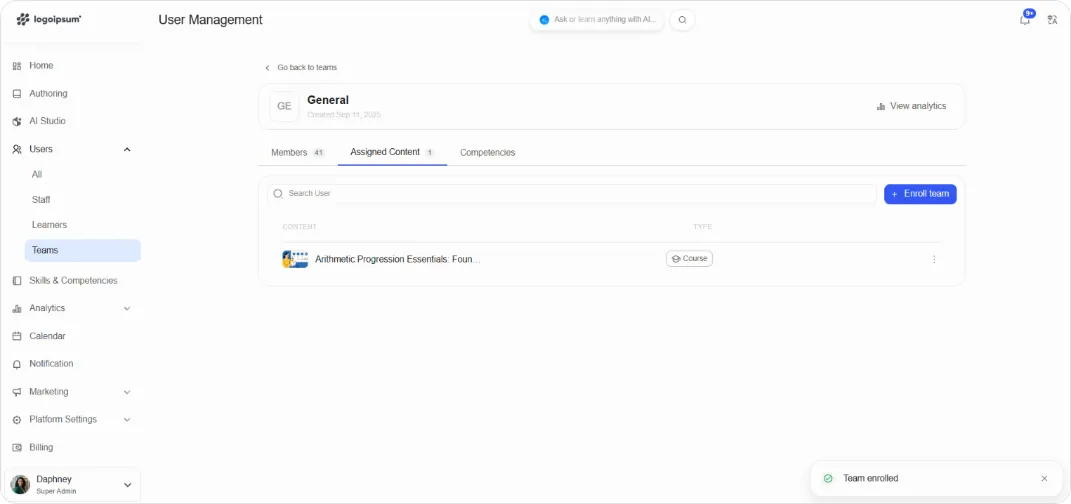
The content appears in the table with a type badge showing whether it’s a Course or a Program.
Unenrolling a team
Section titled “Unenrolling a team”Step 1: On the Assigned Content tab, click the ⋮ menu on the content’s row.
Step 2: Choose Unenroll.
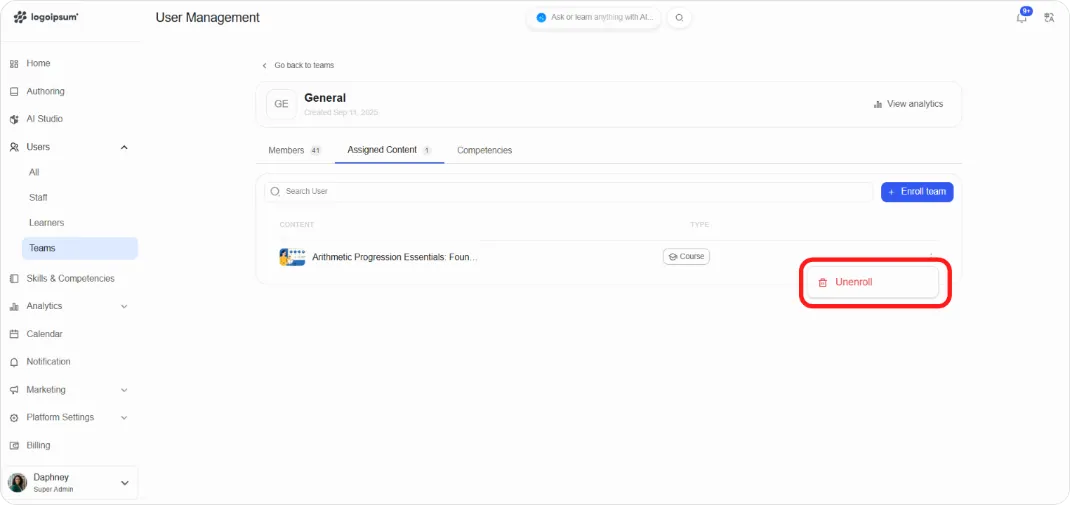
Warning: Unenrolling removes access for everyone in the team. Check whether anyone is mid-course before doing it.
Tip: Team enrolment is the fastest way to onboard a new department. Build the team, enrol it in your onboarding program once, and every new starter added to the team is a single click.
Related articles
Section titled “Related articles”[Needs a check on what happens to learner progress when a team is unenrolled, and whether members enrolled individually as well as through the team keep their access.]