
How to switch organisations
Who can do this: Anyone who belongs to more than one organisation
If you belong to more than one Blend-ed organisation, you can move between them without signing out.
Step 1: Click your name at the bottom of the left navigation.
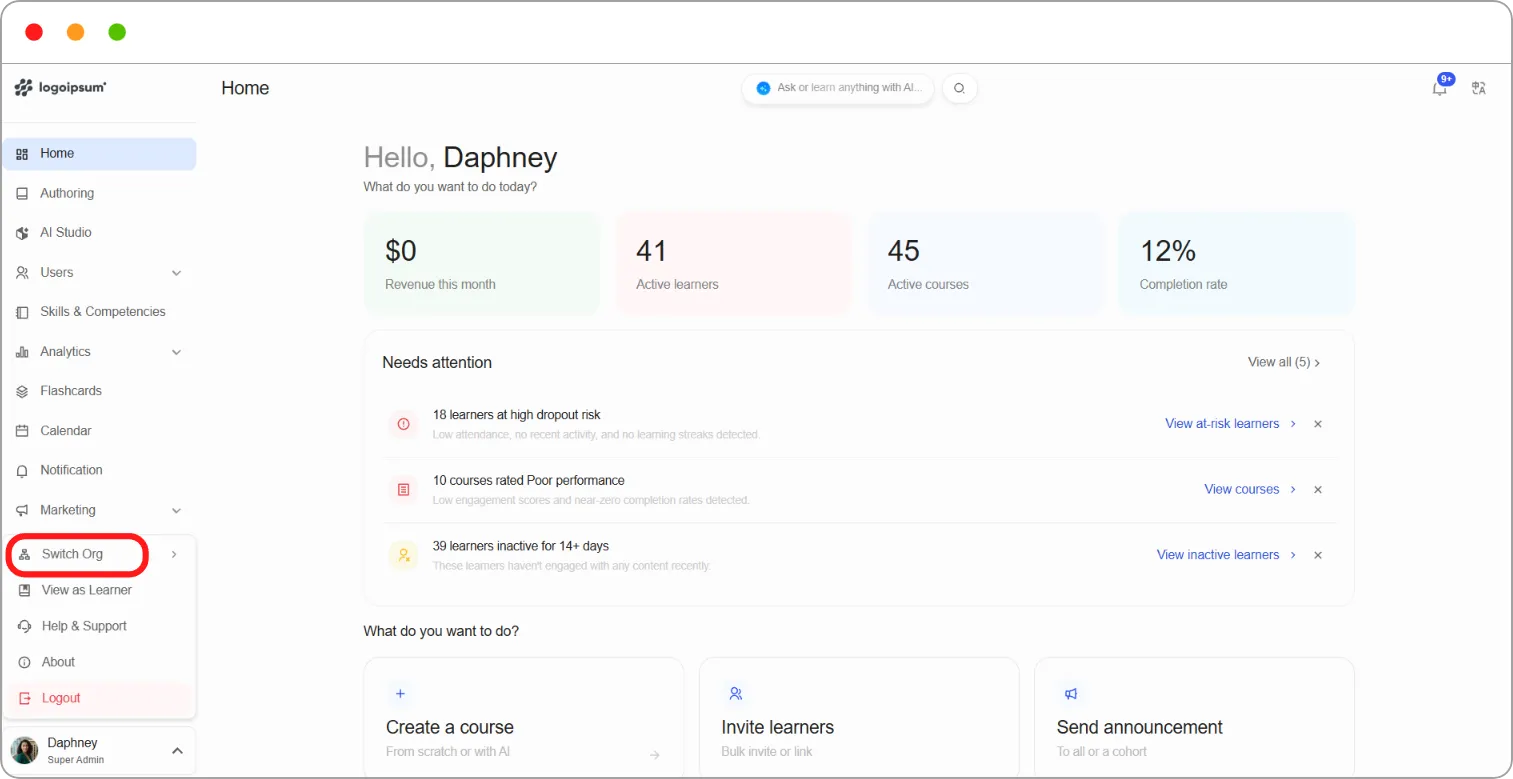
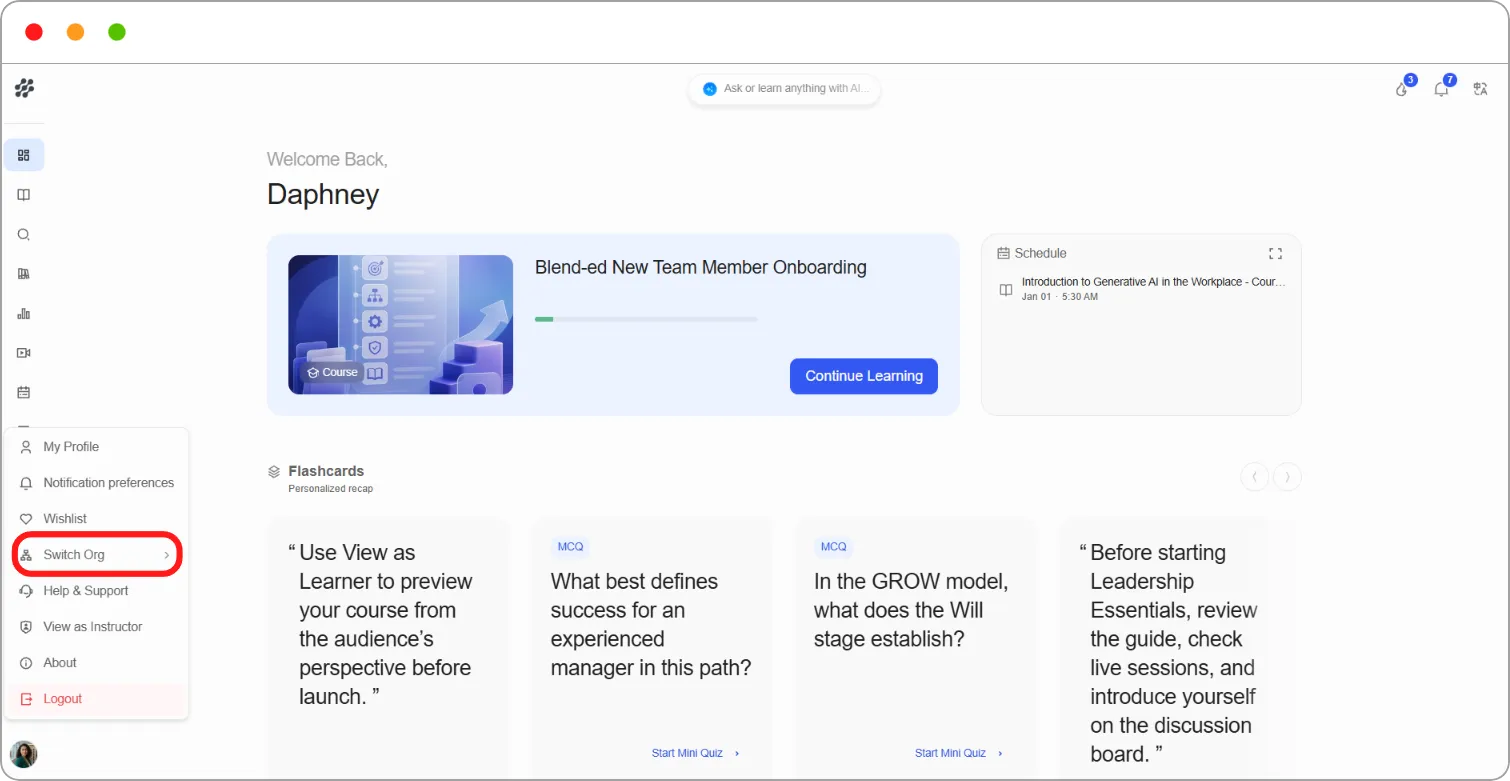
Step 2: Hover over Switch Org.
Your organisations are listed, with your current one marked Current organisation.
Step 3: Click the organisation you want to switch to.
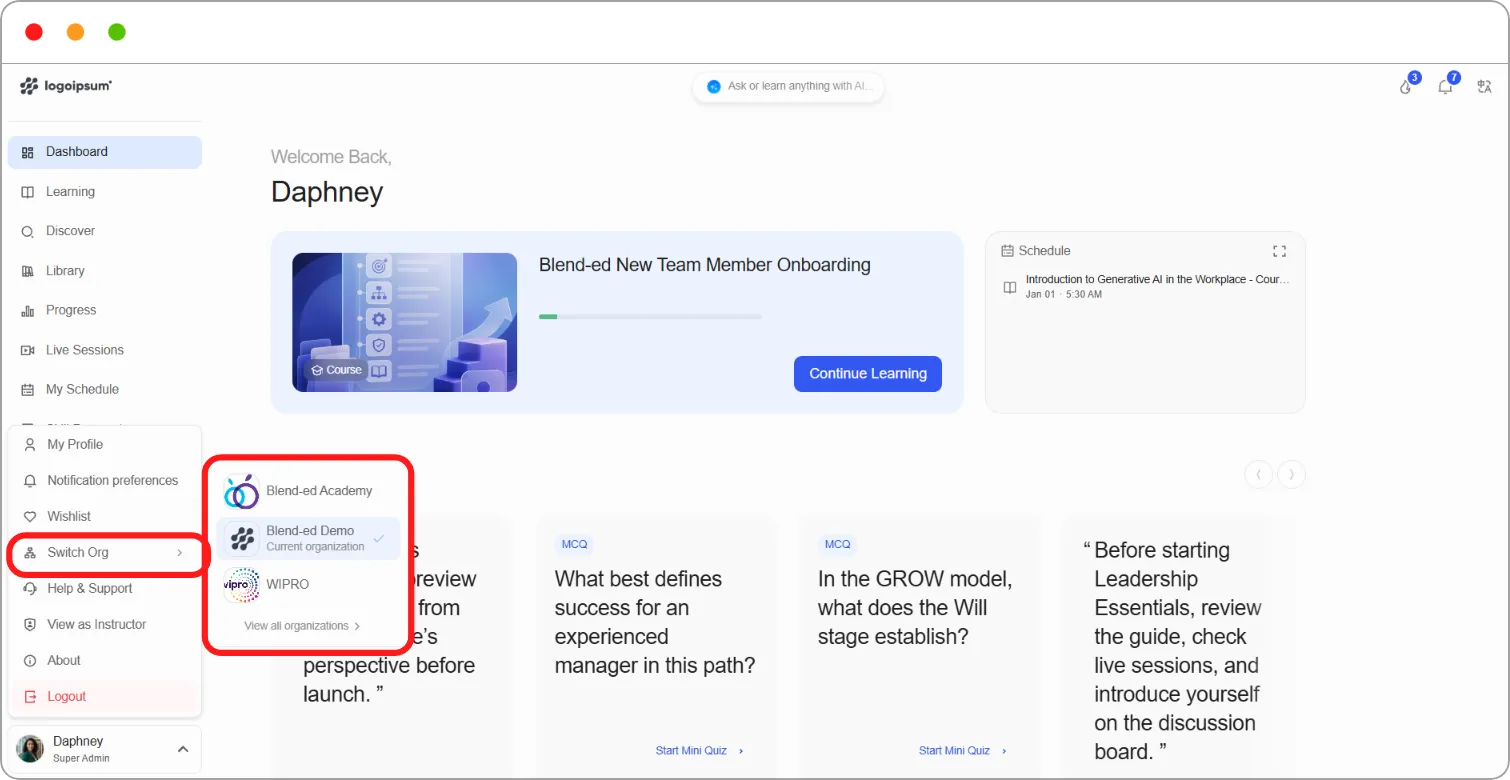
To see the full list, click View all organisations. This opens the Choose an organization page, where you can search for an organisation and click it.
Note: Your role can be different in each organisation. For example, you might be an Admin in one and a Learner in another, so your navigation changes when you switch.
Note: When you sign in, you’ll also be asked to choose an organisation if you belong to more than one. See How to sign in and sign out.