
How to delete your account
Who can do this: All users
Deleting your account permanently removes your account and personal data. It can’t be undone.
Before you start
Section titled “Before you start”Once your account is deleted:
-
you can’t use it to take courses
-
you may lose access to your certificates and other credentials
-
you can’t sign up again with the same email address
Tip: Download copies of your certificates before you delete your account. See How to view, download and share your certificates.
Step 1: Open your profile and click Account Security.
Step 2: Read the information under Delete My Account.
Step 3: Click Delete My Account.
Step 4: In the Are you sure? window, enter your account password.
Step 5: Click Yes, Delete.
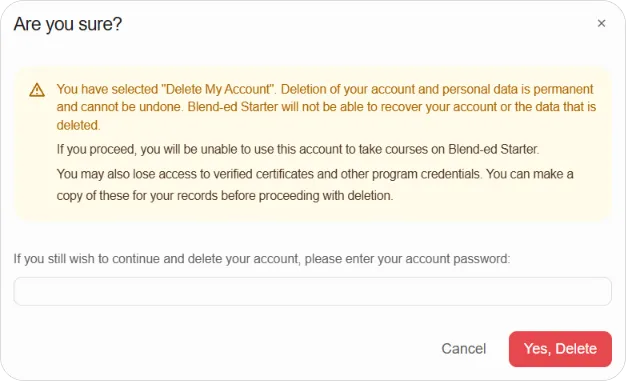
Note: To keep your account, click Cancel instead.