
How to organise teams with parent teams
Who can do this: Super Admin, Admin, or Staff with the User Management permission
Teams can sit under a parent team, so your structure reflects how your organisation is actually arranged: regional teams under a global one, or specialist teams under a department.
Setting a parent team
Section titled “Setting a parent team”Step 1: Go to Users > Teams.
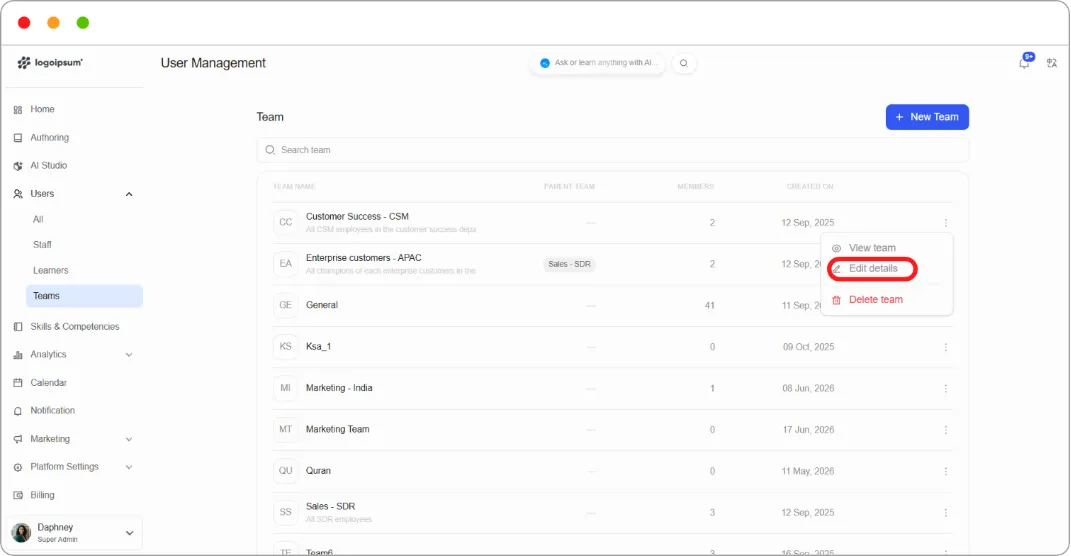
Step 2: Click the ⋮ menu on the team’s row and choose to edit it. On the team’s own page you can also use Team settings.
Step 3: In Parent team, choose the team this one should sit under.
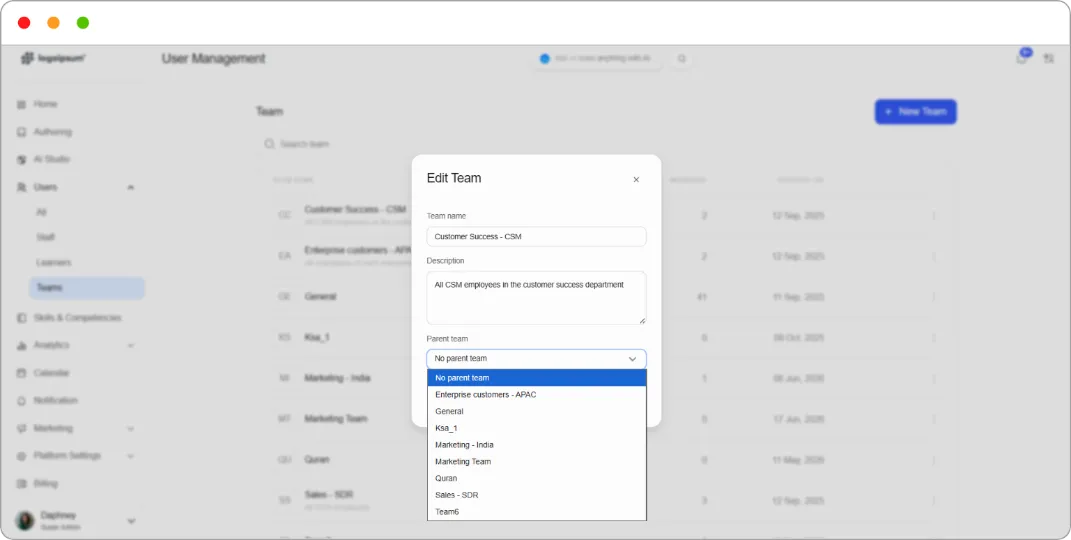
Step 4: Click Save.
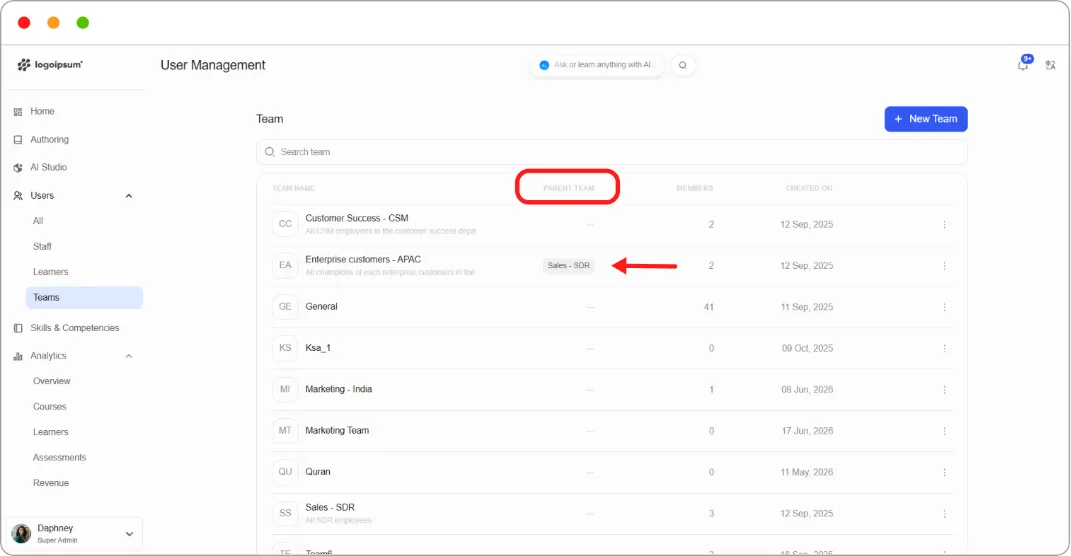
The Teams list shows the parent in the PARENT TEAM column.
Viewing the structure
Section titled “Viewing the structure”The Teams table shows every team with its parent, so you can read the whole hierarchy at a glance.
What a parent team does and doesn’t do
Section titled “What a parent team does and doesn’t do”Parent teams are for organisation, not inheritance.
Note: Content assigned to a parent team does not cascade to its child teams. Enrolling a parent team in a course enrols only the members of that parent team. Members of child teams get nothing unless you enrol their team separately.
The same applies to competencies. Assigning a competency to a parent team grants it to that team’s own members only.
What this means in practice
If you want everyone across a department to take the same course, you have two options:
| Approach | When to use it |
|---|---|
| Enrol each team separately | You want to keep teams distinct, for reporting or because not every team takes everything |
| Put the people directly in the parent team | Everyone genuinely belongs to one group and the child teams exist for another reason |
Tip: Because content doesn’t cascade, a parent team with no direct members is purely a label. That’s fine if you only want the hierarchy for navigation, but don’t assume enrolling it reaches anyone.
Tip: Keep the hierarchy shallow. Two levels are usually enough. Deep nesting makes it harder, not easier, to work out who is in what, and since nothing inherits, deeper nesting buys you nothing.