
How to reset your password
Who can do this: All users
Step 1: Open your profile and click Account Security.
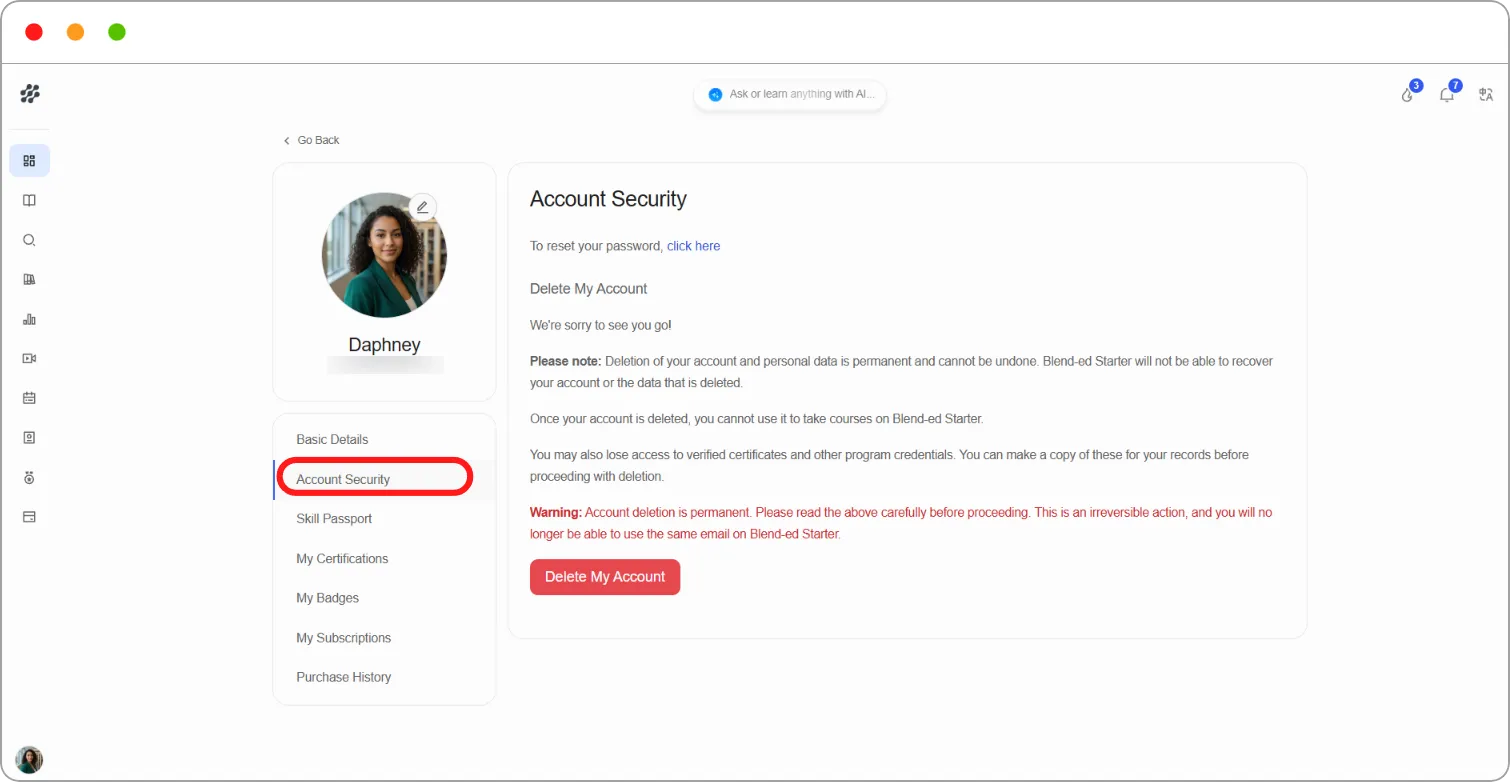
Step 2: Beside To reset your password, click click here.
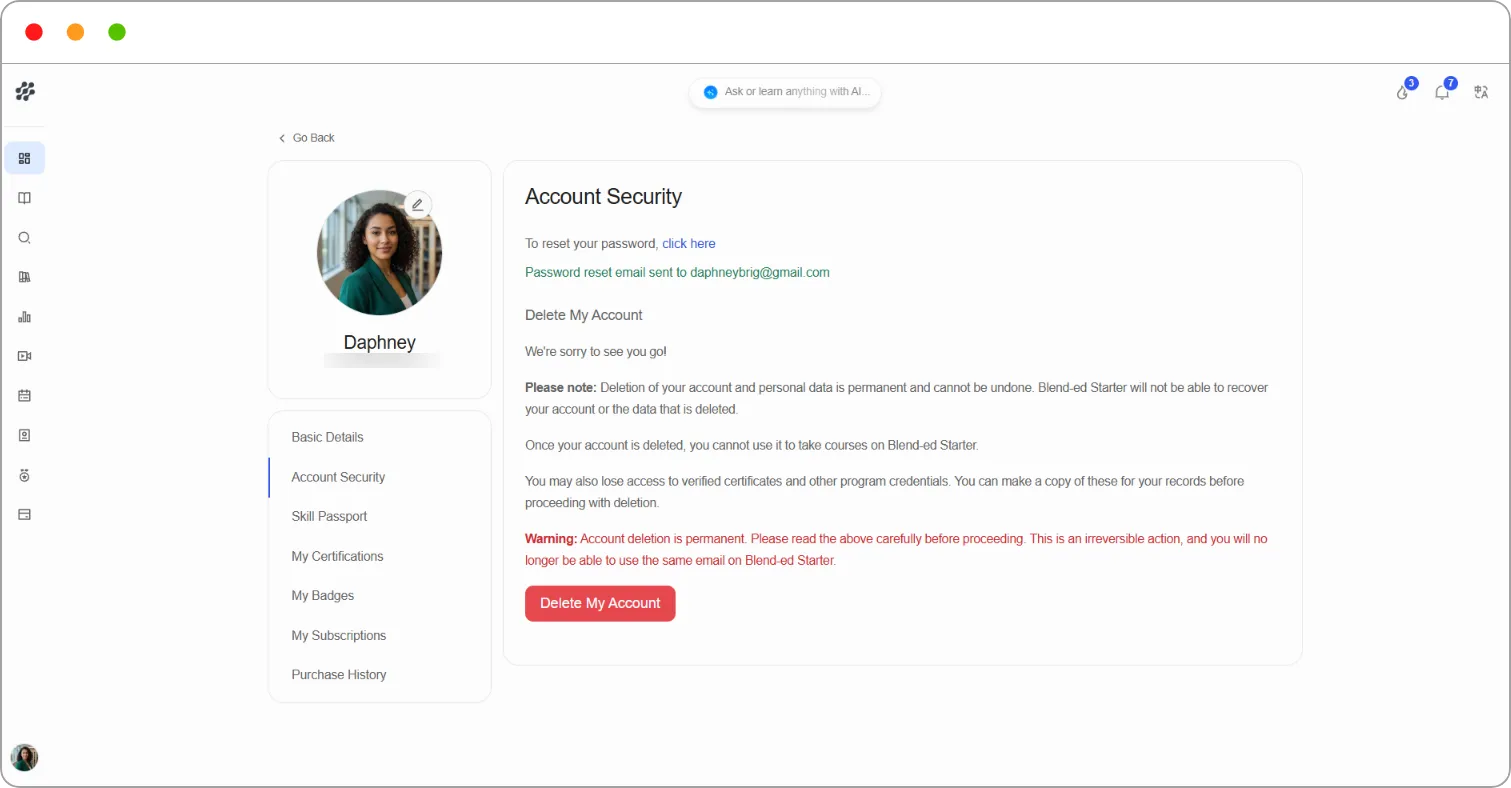
A confirmation appears: Password reset email sent to your email address.
Step 3: Open the email and follow the link to set a new password.
Tip: If the email doesn’t arrive within a few minutes, check your spam or junk folder.