
How to connect Google Tag Manager
Who can do this: Super Admin, Admin, or Staff with the Platform Settings permission
Google Tag Manager lets you manage marketing tags and analytics without code changes, so your marketing team can add or change tracking without a deployment.
Before you start
Section titled “Before you start”You’ll need a Google Tag Manager account with a container set up for your Blend-ed site. Copy the container ID, which looks like GTM-XXXXXXX.
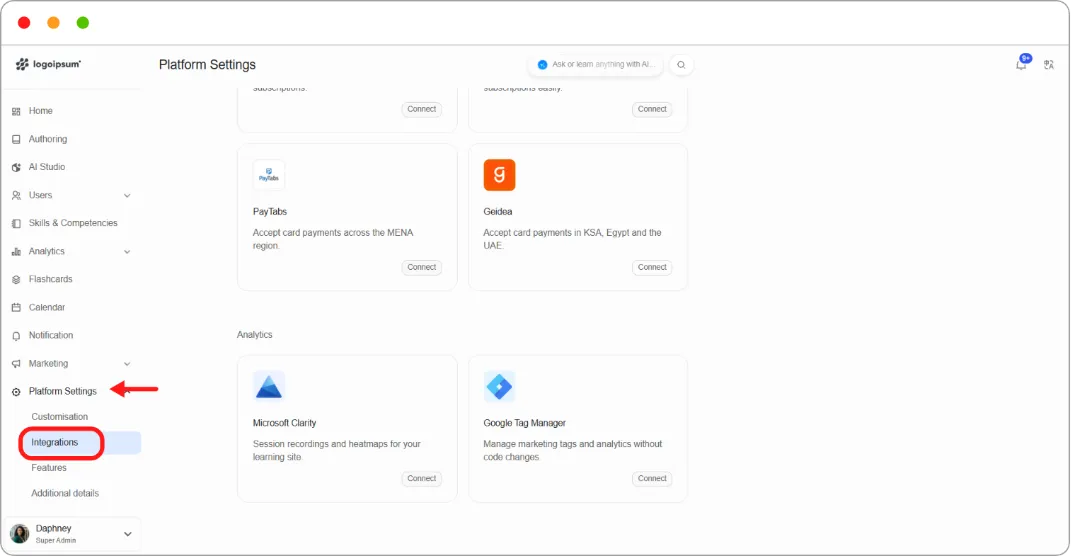
Step 1: Go to Platform Settings > Integrations.
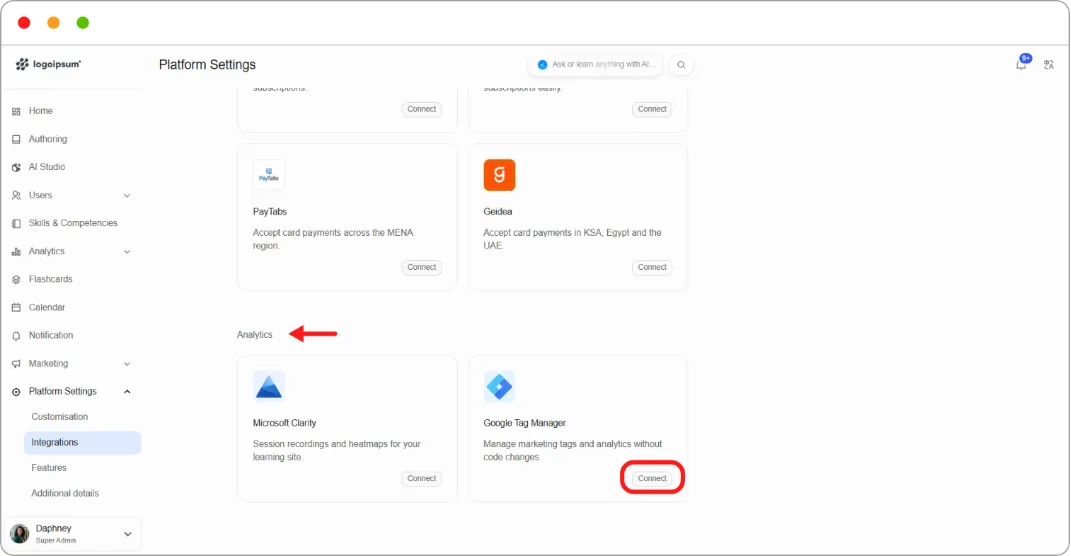
Step 2: Under Analytics, on the Google Tag Manager card, click Connect.
Step 3: Paste your Google Tag Manager ID.
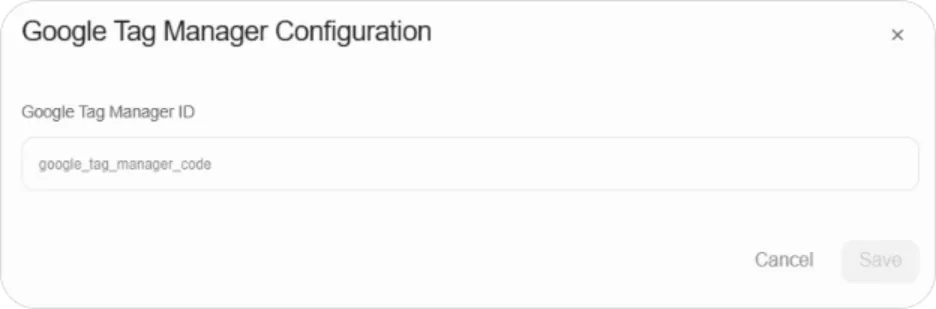
Step 4: Click Save.
Tags configured in your container now fire on your Blend-ed site.
Tip: Use Tag Manager as the single route for anything you’d otherwise want to inject as custom code. Tags added there can be changed or removed without touching platform settings.
Note: Tag Manager can load third-party scripts onto your platform. Whoever has access to your container can affect what runs for every learner, so keep that access tight.